Points and badges settings
Open SpaceBay → Settings and choose the Points and badges section in the left column. Select Save changes at the top right when you are done.
| Setting | What it does |
|---|---|
| Points, levels and badges | Shows points, levels and badges on profiles and next to names. On by default. See Points, levels and badges. |
| Leaderboard | The Leaderboard page with this week, this month and all time. On by default. Hidden profiles are left out. |
| Points for each action | A published post (5), a comment (2), a like from someone else (1, goes to the author), a visit once a day (1), answering “going” to an event (2). 0 to 100 each; 0 turns that action off. |
| Level names | Up to 12 levels, each with a name and the points needed. The first level starts at 0. Default: Newcomer, Member (50), Regular (200), Contributor (500), Veteran (1,000), Legend (2,500). |
| Badges | Switch each of the nine ready-made badges on or off. |
| Badge editor Pro | Up to 40 badges. Add badges, rename them, and choose their colour, icon and rule: given by hand, or earned at a number of posts, comments, likes received, points, daily visits or events. |
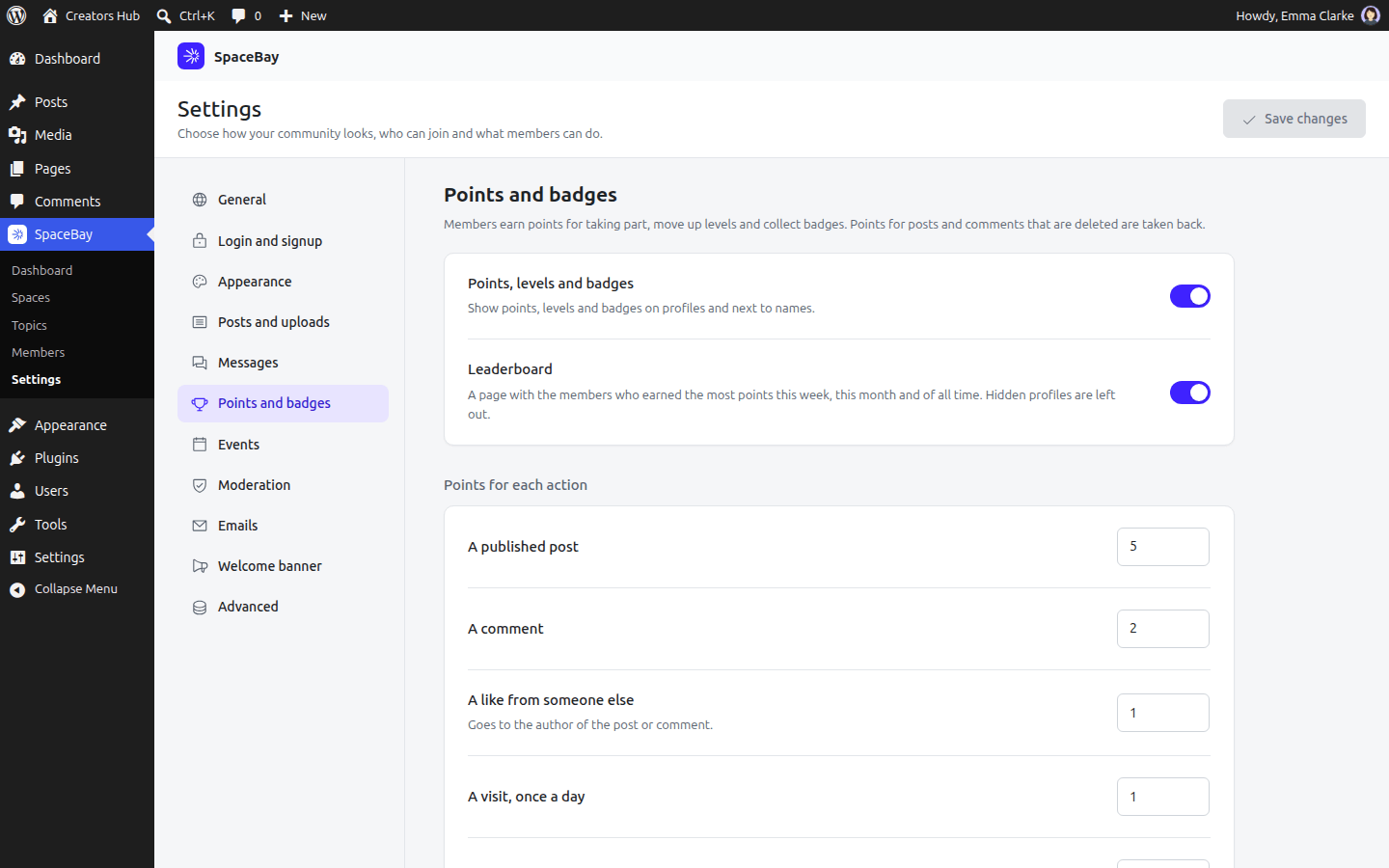
SpaceBay → Settings → Points and badges.
 SpaceBay
 Build a community, activity feed, group chat and events on your own WordPress site.
Get SpaceBay Pro
