Messages and group chat
Members send private messages from Messages in the sidebar, where a red number shows unread messages. They start a chat with New, or with the Message button on someone’s profile.
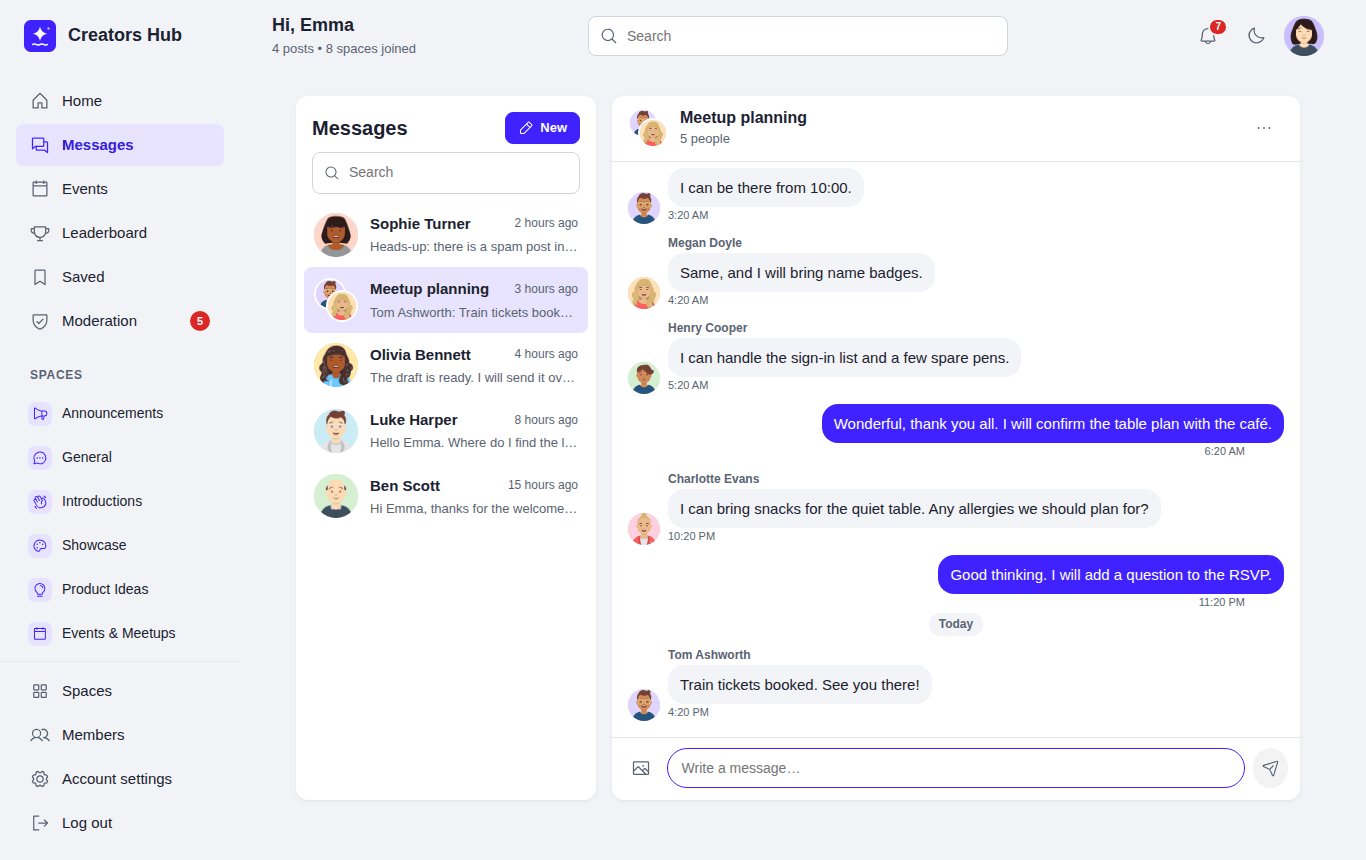
Messages: conversations on the left, the open chat on the right.
- One-to-one and group chats. Pick one person for a private chat, or several to start a group and give it a name. The person who starts a group can add and remove people; anyone can leave. People added to a group later see only messages from the day they joined. One-to-one chats keep the full history. When the owner leaves, the longest-standing member takes over.
- Writing. Enter sends, Shift+Enter adds a new line. Messages support bold, italic, links, lists and up to 10 images. Blocked words are hidden with stars, or the message is refused if blocked words are set to refuse. Members can delete their own messages.
- Live updates. An open chat checks for new messages every 3 seconds while the conversation is going, and less often once it has been quiet for a minute (every 6 seconds, then every 15). The unread badge refreshes every 15 seconds while the member is using the community (every 5 seconds when Pro calls are on) and every 30 to 60 seconds when the page is open but nobody is using it. Coming back to the page checks at once. “Seen” appears under your last message once the other person has read it.
- Emails. If a message is still unread after 15 minutes, the member gets one email for that conversation (not one per message). Members can turn this off under Account settings → Email notifications, or mute the conversation (see below).
- Muting. Open a chat and choose the three-dot Conversation options button in its header, then Mute this conversation. Muting is private to the member who does it and only changes their own view. A muted conversation sends no unread-messages email and its messages are left out of the red unread number in the sidebar. It keeps its place in the list with a small crossed-out bell, and its own unread count still shows next to it. Muting does not stop messages arriving, hide the chat or block the person. To undo it, open the same menu and choose Turn notifications on.
- Safety. Members can block someone from their profile or the chat menu; neither can then message the other. Report under a message sends it to the moderation queue, where moderators can keep or delete it. Moderators only see messages that were reported. Suspended or waiting members cannot send messages.
Choose who can message whom and whether group chats are allowed under Settings → Messages.
Voice and video calls in chats are part of SpaceBay Pro: see Voice and video calls.
 SpaceBay
 Build a community, activity feed, group chat and events on your own WordPress site.
Get SpaceBay Pro
