Settings overview
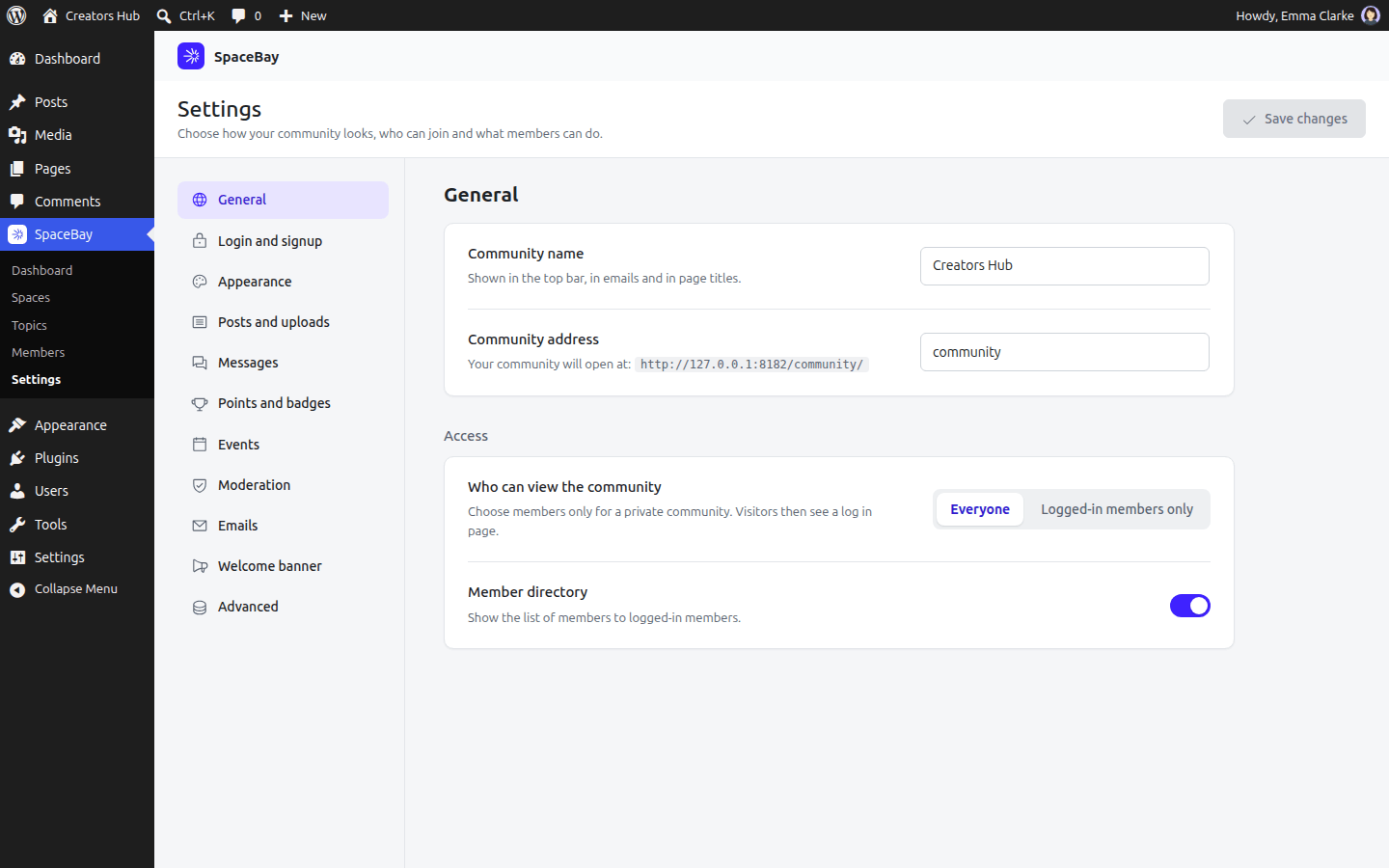
SpaceBay → Settings.
Settings are grouped into sections in the left column: General, Login and signup, Appearance, Posts and uploads, Messages, Points and badges, Events, Shops (Pro), Moderation, Emails, Welcome banner and Advanced. Change what you need in any section, then select Save changes at the top right. The button is active only when something has changed.
Settings marked Pro are added to these sections by SpaceBay Pro. Without Pro they are not shown, and what you saved before is kept.
The sections
Section titled “The sections”- General: name, address, who can view the community and the member directory.
- Login and signup: login pages, signing up, terms, and two-factor settings Pro.
- Appearance: layout, colour mode, logo and brand colour.
- Posts and uploads: link previews and the largest image upload.
- Messages: who can message whom, group chats, and calls Pro.
- Points and badges: points, levels, leaderboard and badges.
- Events: the Events page, who can add events, and reminders Pro.
- Moderation: member approval, new posts, blocked words and reports.
- Emails, welcome banner and advanced.
- Shops Pro: turn on member shops, choose how new products are approved and set limits. It sits just before Moderation in the list. See Member shops.
The member directory switch is in General.
 SpaceBay
 Build a community, activity feed, group chat and events on your own WordPress site.
Get SpaceBay Pro
