Emails, welcome banner and advanced settings
Emails
Section titled “Emails”Open SpaceBay → Settings and choose the Emails section in the left column. Select Save changes at the top right when you are done.
| Setting | What it does |
|---|---|
| Send notification emails | Emails members about mentions, comments, replies and space activity. Each member chooses which emails they want. On by default. |
| Sender name and email address | The From of notification emails. Leave the address empty to use your WordPress default. Use an address on your own domain so emails are not marked as spam. |
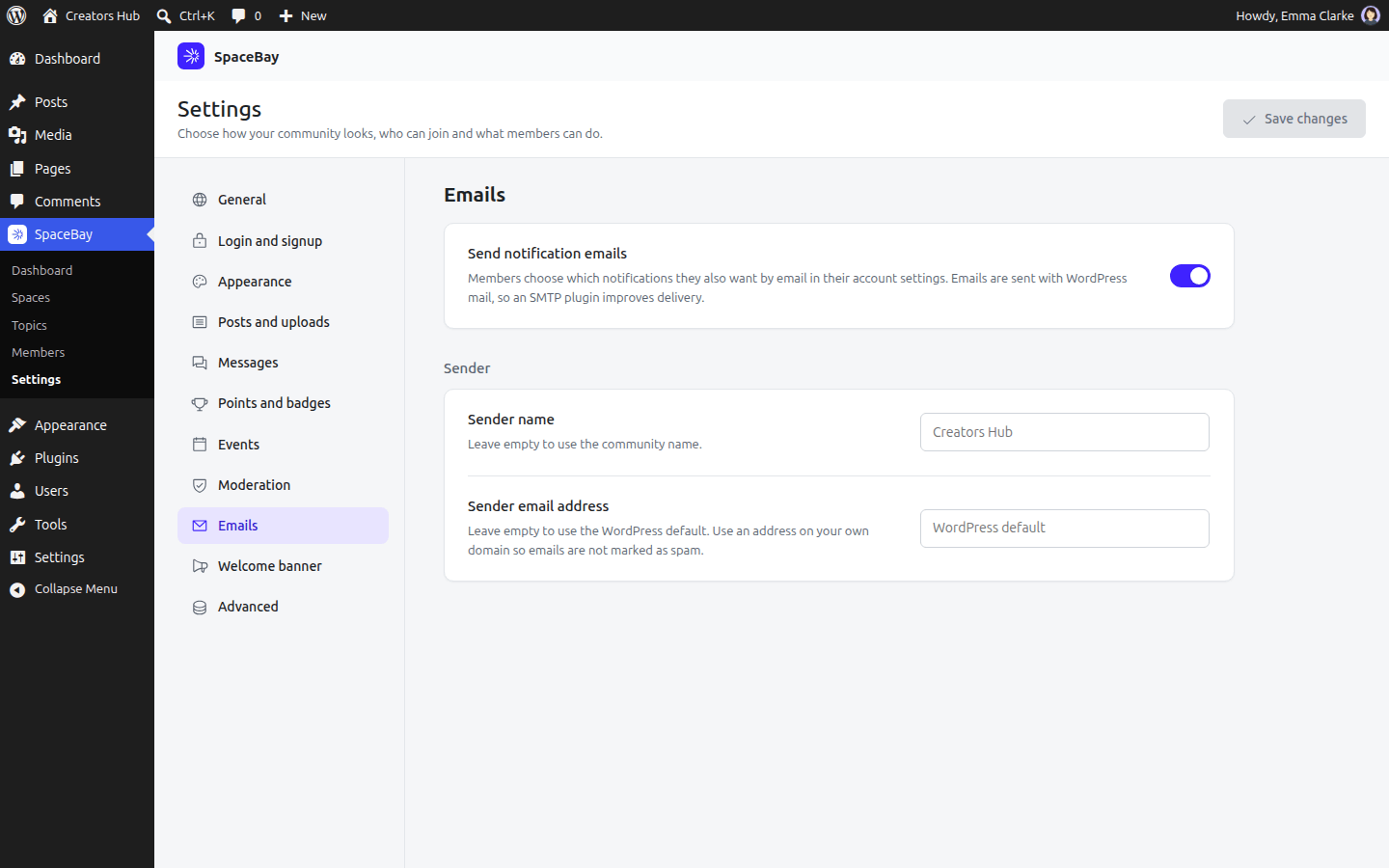
SpaceBay → Settings → Emails.
Welcome banner
Section titled “Welcome banner”| Setting | What it does |
|---|---|
| Title | Shown at the top of the home feed. Default: “Welcome to our community”. |
| Message | A sentence or two that tells members what the community is for. Default: “Say hello, ask questions and share what you are working on.” |
Advanced
Section titled “Advanced”| Setting | What it does |
|---|---|
| Delete all data when the plugin is deleted | When on, deleting the plugin removes all SpaceBay data. Off by default. |
 SpaceBay
 Build a community, activity feed, group chat and events on your own WordPress site.
Get SpaceBay Pro
