Voice and video calls
Turn calls on under Settings → Messages. A phone and a camera button then appear at the top of each chat. The other people get a ringing call card wherever they are in the community; in group chats everyone is invited and can join. During a call members can mute, turn their camera off, make the call window smaller and keep browsing, or hang up. Finished and missed calls are noted in the chat.
Things to know before turning calls on:
- HTTPS is required. Browsers only allow the microphone and camera on secure sites.
- Sound and video go directly between browsers (WebRTC). They never pass through your server, so calls do not use your hosting bandwidth. Your site only passes small connection messages while a call starts.
- Group calls work best for up to 4 people. Every person sends their video to every other person.
- Some networks need a TURN server. Most calls connect with the default STUN server alone, but strict office, school and some mobile networks block direct connections. Add a TURN server (from a provider such as Cloudflare, Twilio or Metered, or your own coturn server) under Settings so these calls connect too. Developers can hand out short-lived TURN credentials with the
spacebay_call_ice_serversfilter. - Privacy. In a direct connection the people in a call can see each other’s network (IP) address. With a TURN server, calls can be relayed instead.
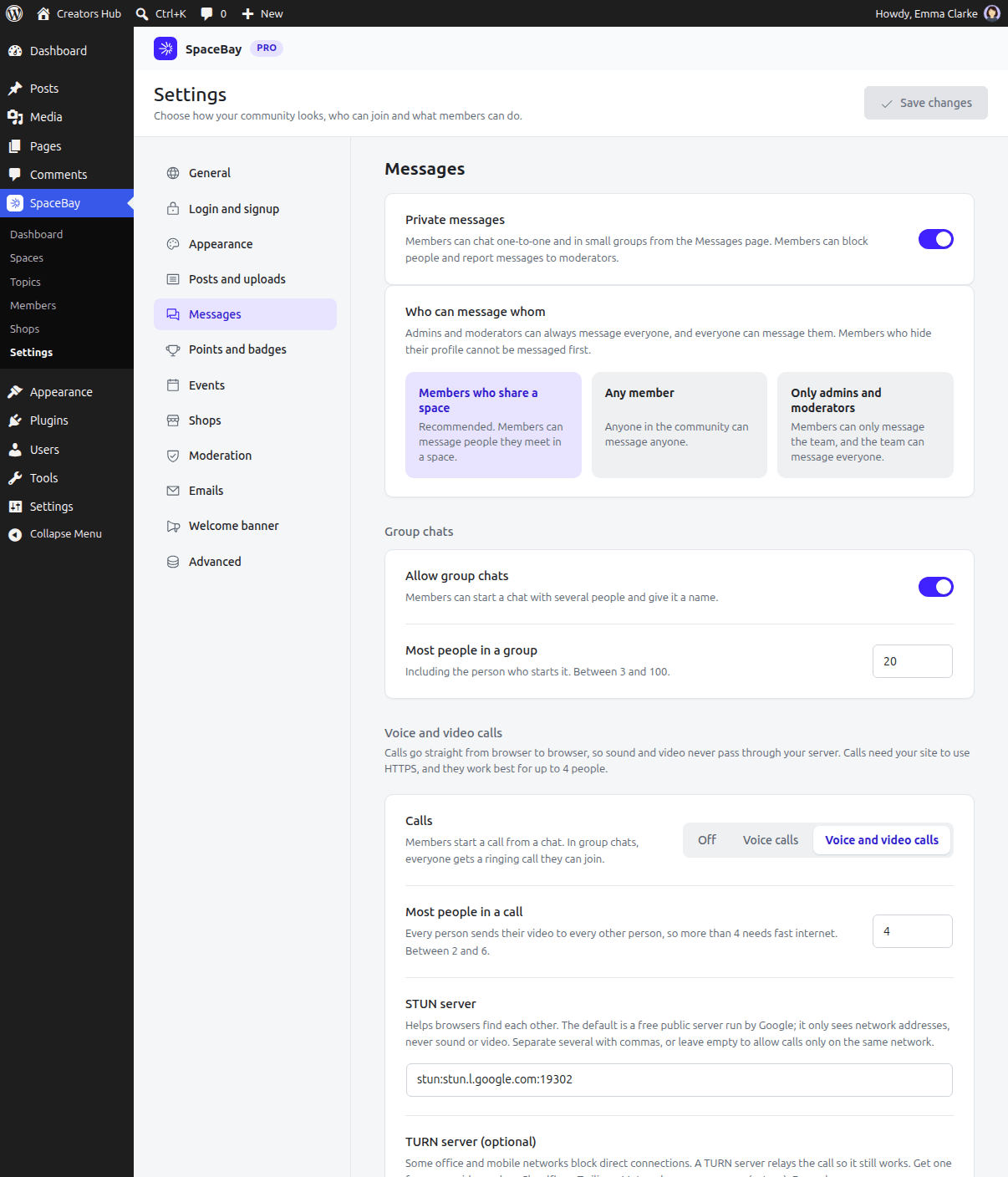
Settings → Messages, with SpaceBay Pro active.
 SpaceBay
 Build a community, activity feed, group chat and events on your own WordPress site.
Get SpaceBay Pro
