
Product Assignments
Assignments control which products an Option Group appears on. Each group can have multiple assignment rules that combine to determine its visibility across your store.
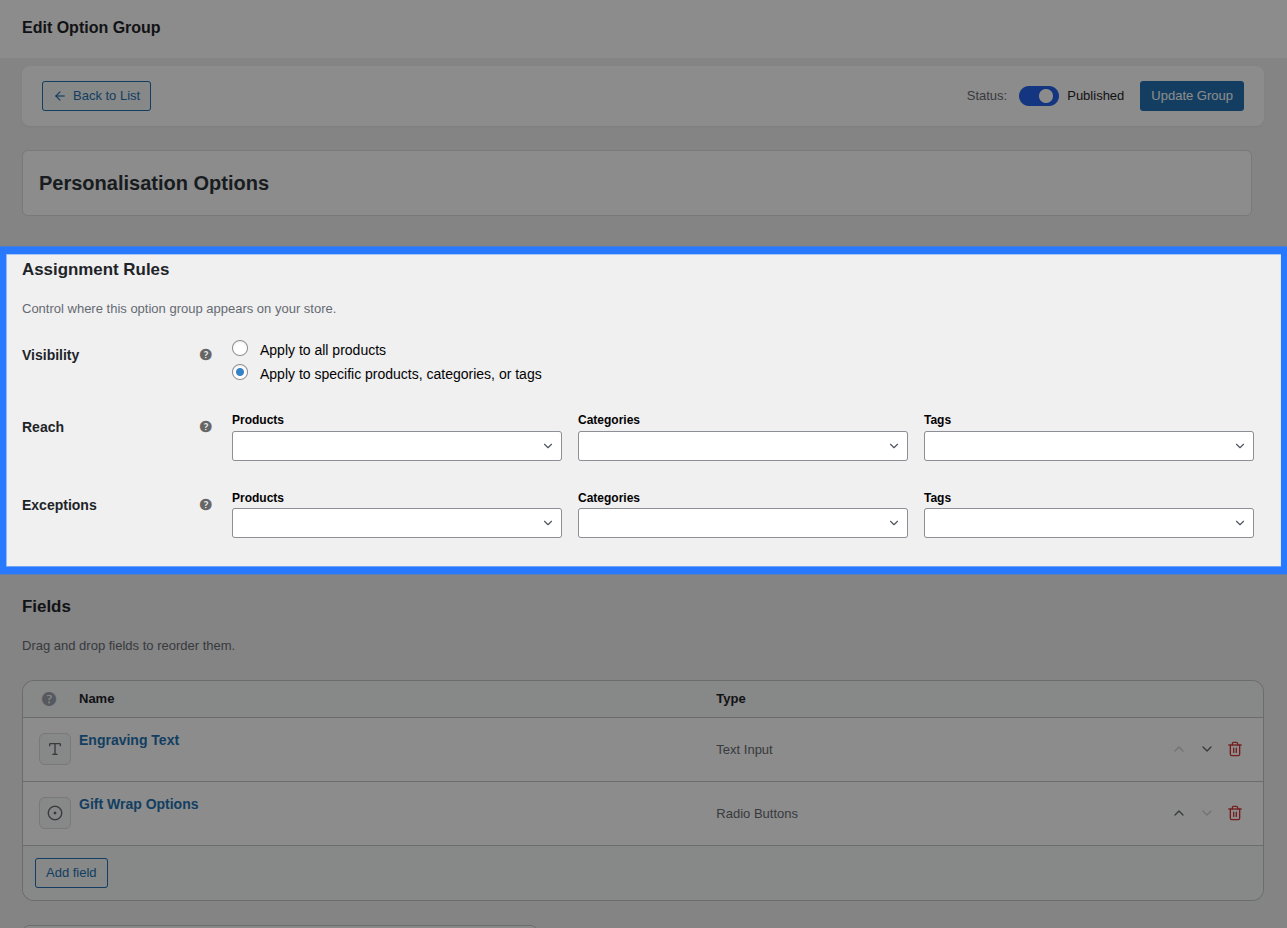
How Assignments Work
When a customer visits a product page, Smart Product Options and Addons queries the wp_smart_product_options_addons_assignments database table using a single indexed lookup. The query checks whether any published Option Groups match the current product's ID, category IDs, or tag IDs.
The result is a prioritised, deduplicated list of groups to render — resolved in milliseconds even on large stores.
Assignment Targets
Each assignment rule targets one of four scopes:
| Target | Description |
|---|---|
| Global | The group appears on all products site-wide |
| Specific Product | The group appears on one or more individually selected products |
| Category | The group appears on all products in one or more selected categories |
| Tag | The group appears on all products with one or more selected tags |
You can add multiple rules of any type. Smart Product Options and Addons evaluates them all together.
Adding Assignment Rules
Inside the Addon Builder, open the Assignment Rules section. Click Add Rule to add a new row.
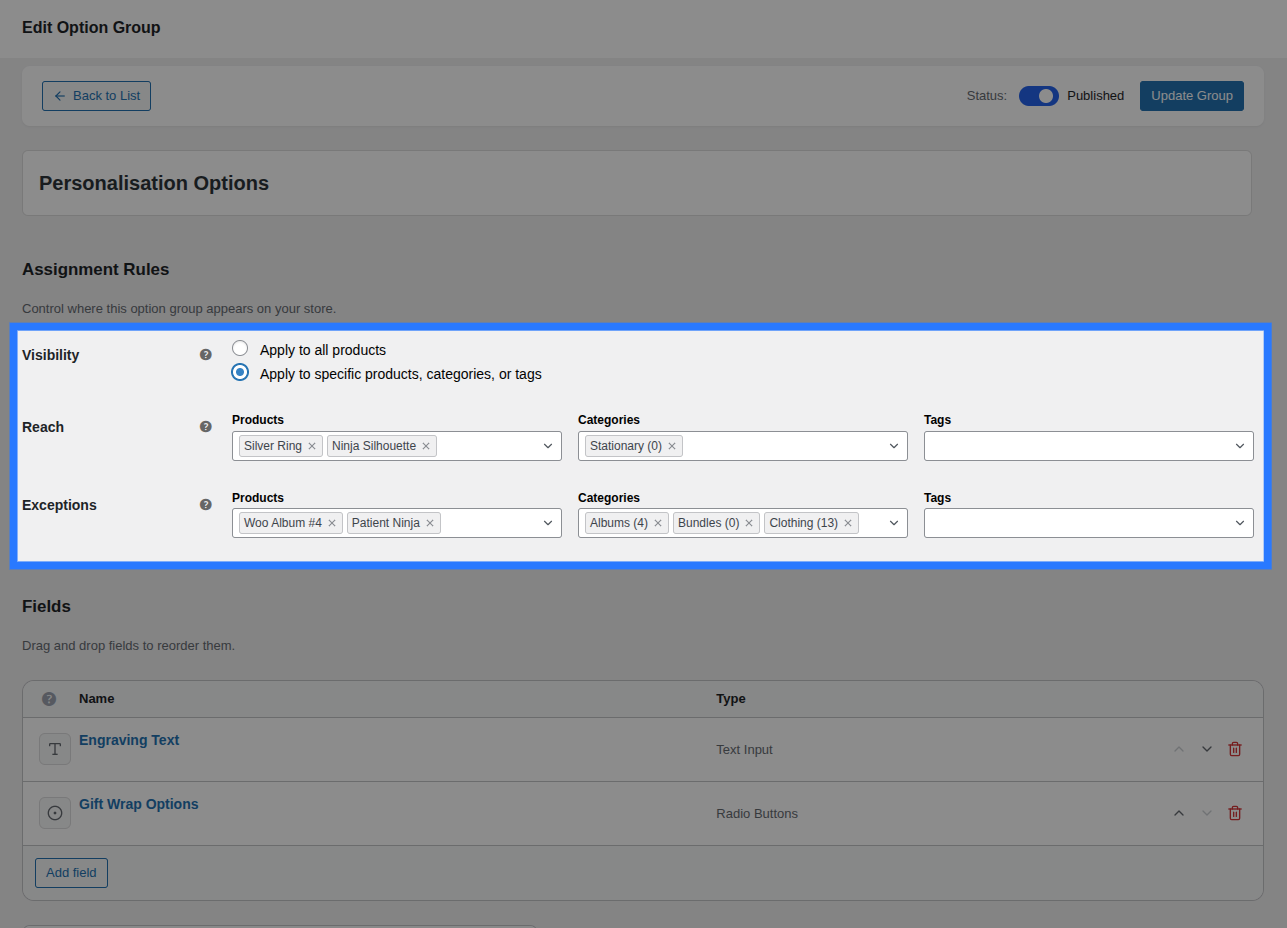
For each rule, configure:
- Target Type — Select Global, Product, Category, or Tag from the dropdown
- Target — (Not applicable for Global) Search and select the specific product, category, or tag
- Type — Choose Include or Exclude (see below)
- Priority — A number (default:
10). Lower numbers have higher priority.
Inclusion vs. Exclusion Rules
Rules can be either inclusions (the group should appear) or exclusions (the group should not appear).
Example
Imagine you want a group to appear on all products in the "Jewellery" category except for the product "Silver Ring".
| Rule | Target | Type |
|---|---|---|
| Category | Jewellery | Include |
| Product | Silver Ring | Exclude |
Smart Product Options and Addons processes both rules together. Since the exclusion rule exists for "Silver Ring", the group will not appear on that product even though the category rule would otherwise include it.
Priority Tie-Breaking
When an exclusion rule and an inclusion rule have the same priority, the exclusion wins. Give inclusions a lower priority number (e.g. 5) than exclusions (e.g. 10) if you want inclusions to override.
Priority
Priority is a number that controls which rule "wins" when two conflicting rules apply to the same group:
- Lower number = Higher priority (e.g. priority
1beats priority10) - Default priority is
10
Use case: You have a Global rule that includes a group on all products (priority 10) and a Product-specific exclusion to hide it from "Widget A" (priority 5). Since 5 < 10, the exclusion wins and the group is hidden on "Widget A".
Removing Rules
Click the × Remove button at the end of any rule row to delete it. Unsaved changes are local until you click Save.
Assignment Summary in the List
On the Option Groups list, the Assigned To column shows a human-readable summary of where each group is assigned:
| Summary shown | Meaning |
|---|---|
All Products | At least one Global rule exists |
3 categories, 2 products | Category and/or product-specific rules (no global) |
None | No assignment rules — the group never appears |
Groups with no assignments never appear
A group must have at least one inclusion rule to display on any product page. A group with zero assignment rules is effectively invisible.
Technical Details
Assignment rules are stored in the wp_smart_product_options_addons_assignments custom database table:
CREATE TABLE wp_smart_product_options_addons_assignments (
    id          bigint(20) UNSIGNED NOT NULL AUTO_INCREMENT,
    group_id    bigint(20) UNSIGNED NOT NULL,   -- CPT post ID
    target_type varchar(20) NOT NULL DEFAULT 'global',  -- global | product | category | tag
    target_id   bigint(20) UNSIGNED NOT NULL DEFAULT 0, -- 0 for global
    is_exclusion tinyint(1) NOT NULL DEFAULT 0,
    priority    int(11) NOT NULL DEFAULT 10,
    PRIMARY KEY (id),
    KEY group_id (group_id),
    KEY target_lookup (target_type, target_id, is_exclusion, priority)
)
The composite index target_lookup makes the per-product resolution query extremely fast — it never scans the full table, regardless of how many groups or products you have.