
Global Settings
Manage site-wide display preferences, stylesheet values, and maintenance workflows for Smart Product Options and Addons. Access these settings by navigating to WooCommerce → Settings → Products → Options in your WordPress admin dashboard.
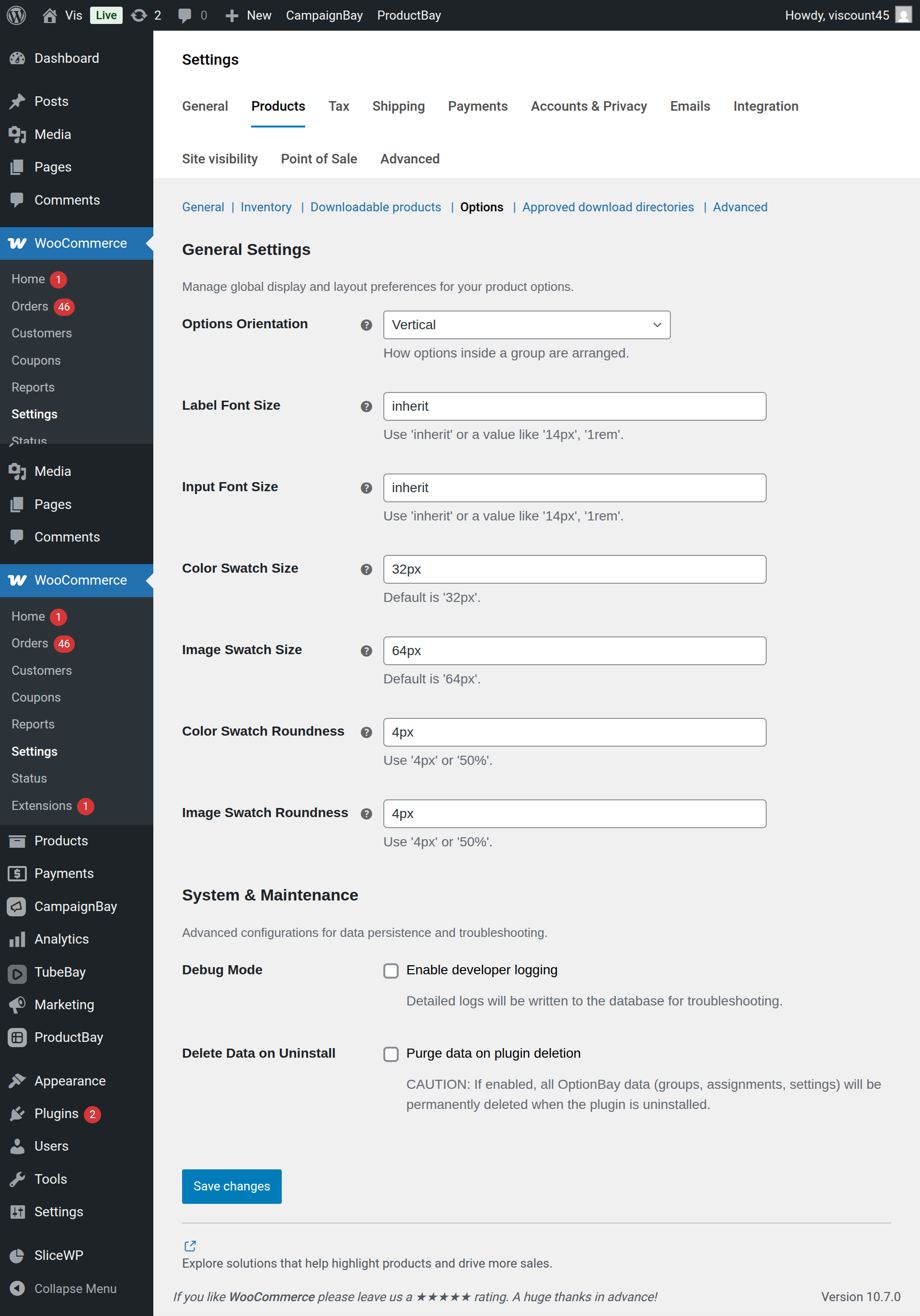
Settings are structured into tabs and sections. To apply your adjustments, click the native WooCommerce Save changes button at the top or bottom of the settings screen.
General Settings
These configuration choices govern the visual layout, typography sizes, and thumbnail styles of all Option Groups rendered on your frontend product pages.
Options Orientation
Controls the layout flow of choice list containers (Radio Buttons and Checkbox fields) on the frontend:
- Vertical (Default): Choice options are stacked on top of each other in a single column. Best for long lists of choices or text-heavy options.
- Horizontal: Choice options are displayed side-by-side in a row. Best for short labels or when trying to save vertical page space.
Label Font Size
Sets the CSS font-size rule for all field labels (e.g. "Engraving Text", "Select Size").
- Default:
inherit(automatically inherits your active WordPress theme's standard label or body font size). - CSS Units Supported: Accepts any valid CSS length unit (e.g.
14px,1.1rem,0.95em).
Input Font Size
Sets the CSS font-size rule for all text inputs, textareas, dropdown options, and choice button labels.
- Default:
inherit(matches your theme's default input element styles). - CSS Units Supported: Accepts units like
13px,0.9rem, orem.
Color Swatch Dimensions
Configures the width and height of the visual color swatch selectors:
- Default:
32pxsquare. - Adjustments: Set higher values (e.g.
40pxor2.5rem) to make color blocks easier to click on mobile touchscreens.
Image Swatch Dimensions
Configures the width and height of the visual image swatch thumbnail boxes:
- Default:
64pxsquare. - Adjustments: If your images show detailed patterns or engraving styles, increase this to
80pxor5remto make details clear.
Color Swatch Roundness
Sets the CSS border-radius applied to color swatches, controlling their corner shape:
- Default:
4px(slightly rounded corners). - Square Corners: Set to
0for sharp, square color blocks. - Circular Swatches: Set to
50%to transform the blocks into perfect circles.
Image Swatch Roundness
Sets the CSS border-radius applied to the image swatch thumbnails:
- Default:
4px. - Square Corners: Set to
0for sharp, square image tiles. - Circular Swatches: Set to
50%for circular thumbnail icons.
CSS Syntax
All size, font, and roundness settings accept standard CSS units (px, rem, em, %, inherit). You do not need to wrap your values in quotation marks — simply type the value and its unit (e.g. 1.2rem).
System & Maintenance
Configure internal developer logging and control plugin deletion behaviors.
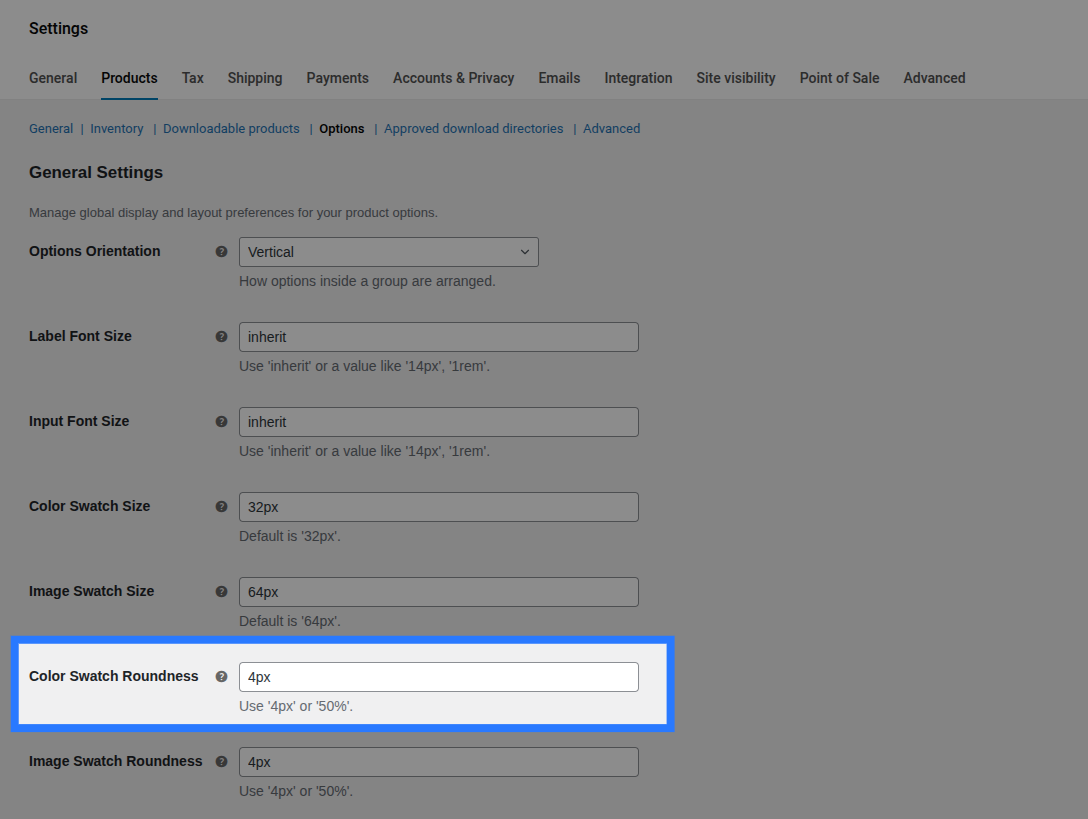
Debug Mode
When enabled, Smart Product Options and Addons records detailed debugging logs to the database during operations. This is useful for developers troubleshooting issues.
- Default: Disabled.
- What is logged:
- Dynamic pricing formula evaluations (math parser steps and placeholder replacement).
- Validation steps (missing values, min/max character length checks).
- Stock reservation requests (cart locks, session expirations).
- Admin REST API requests and responses.
Disable in Production
Keep Debug Mode disabled on live, high-traffic stores. Logging every add-to-cart attempt, stock reservation, and field interaction adds continuous database write requests, which can degrade site performance.
Delete Data on Uninstall
Controls whether Smart Product Options and Addons erases your store options configuration data when the plugin is deactivated and uninstalled.
- Default: Disabled. Deleting the plugin files leaves your groups and inventory intact so you can update or reinstall without losing data.
- When Enabled: Deleting Smart Product Options and Addons via Plugins → Installed Plugins → Delete will trigger a clean-up query that permanently deletes:
- All Option Groups custom posts and post meta records.
- All assignment rule mappings in the
wp_smart_product_options_addons_assignmentsdatabase table. - All Global Stock Items in the
wp_smart_product_options_addons_inventorydatabase table. - All plugin settings configurations saved in your WordPress options database.
Irreversible Data Loss
Enabling this setting and deleting the plugin will permanently erase your option schemas, historical pricing configurations, and stock counts. There is no undo. Always perform a complete Configuration Export before deleting the plugin with this setting active.