
Data Settings
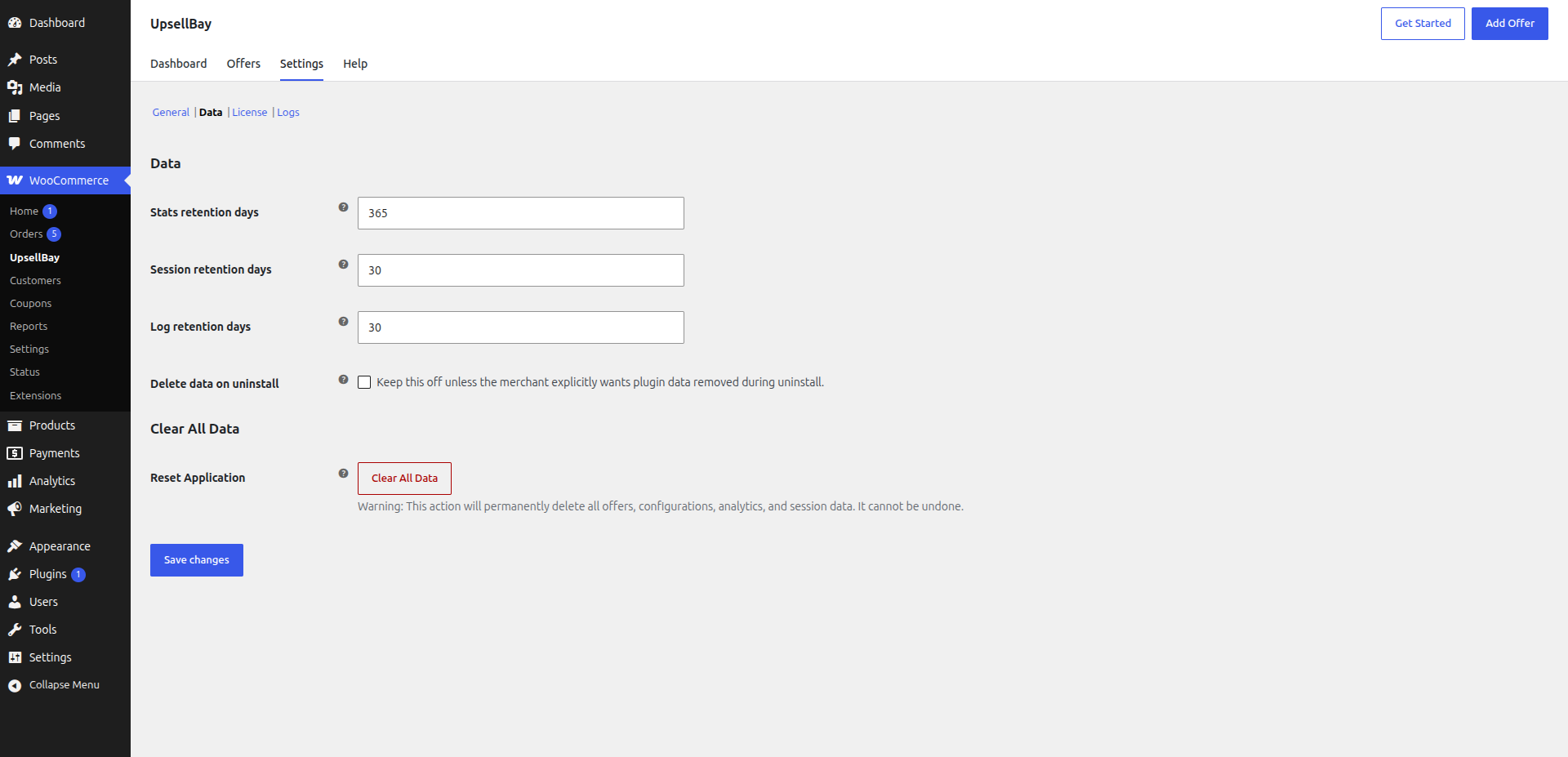
What The Data Section Controls
Section titled “What The Data Section Controls”Go to WooCommerce -> UpsellBay -> Settings -> Data to manage how long operational data is retained and how aggressively the plugin should clean up stored records.
This section is for store operators who need to balance history, troubleshooting visibility, privacy, and cleanup behavior.
Use it when you need to:
- keep more historical analytics
- reduce how long temporary records stay in the system
- control whether uninstall preserves or removes UpsellBay data
- fully reset the plugin in a staging or rebuild workflow
Stats Retention Days
Section titled “Stats Retention Days”This setting controls how long aggregate, non-PII analytics remain available for reporting.
What it covers:
- daily offer performance totals
- summary reporting used by the dashboard and analytics views
- historical trend windows for views, accepts, dismissals, revenue, and discounts
What it does not store:
- customer PII
- raw shopper identities
- private recovery or CRM-style contact history
When to use a longer retention window:
- you compare campaigns over seasons or quarters
- you want longer-term trend analysis
- you report performance back to clients or stakeholders
When to use a shorter retention window:
- you only care about recent campaign windows
- you want to keep reporting history lean
Session Retention Days
Section titled “Session Retention Days”This setting controls how long temporary offer session state is retained.
What it covers:
- interaction state tied to active storefront behavior
- temporary records such as dismissals or session-level offer handling
- shopper-flow state needed for offer experience continuity
Why it matters:
- shorter retention keeps temporary state from lingering longer than necessary
- longer retention may help if your workflow depends on slightly more continuity across shopper sessions
When to keep it conservative:
- on stores where you want short-lived operational state
- when you do not need longer carry-over between visits
Log Retention Days
Section titled “Log Retention Days”This setting controls how long operational logs stay available in Settings -> Logs.
What it covers:
- system events
- API activity
- warnings and errors
- support-oriented diagnostic records
When to use a longer retention window:
- support cases often span multiple weeks
- you investigate intermittent issues over time
- agency or operations teams need a wider troubleshooting window
When to use a shorter retention window:
- you want to keep diagnostics tighter
- you do not need old log history once issues are resolved
Delete Data On Uninstall
Section titled “Delete Data On Uninstall”This checkbox changes what happens when the plugin is uninstalled.
Disabled means:
- UpsellBay preserves data by default
- offers, settings, and stored records stay in place unless the merchant explicitly chooses cleanup
Enabled means:
- uninstall cleanup is allowed to remove UpsellBay data instead of preserving it
Why this option exists:
- some merchants want safe uninstall with preserved history
- staging or disposable environments may need a true cleanup path
When to enable it:
- when a merchant explicitly wants full removal during uninstall
- when cleaning up a temporary environment
When not to enable it:
- as a routine troubleshooting step
- on production stores unless the merchant fully understands the impact
Clear All Data
Section titled “Clear All Data”The Data section includes a destructive Clear All Data action.
What it does:
- permanently removes UpsellBay records
- resets the plugin toward a fresh-install state
- clears offers, settings, analytics, session-related state, and other stored plugin data
Why it is different from uninstall cleanup:
- uninstall cleanup only applies when the plugin is uninstalled
- Clear All Data runs immediately from inside the plugin
When to use it:
- before rebuilding a test environment from scratch
- when intentionally resetting the plugin for a controlled migration
- when a staging environment must be wiped clean
When not to use it:
- for routine diagnostics
- when you only need to pause offers
- when you only need to prune history using retention settings
Recommended Data Strategy
Section titled “Recommended Data Strategy”For most live stores:
- keep enough Stats retention days to compare offer performance over meaningful business periods
- keep Session retention days modest
- keep Log retention days long enough to support real troubleshooting
- leave Delete data on uninstall off unless the merchant has explicitly requested cleanup
- treat Clear All Data as an intentional reset tool, not a maintenance shortcut