

Email Templates & Customization
The Email Templates tab allows you to customize the voice and branding of every message NotifyBay sends to your customers. From instant restock alerts to strategic price drop notifications, you have full control over the subject lines and body content.
1. Global Email Identity
Section titled “1. Global Email Identity”Before editing individual templates, you must set your store’s “From” identity. This is what customers see in their inbox.
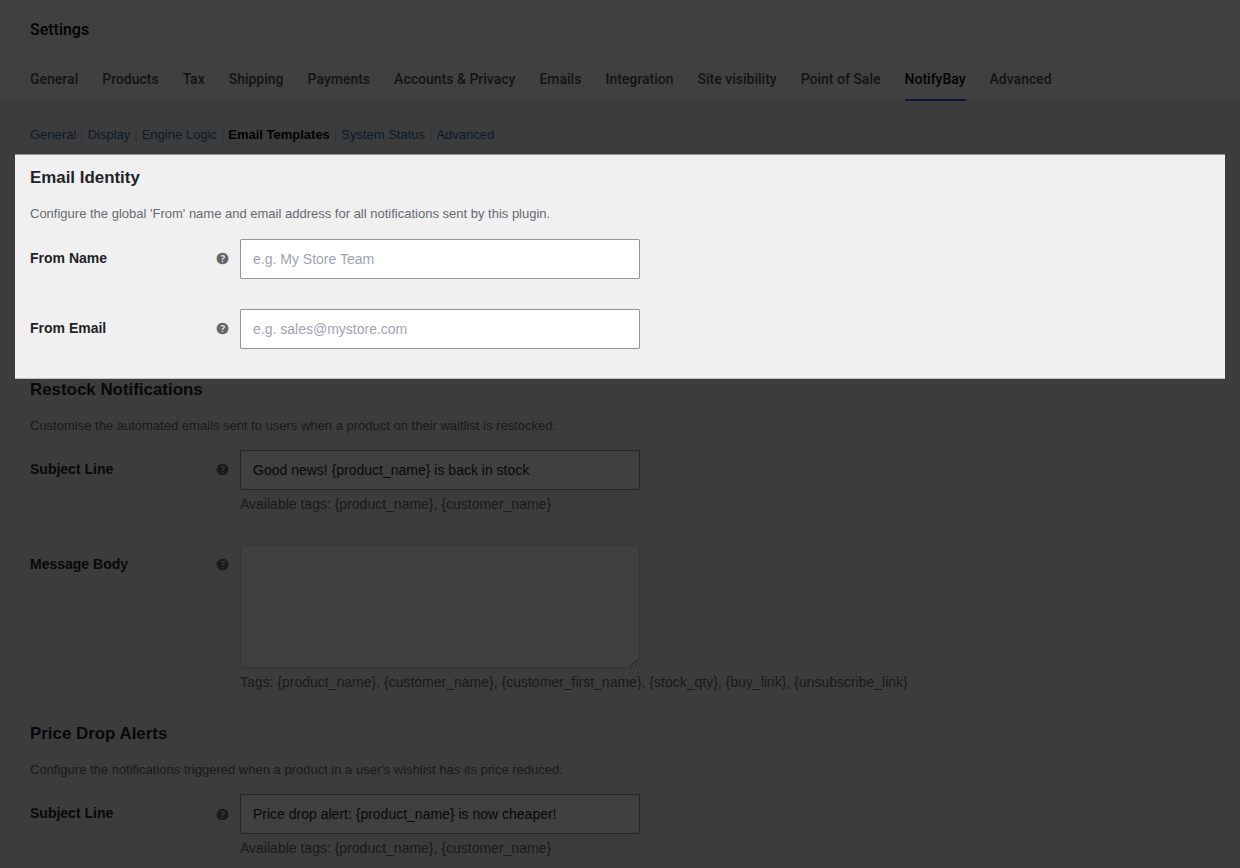
- From Name: The name shown as the sender (e.g., “My Boutique Team”).
- From Email: The email address used for sending.
- Pro Tip: Use an email from your own domain (e.g.,
hello@yourstore.com) to ensure high deliverability and avoid spam filters.
- Pro Tip: Use an email from your own domain (e.g.,
2. Notification Types
Section titled “2. Notification Types”NotifyBay automates four distinct customer touchpoints. You can customize each one individually.
⏳ Restock Notifications
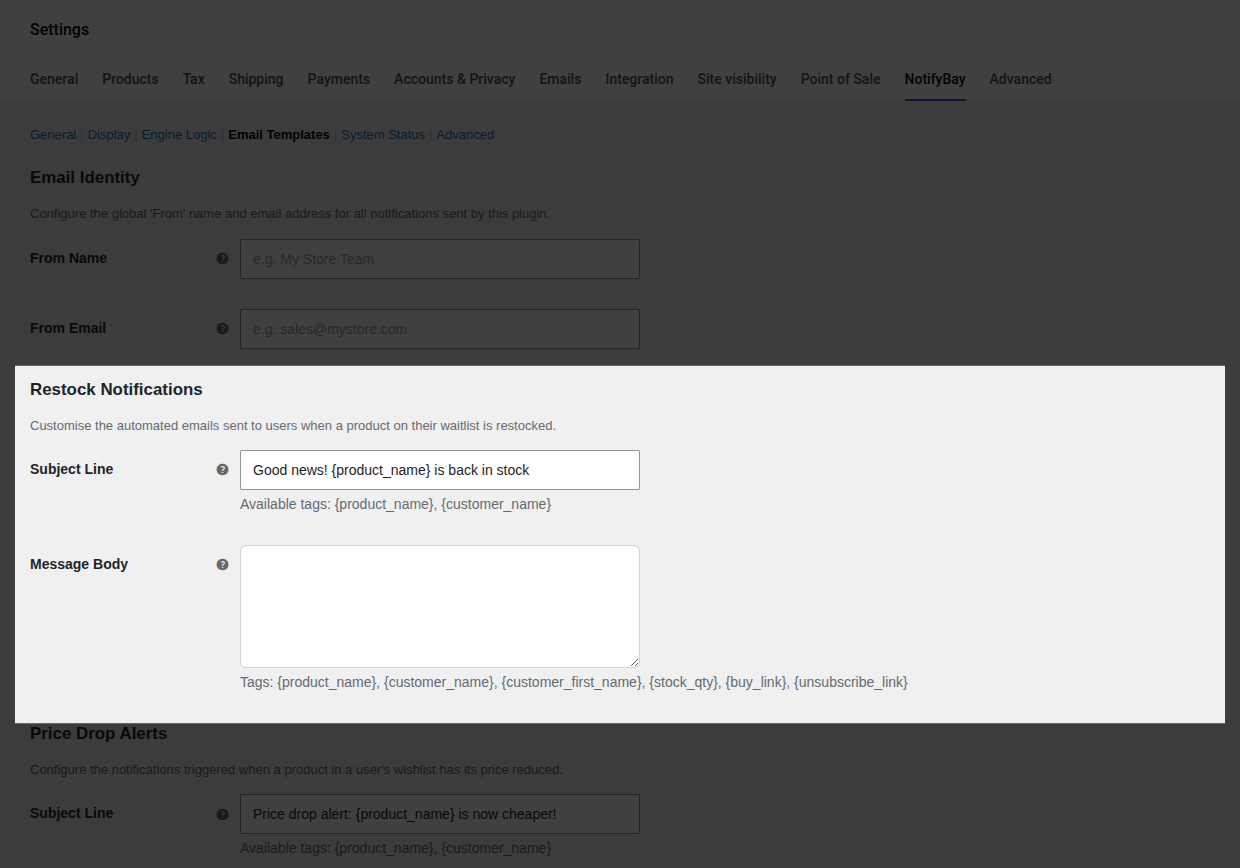
Section titled “⏳ Restock Notifications”Sent immediately when an out-of-stock item is replenished.
- Goal: Drive the customer back to the product page to complete their purchase.
⭐ Price Drop Alerts
Section titled “⭐ Price Drop Alerts”Sent to Wishlist subscribers when a product’s price hits their target.
- Goal: Convert price-sensitive shoppers during a sale or promotion.
🔥 Urgency (Hurry) Alerts
Section titled “🔥 Urgency (Hurry) Alerts”A follow-up email sent when a recently restocked item is about to sell out again.
- Goal: Leverage “Last Chance” psychology to close hesitant buyers.
✅ Verification Emails
Section titled “✅ Verification Emails”Sent when a guest subscribes (if Double Opt-In is enabled).
- Goal: Confirm the customer’s email address and valid interest.
3. Dynamic Personalization (Tags)
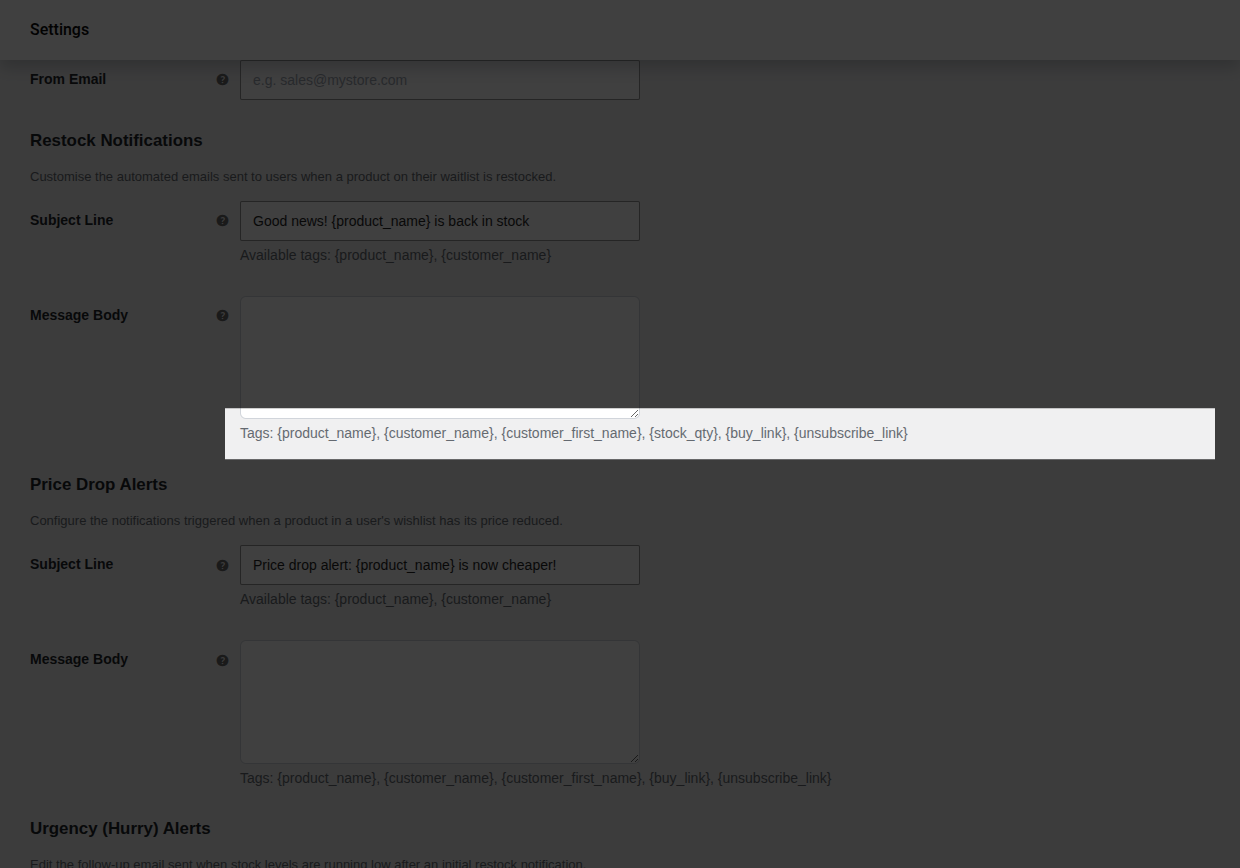
Section titled “3. Dynamic Personalization (Tags)”Personalized emails convert at a much higher rate. Use these Dynamic Tags (placeholders) to automatically insert specific data into your messages.
Universal Tags (Works in all emails)
Section titled “Universal Tags (Works in all emails)”| Tag | What it inserts |
|---|---|
{product_name} | The name of the product the user is tracking. |
{customer_name} | The customer’s full name (if known). |
{customer_first_name} | The customer’s first name (ideal for a friendly tone). |
{unsubscribe_link} | A one-click link to stop receiving alerts for that item. |
Module Specific Tags
Section titled “Module Specific Tags”| Tag | Availability | What it inserts |
|---|---|---|
{buy_link} | All except Verification | A direct link to the product. Includes automatic UTM tracking for analytics. |
{stock_qty} | Restock & Hurry | The exact number of items currently in stock. |
{verify_url} | Verification Only | The secure link the user must click to confirm their intent. |
4. Automated ROI Tracking
Section titled “4. Automated ROI Tracking”NotifyBay automatically appends UTM parameters to every {buy_link} inside your emails.
- How it works: When a customer clicks the link in their email, Google Analytics (or other tools) will record the source as
notifybay. - The Benefit: You can track exactly how much revenue was generated from your restock alerts vs. price drop alerts directly in your store’s primary analytics tool.
🛠 Best Practices for High Conversions
Section titled “🛠 Best Practices for High Conversions”- Keep it Focused: Restock emails should be short and urgent. Use a subject line like “Good news! {product_name} is finally back.”
- HTML Support: The message body supports standard HTML. You can use
<strong>,<em>, or even<img>tags if you want to include your brand logo. - The Default Fallback: If you leave a message body empty, NotifyBay will use its professionally designed built-in template automatically.
[!WARNING] If you customize the Verification Email, you MUST include the
{verify_url}tag. Without it, guest users will never be able to confirm their subscription and will never receive restock alerts.