

Customer Dashboard (My Account)
NotifyBay integrates seamlessly with the native WooCommerce My Account area. This provides a professional, transparent experience for your shoppers, allowing them to track and manage their own notification requests without needing to contact your support team.
By giving customers control over their data, you build trust and reduce administrative overhead for your store.
Automatic Dashboard Integration
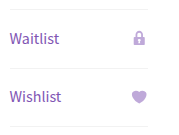
Section titled “Automatic Dashboard Integration”When NotifyBay is active, it automatically injects two new tabs into the standard WooCommerce account menu for logged-in users:
- Waitlist: A portal for tracking back-in-stock requests.
- Wishlist: A portal for tracking price drop alerts.
⏳ The Waitlist Portal
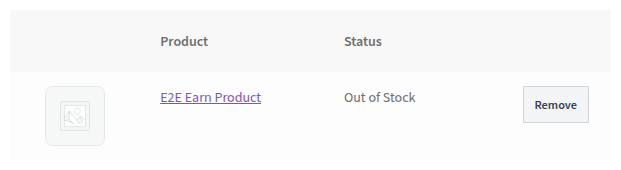
Section titled “⏳ The Waitlist Portal”In the Waitlist section, customers can see a real-time table of every product they are waiting for. This serves as a “hidden” shopping cart of items they intend to buy once replenished.
Self-Service Features:
Section titled “Self-Service Features:”- Live Status Updates: Customers can see if a product is still “Out of Stock” or if it has been marked as “Back in Stock!” (notified).
- One-Click Removal: If a customer is no longer interested in an item, they can click the Remove button to instantly opt-out of the notification.
- Product Visuals: Includes high-quality thumbnails to remind customers exactly what they are waiting for.
⭐ The Wishlist Portal
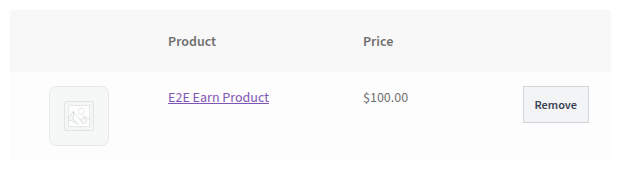
Section titled “⭐ The Wishlist Portal”The Wishlist section provides similar transparency for customers waiting for a better deal.
Self-Service Features:
Section titled “Self-Service Features:”- Real-Time Pricing: Shows the current price of the item compared to their interest level.
- Manage Alerts: Customers can prune their wishlist by removing items they have already purchased elsewhere or are no longer tracking.
Privacy & Trust Benefits
Section titled “Privacy & Trust Benefits”Providing a dedicated dashboard tab for notifications is more than just a convenience—it’s a strategic trust-builder for your brand:
- Transparency: Customers can see exactly what data you are holding and which products they are subscribed to.
- Zero-Friction Opt-Out: By providing an easy “Remove” button in their own account, you prevent frustrated customers from marking your automated emails as spam.
- Encourages Logins: Customers are more likely to create an account and stay logged in to manage their lists, allowing you to build deeper customer profiles and track long-term intent.
Setup & Troubleshooting
Section titled “Setup & Troubleshooting”Enabling the Tabs
Section titled “Enabling the Tabs”There is zero configuration required to enable these tabs. As long as NotifyBay is installed and activated, the “Waitlist” tab will appear.
[!NOTE] The Wishlist tab will only appear if the Price Drop feature is enabled in your General Settings.
”I don’t see the tabs in my account?”
Section titled “”I don’t see the tabs in my account?””- Verify Activation: Ensure the NotifyBay plugin is active.
- WooCommerce Version: Ensure you are running a modern version of WooCommerce (5.0+).
- Theme Compatibility: Most standard WooCommerce themes support custom account tabs automatically. If your theme uses a custom account layout, you may need to place the forms manually using Shortcodes or Blocks.