
Admin Bar Integration
This guide explains how to control the ProductBay quick-access menu in the WordPress Admin Bar.
What is the Admin Bar Menu?
The WordPress Admin Bar (the toolbar at the top of your site when logged in) can include a ProductBay menu. This provides quick shortcuts to ProductBay menu options.
Enabling or Disabling the Menu
By default, the Admin Bar menu is enabled for administrators. You can toggle this setting based on your preference.
- Go to ProductBay → Settings in your WordPress admin.
- Select the Plugin Settings tab.
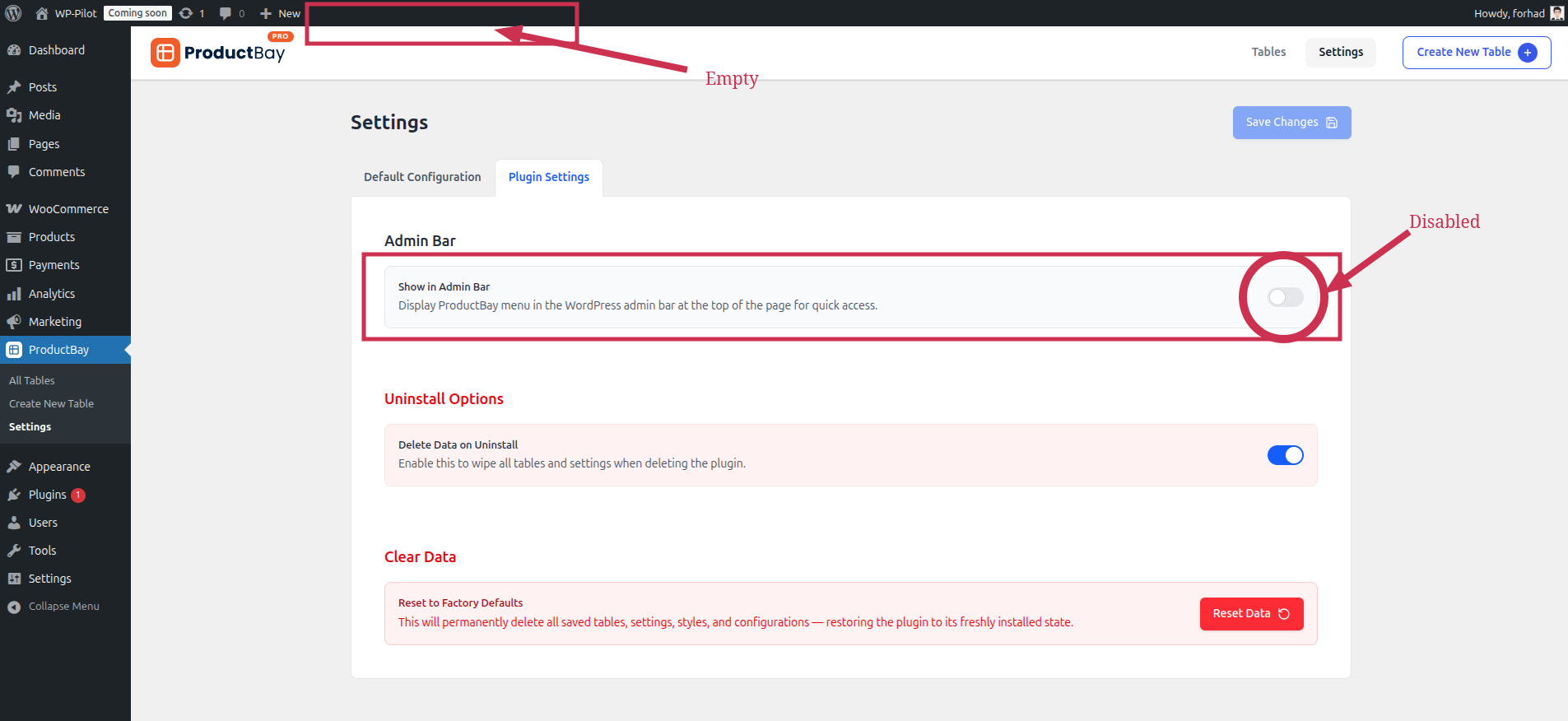
- Look for the Admin Bar section.
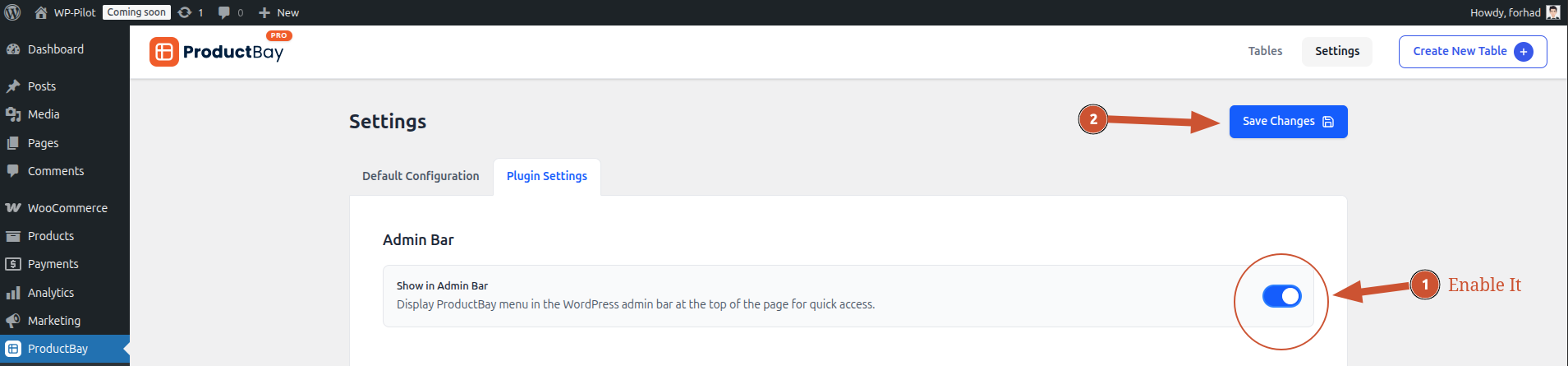
- Toggle the Show in Admin Bar switch.
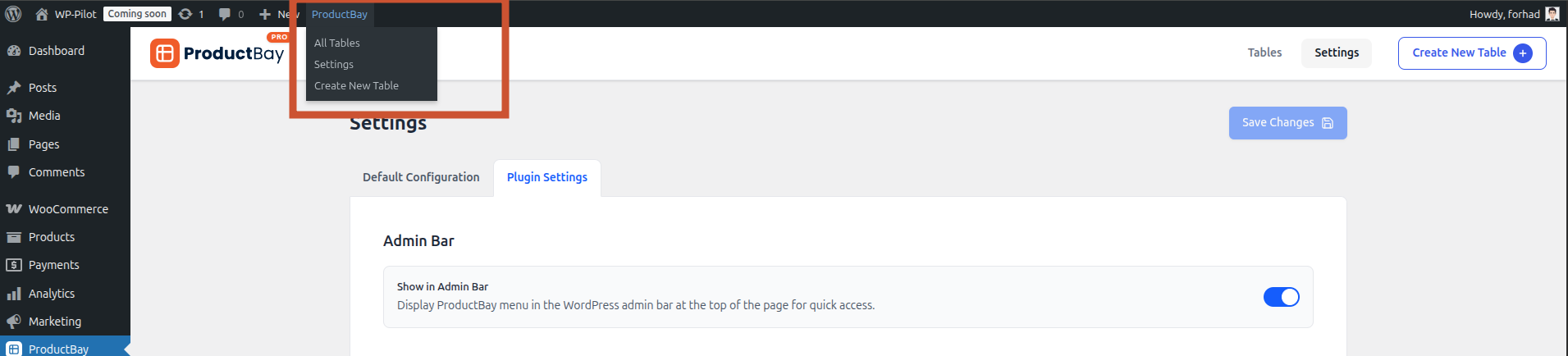
- Enabled: The ProductBay menu will appear in the top toolbar.
- Disabled: The ProductBay menu will be hidden.
Visual Example
- Admin Bar Disabled
- Enabled Admin Bar
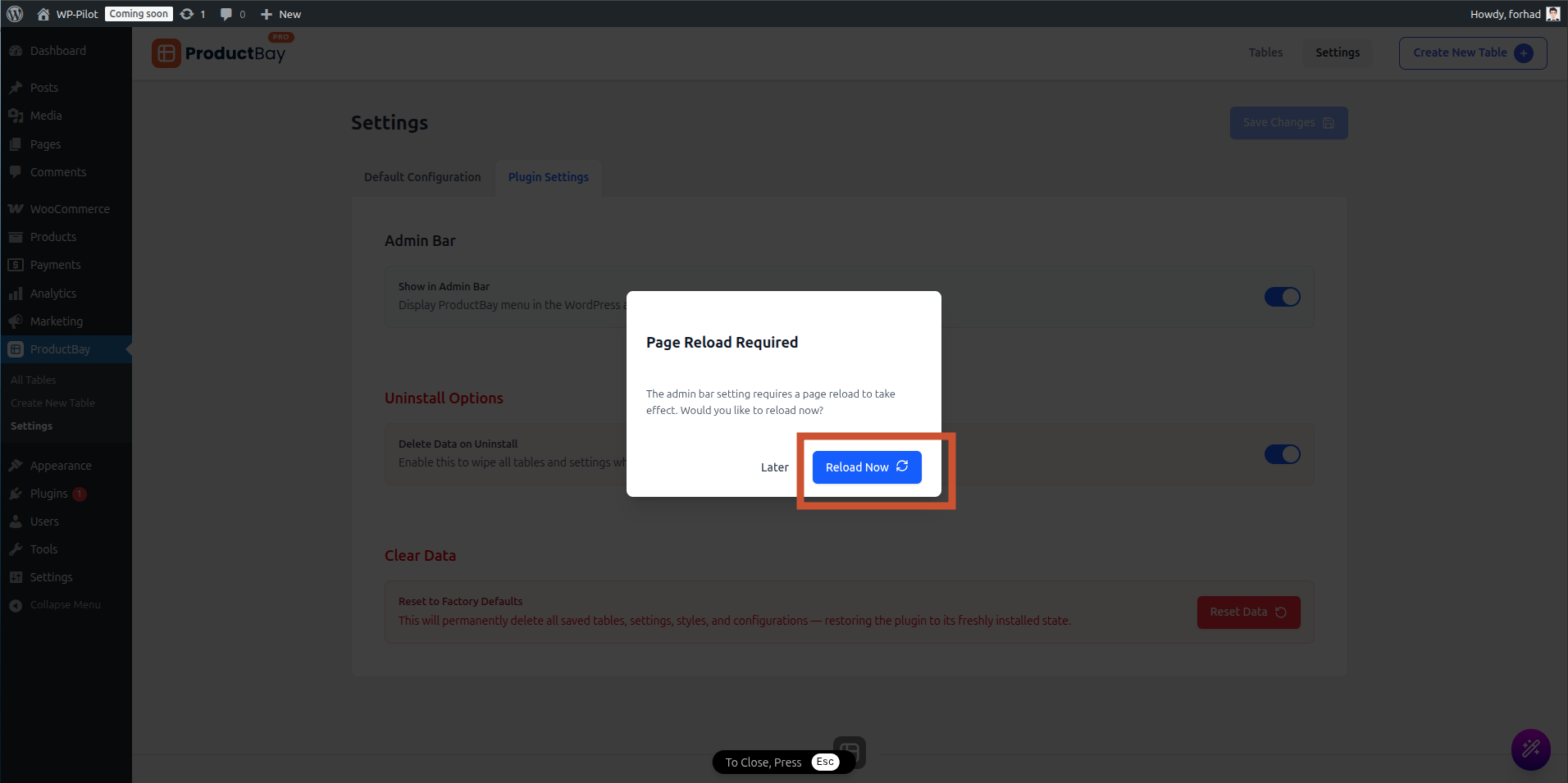
- Reload the page.
- Admin Bar Appeared. On mouse hover, you can see menu options.
Benefits of the Admin Bar Menu
The Admin Bar integration is designed to speed up your workflow:
- Quick Links: Jump straight to your table list without having to find the sidebar menu.
- Front-end Access: When viewing your site's front-end, you can quickly navigate back to the plugin settings or create a new table.