
Default Configuration
ProductBay allows you to define global defaults that serve as the starting point for every new table you create. These settings ensure consistency across your site and save time during the creation process.
Access these settings from ProductBay → Settings → Default Configuration tab.
Default Source
Configure the default data source settings that will be pre-selected while creating a new table each time.
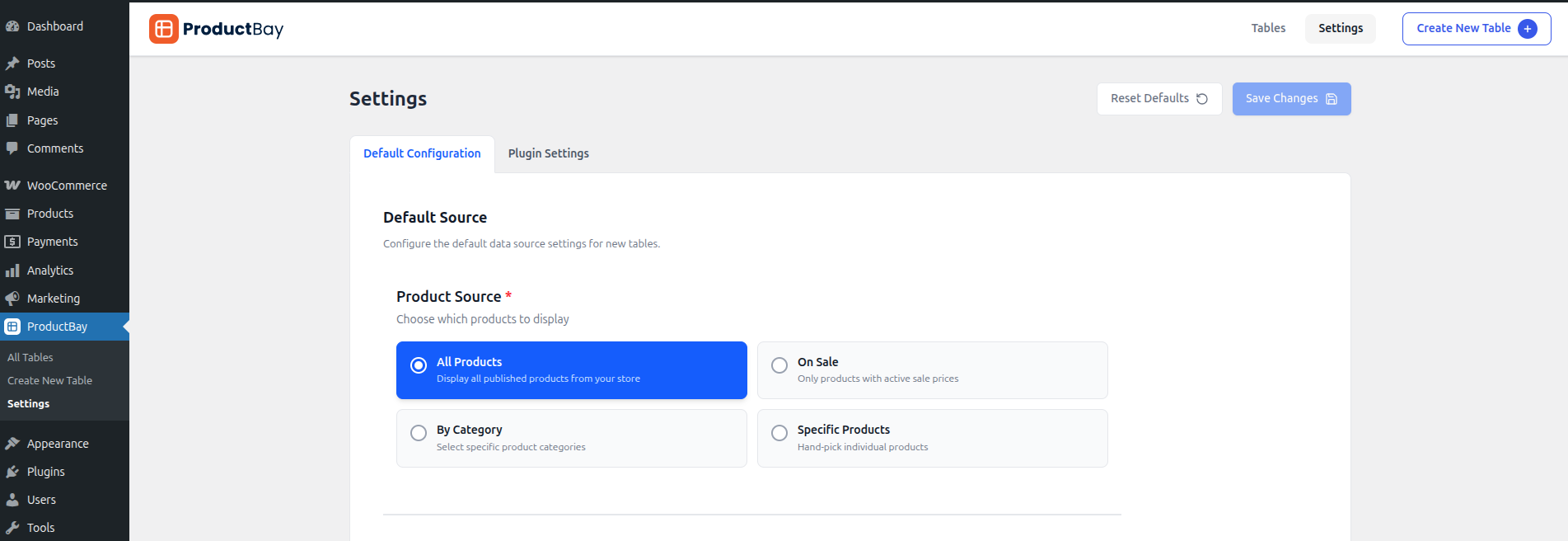
- Source Type: Choose between All Products, Category, On Sale, or Specific Products.
Default Columns
Define which columns should be enabled by default for new tables. You can select from:
- Image
- Name
- Price
- SKU
- Summary
- Stock v1.2.0+
- Date v1.2.0+
- Taxonomy v1.2.0+
- Rating v1.2.0+
- Custom Field (Pro) v1.2.0+
- Combined Column (Pro) v1.2.0+
Bulk Select
Configure the default state and behavior of the bulk selection feature, allowing customers to add multiple products to the cart at once.
Default Styling
Set the factory-default look and feel. These styles will be applied to every new table unless overridden in the Display step of the wizard.
Colors
Personalize the table's color scheme.
- Add to Cart Button Color: Change the background and text color of the primary action button.
- Table Header Color: Set the background color for the table's header row.
- Table Rows Color: Set the default background color for rows.
- Alternating Rows Color: Apply a different color to every other row for better readability.
- Row Hover Color: Define the color when a user hovers their cursor over a row.
Layout & Spacing
Adjust the structural feel of the table.
- Border Style: Choose from solid, dashed, or no border.
- Border Color: Set the color of the table and cell borders.
- Border Radius: Round the corners of your table for a softer look.
- Cell Padding: Control the space between the content and the cell borders.
Typography
Fine-tune the text appearance for the header.
- Header Font Weight: Choose between Normal, Bold, or Extra Bold.
- Header Text Transform: Set text to Uppercase, Lowercase, Capitalize, or leave as Normal.
Mobile Layout
- Layout on phones: Choose how tables reflow below 767px — Stacked cards (default) or Horizontal scroll. See Layout on Phones.
Default Functionality
Configure which features are enabled by default:
Table Controls
- Enable Search Bar: Allow users to filter products via a search input.
- Enable Pagination: Break long lists into multiple pages.
- Enable Image Lightbox: Open full-size images in a popup on click.
Pagination Settings
- Products Per Page: Define how many products are shown before pagination kicks in.
- Pagination Style: Choose Standard (numbers), Load More PRO, or Infinite Scroll PRO.
Taxonomy & Type Filters
- Enable Categories Filter: Show a category dropdown filter above the table.
- Enable Product Type Filter: Show a product type filter dropdown.
Cart Functionality
- Enable Add to Cart: Show add-to-cart buttons.
- AJAX Add to Cart: Add to cart without page reload.
- Show Quantity Selector: Allow quantity input per row.
- Variation Badges: Show badges for variations added to cart.
- Show Clear All Button: Display a bulk deselect button.
- Bulk List Panel: Show a floating summary of the bulk list.
Variable & Grouped Products
- Variable Product Mode: Inline Dropdown (Free), Popup Modal PRO, Nested Rows PRO, Separate Rows PRO.
- Grouped Product Mode: Inline Dropdown (Free), Popup Modal PRO, Nested Rows PRO, Separate Rows PRO.
- Show Options Count: Display "X options available" subtitle.
- Expand Nested Rows PRO: Start nested rows expanded by default.
Reset to Defaults
After making any changes, if you decide to reset back default settings, you can do so by clicking Reset Defaults button at the top.