
Plugin Settings
Plugin-wide configuration options that control administrative behavior, data persistence, and system-level maintenance.
Access these settings from ProductBay → Settings.
Plugin Settings Tab
This tab contains plugin-wide configurations that control administrative behavior.
Admin Bar Options
Control the visibility of the ProductBay quick-access link in the WordPress admin topbar.
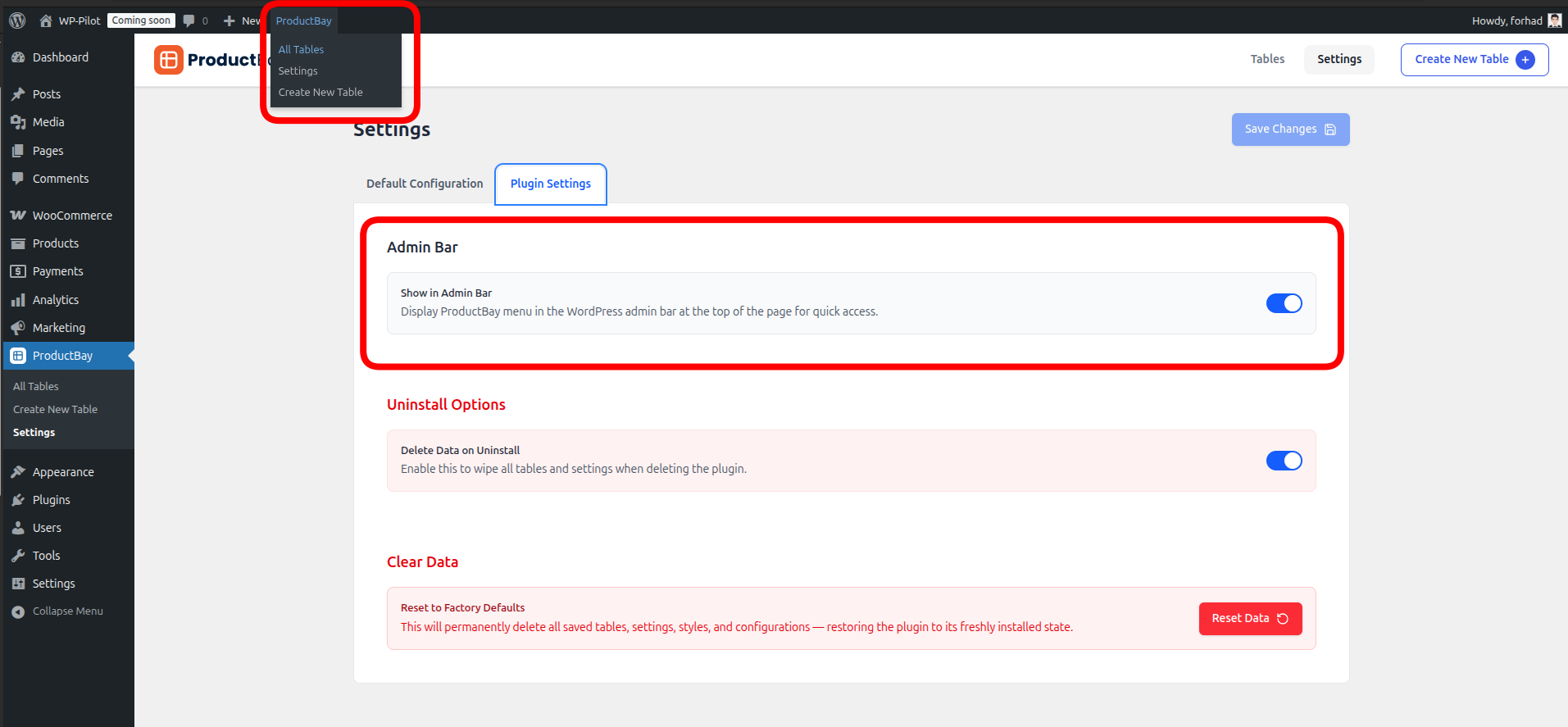
- Show Admin Bar: When enabled, a "ProductBay" menu appears in the topbar, providing quick links to "Product Tables" and "Create New Table".
Cart Customization PRO
Control global texts for Add to Cart buttons, "Select Options" buttons, and the bulk-list toggle.
- Add to Cart Text: Define a global custom text (e.g., "Buy Now") that will replace the default WooCommerce "Add to Cart" text across all product tables. This can be individually overridden on a per-table basis.
- "Select Options" Button Text: Define a global custom text (e.g., "Select Options") that will replace the default text for buttons that open popups or nested rows. This can be individually overridden on a per-table basis.
- "Add to bulk list" Text Since v1.3.4: Define a global custom text (e.g., "Add to order") for the bulk-select toggle shown on stacked mobile cards, together with the label it switches to once the product is in the list (default "Added"). This can be individually overridden on a per-table basis.
Uninstall Options
Determine what happens to your data when the ProductBay plugin is deleted from your WordPress site.
- Delete on Uninstall:
- Enabled: All tables, configurations, and settings will be permanently removed from the database on deletion.
- Disabled: Plugin data is preserved, allowing you to pick up where you left off if you reinstall later.
Data Permanence
We recommend keeping this Disabled unless you are certain you want to perform a completely clean removal of all ProductBay data.
Clear Data (Reset)
ProductBay includes a master reset tool to restore the plugin to its factory state.
What gets cleared?
- Tables: All created tables are permanently deleted.
- Metadata: All configuration data associated with those tables is removed.
- Settings: All global and default configurations are reset to factory defaults.
- Onboarding: The "Welcome Wizard" state is reset, and it will appear again on the next visit.
Irreversible Action
Resetting data is permanent and cannot be undone. Always ensure you have a database backup before performing a full reset.