
Cart Settings
The Cart Settings tab manages how discounts are communicated and calculated within the WooCommerce cart and checkout flow.
Cart Page Display
Message Formats
Configure the upsell and discount messages that appear in the cart for different campaign types.
Quantity Discount (Percentage)
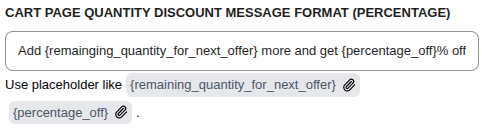
| Placeholder | Description |
|---|---|
{remaining_quantity_for_next_offer} | Items needed to reach the next tier |
{percentage_off} | Discount percentage at next tier |
Example: Add {remaining_quantity_for_next_offer} more and get {percentage_off}% off
Quantity Discount (Fixed)
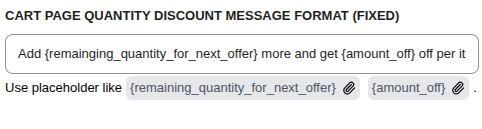
| Placeholder | Description |
|---|---|
{remaining_quantity_for_next_offer} | Items needed to reach the next tier |
{amount_off} | Fixed discount amount at next tier |
Example: Add {remaining_quantity_for_next_offer} more and get {amount_off} off per it
BOGO Discount
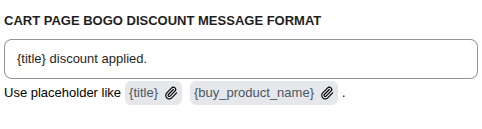
| Placeholder | Description |
|---|---|
{title} | Campaign title |
{buy_product_name} | Name of the qualifying product |
Example: {title} discount applied.
Cart Discount Options
Allow Stacking with WooCommerce Coupons

- Checked: Campaign discounts can be combined with standard WooCommerce coupons.
- Unchecked: The two discount systems are mutually exclusive.
Allow Stacking with Other Discount Campaigns

Controls whether different types of CampaignBay campaigns can be applied together on the same cart.
- Checked: Multiple active discount campaigns can apply to the same cart.
- Unchecked: Only the single best overall discount applies.
Learn More
The order and logic for how campaigns are stacked is very specific.
Next Steps
Continue exploring advanced data management and licensing options.