
Advanced Settings
The Advanced Settings tab contains options for data management and license activation.
Data Management
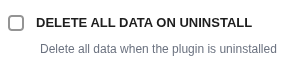
Delete All Data on Uninstall
CAUTION
This is a destructive action. Only enable this if you want to completely remove all CampaignBay data.
- Checked: When you uninstall the plugin, a cleanup script will permanently delete all associated database tables and options.
- Unchecked: Your campaign data will be preserved if you reinstall the plugin later.
License Management (CampaignBayPro)
This section is for CampaignBayPro users only. If you haven't purchased Pro yet, get it here.
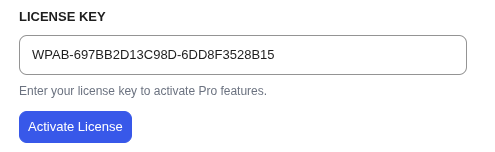
License Key
Enter the license key you received upon purchase of CampaignBayPro.
Activate License
Click to validate your key and unlock Pro features. Once activated, your license status will show as active.
Deactivate License
If you need to migrate your license to another domain, click Deactivate License to release it from the current site before activating on a new one.
Next Steps
Now that you've configured your settings, head to the FAQ for common questions and answers.