

Customer Dashboard
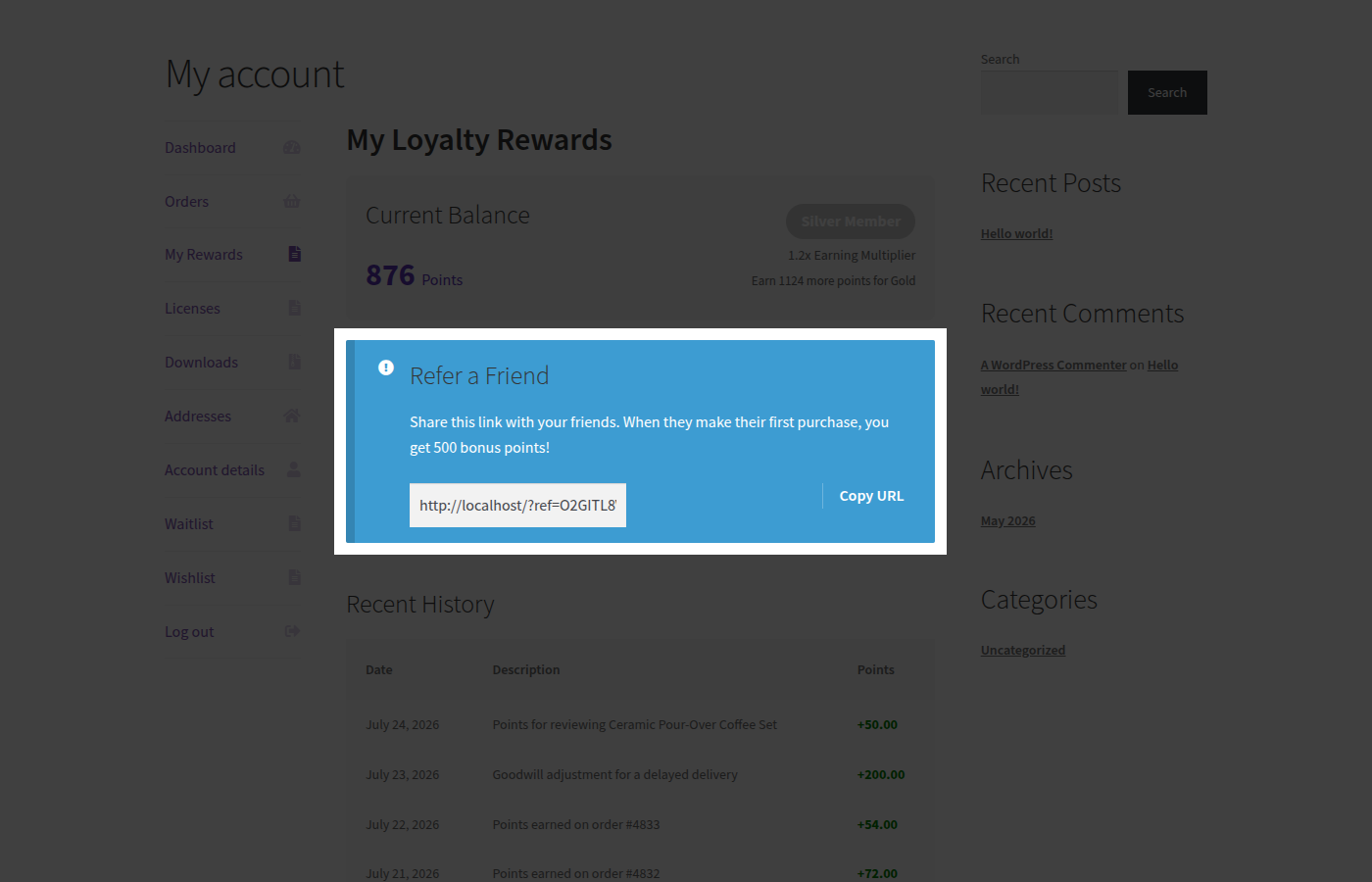
Every other page in this section covers something you configure this one covers what your customers actually see. PointBay adds a rewards page to each customer’s WooCommerce My Account area, called My Rewards, where they can check their points balance and history, plus their personal referral link if referrals are enabled and, with PointBay Pro, their VIP tier progress too. It’s worth reviewing yourself so you know exactly what your customers experience.
How It Works
Section titled “How It Works”When PointBay is active, a My Rewards link appears in the customer’s My Account menu, right after Orders, at a URL like https://yourstore.com/my-account/my-rewards/. The page is only visible to logged-in customers; a guest who follows the link is sent to the usual WooCommerce login screen first. The page itself is headed My Loyalty Rewards.
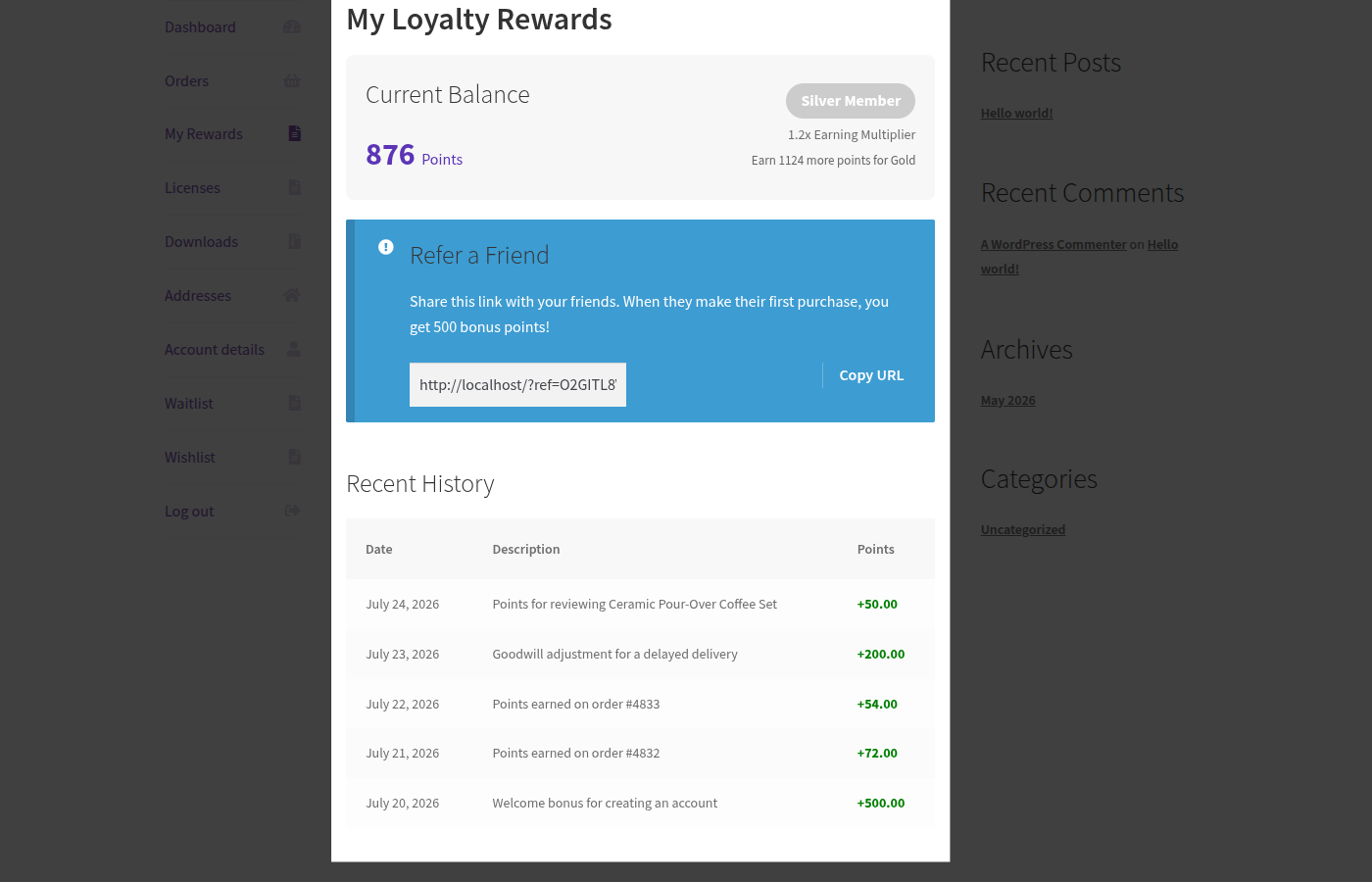
Walkthrough: See What a Customer Sees
Section titled “Walkthrough: See What a Customer Sees”- Log in as (or impersonate) a customer account, and go to My Account → My Rewards.
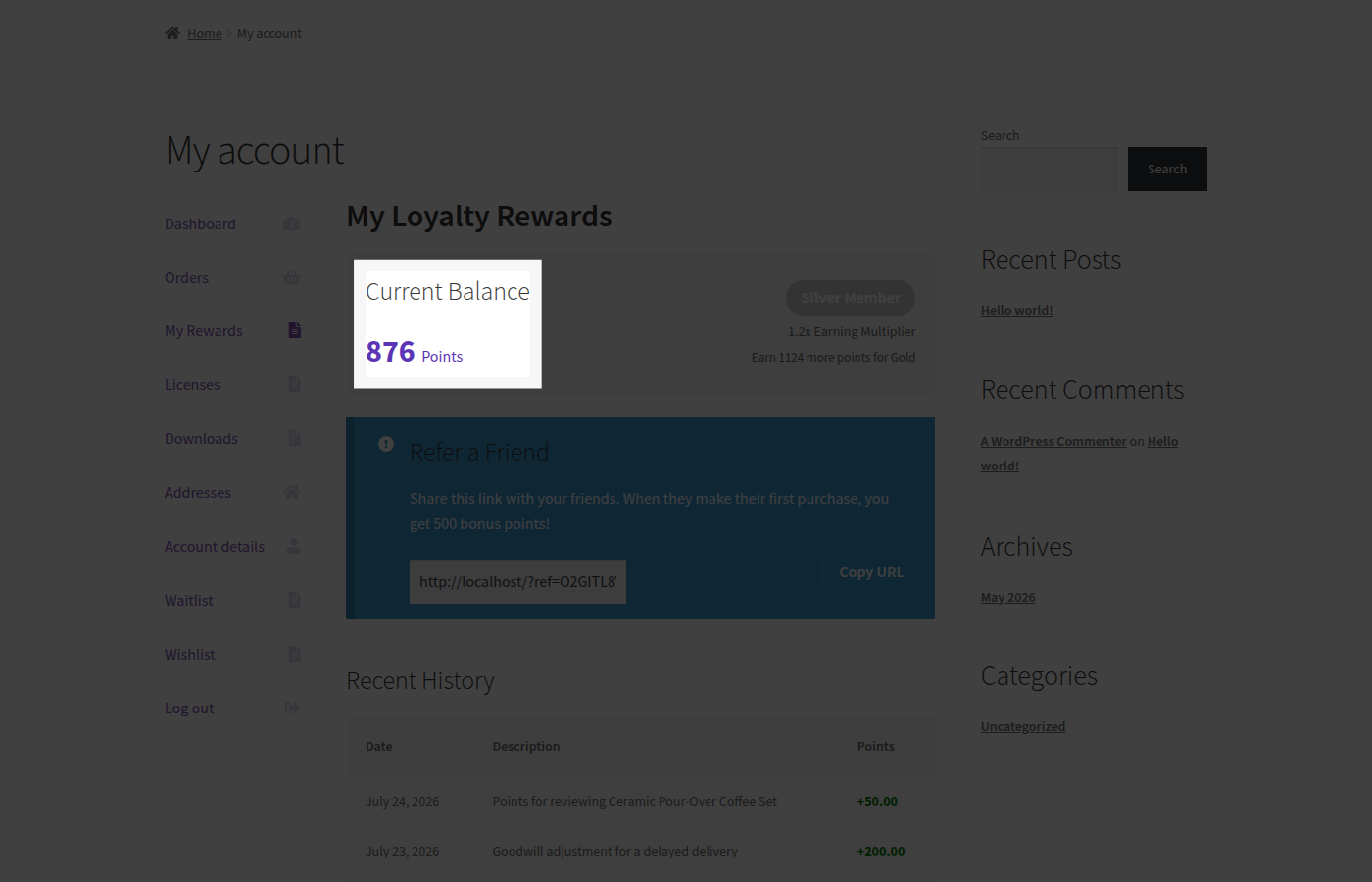
- Check the Current Balance card it shows the customer’s available points as a large number.
- Check the Recent History table it lists the customer’s latest points activity with Date, Description, and Points columns; credits are shown with a
+and debits with a-. A brand-new customer with no activity yet simply sees “No activity yet.”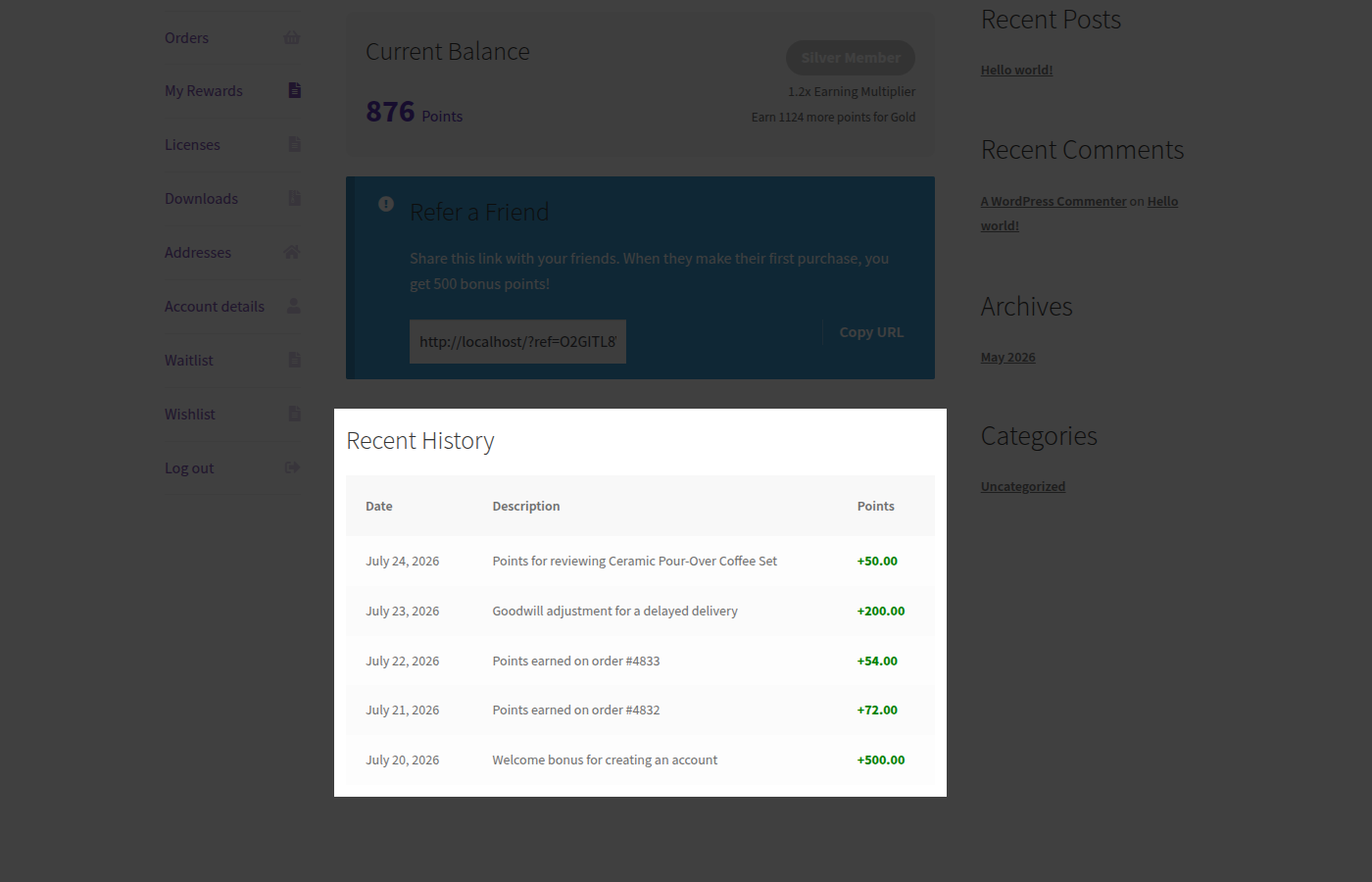
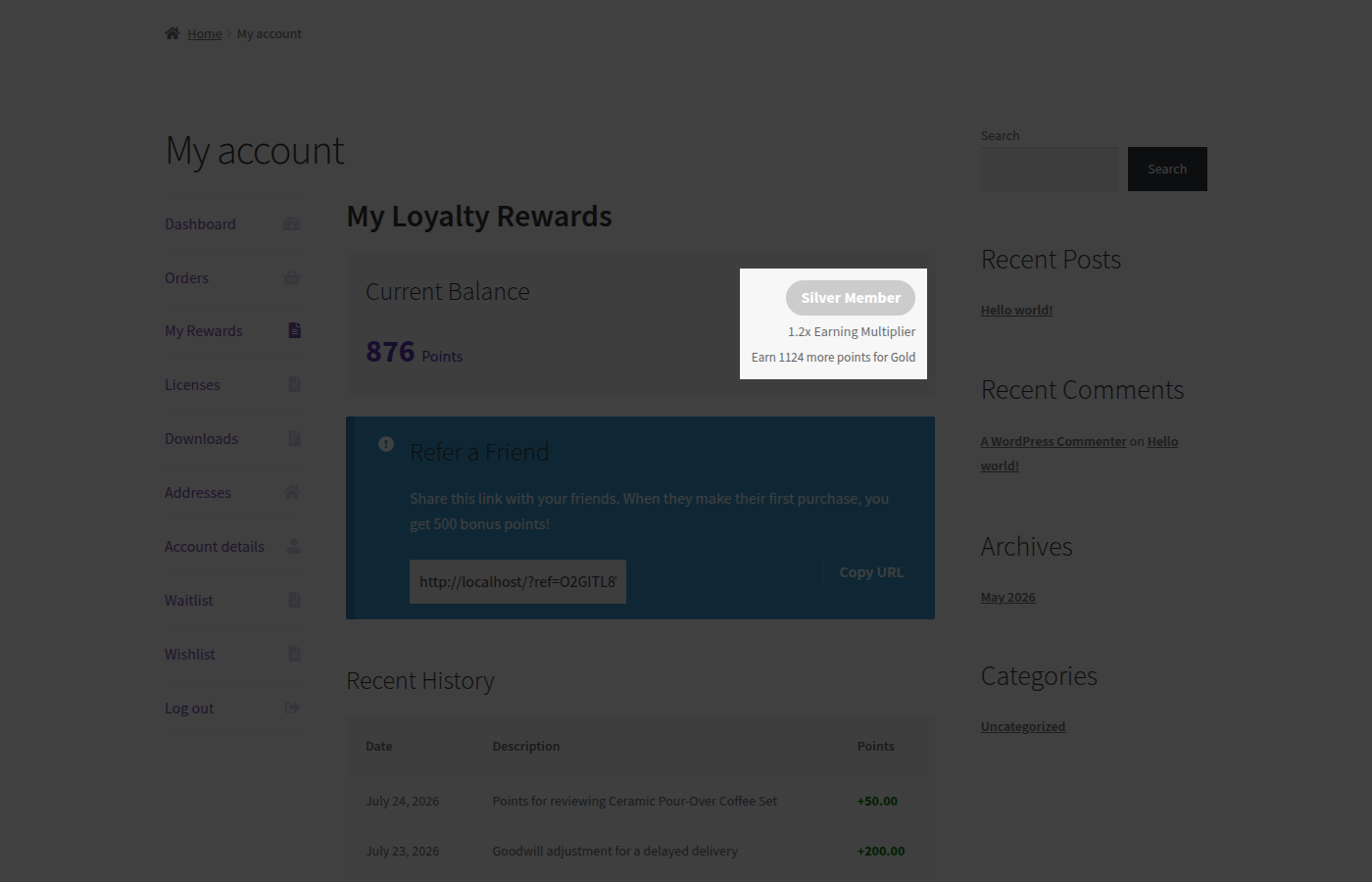
- If VIP Tiers are enabled, check the tier badge and multiplier shown below the balance.
- If the Referral Program is enabled, check the Refer a Friend card and confirm the referral link and bonus amount are correct.
What Customers See
Section titled “What Customers See”Current balance
Section titled “Current balance”A Current Balance card shows the customer’s available points as a large figure, always up to date with the latest earn, redeem, or reversal.
Recent history
Section titled “Recent history”A Recent History table lists the customer’s latest points activity. New customers with no activity yet see “No activity yet.” instead of an empty table.
VIP tier progress
Section titled “VIP tier progress”Members see a tier badge (for example, “Gold Member”), their earning multiplier (for example, “1.5× Earning Multiplier”), and a hint showing how many more points they need to reach the next tier.
Refer-a-friend card
Section titled “Refer-a-friend card”Customers get their personal referral link in a read-only field with a one-click Copy URL button to share with friends. The card’s message updates itself to match your settings it reads “Share this link with your friends. When they make their first purchase, you get N bonus points!” where N is whatever you’ve set Referral Bonus Points to, so you never need to edit this copy by hand.
Edge Cases & Interactions
Section titled “Edge Cases & Interactions”- A customer with a negative balance (from a reversal exceeding their remaining points see Earning Points) sees that negative number plainly on their Current Balance card, not zero.
- The dashboard reflects manual adjustments made from Manual Adjustments the same way it reflects automatic activity customers can’t tell the difference from their side.
Troubleshooting
Section titled “Troubleshooting”- A customer says they don’t see “My Rewards” in their account menu confirm they’re logged in; logged-out visitors don’t see any account menu items at all, loyalty-related or otherwise.
- The tier badge or referral card is missing confirm the corresponding setting (Enable VIP Tiers, Pro-only, or Enable Referrals, free) is actually turned on; both cards hide themselves entirely when their feature is off rather than showing an empty state.
See Troubleshooting for more general issues.