

Points History
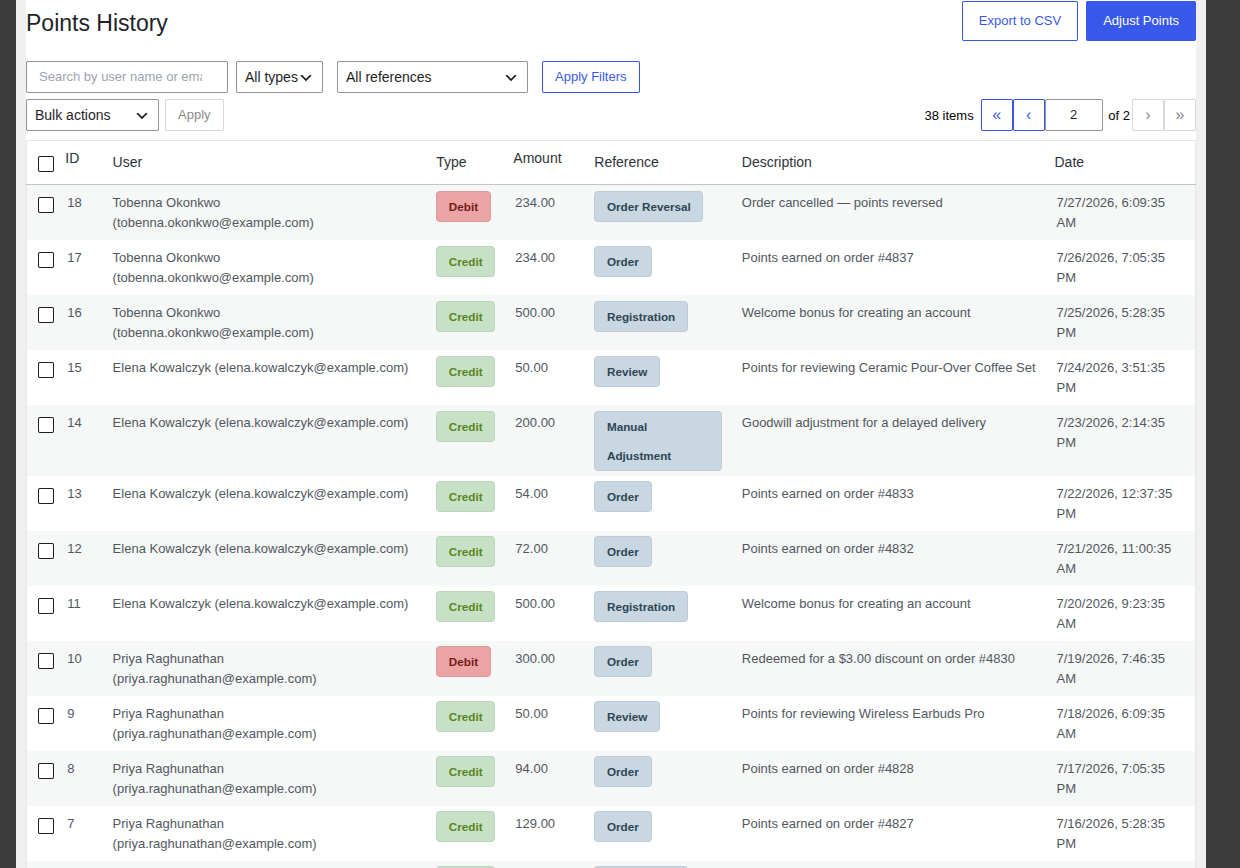
Points History is your complete, permanent record of points activity every time a customer earns or spends points, for any reason, a row is added here. It’s the first place to look whenever a customer asks “why is my balance what it is,” and it’s also where you export data for accounting. Open it from WooCommerce → Points History.
The History Table
Section titled “The History Table”Each row shows:
- ID the transaction number.
- User the customer’s name and email.
- Type a Credit badge for points added, or a Debit badge for points removed.
- Amount how many points were added or removed.
- Reference what caused it. See the full list of reference types below.
- Description a plain-language explanation, such as “Points earned on order #4849.”
- Date when it happened.
You can sort by ID, Amount, or Date by clicking that column’s header.
Common Tasks
Section titled “Common Tasks”Find a specific customer’s history
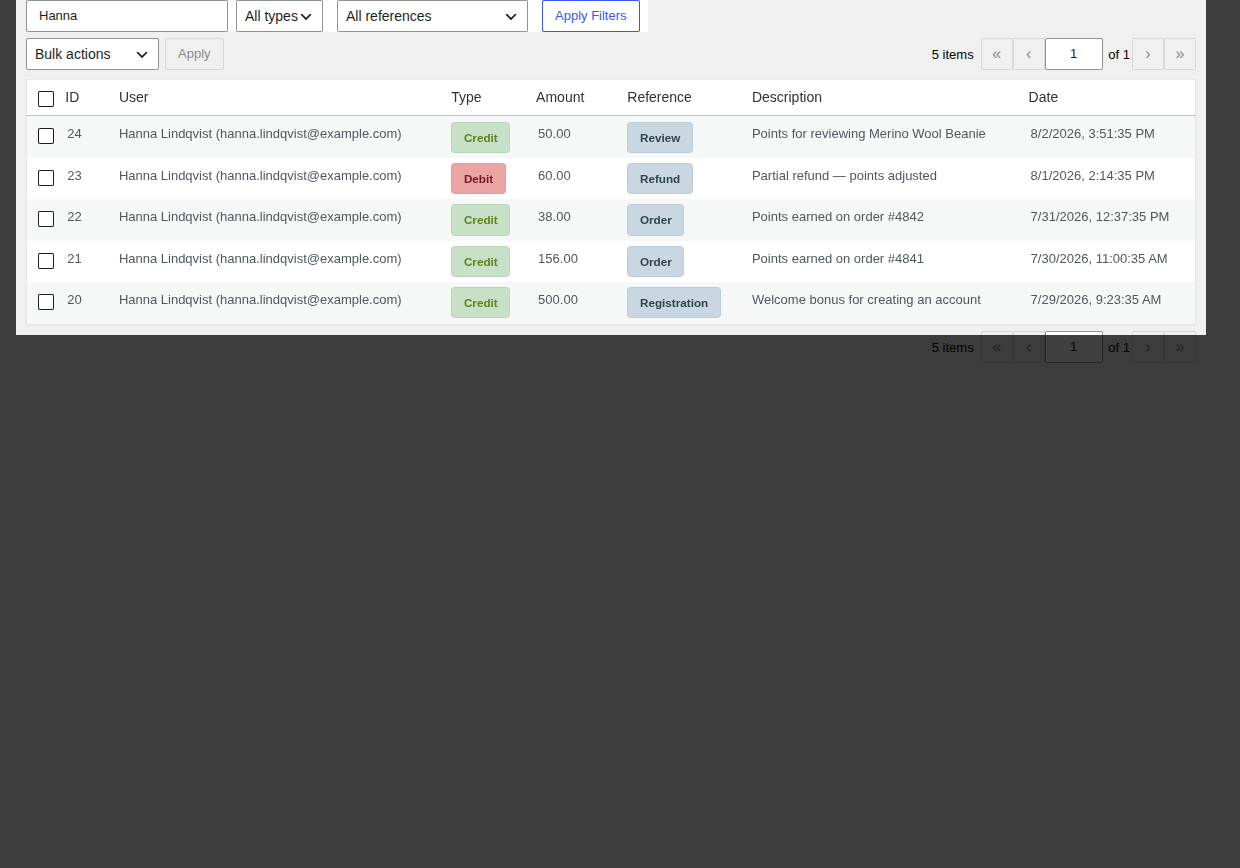
Section titled “Find a specific customer’s history”- Type their name or email into the Search Ledger box.
- Press Enter or click Apply Filters.
Narrow down by transaction type or cause
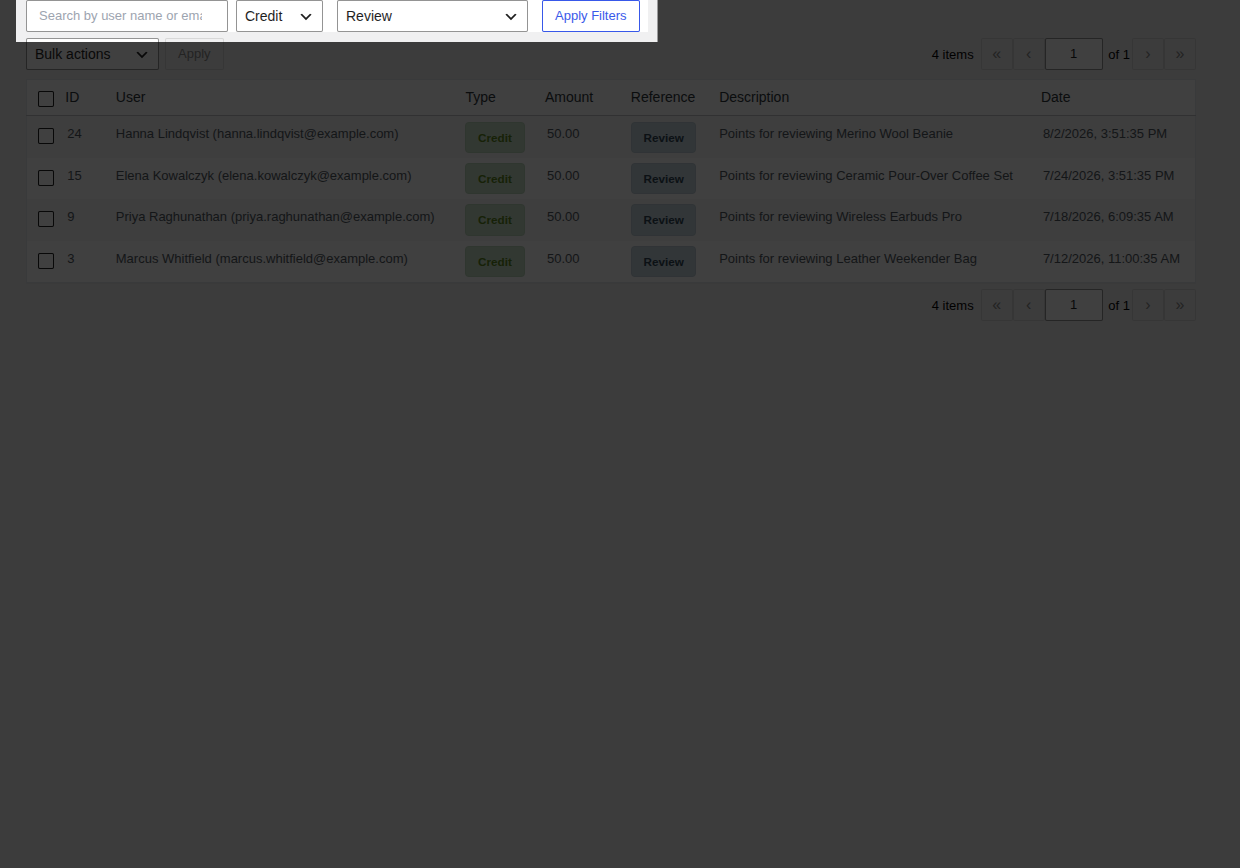
Section titled “Narrow down by transaction type or cause”- Use Filter by type to show only Credit or only Debit rows.
- Use Filter by reference to show only one kind of event the available reference types are Order, Order Reversal, Refund, Review, Referral Bonus, Referral Reversal, Manual Adjustment, Referral Signup Bonus, and Referral Signup Reversal.
- Click Apply Filters.
Export records for accounting
Section titled “Export records for accounting”- Click Export to CSV (top of the page) to download the full, currently filtered list, or
- Select specific rows with their checkboxes, choose Export Selected from Bulk actions, then click Apply to export just those rows.
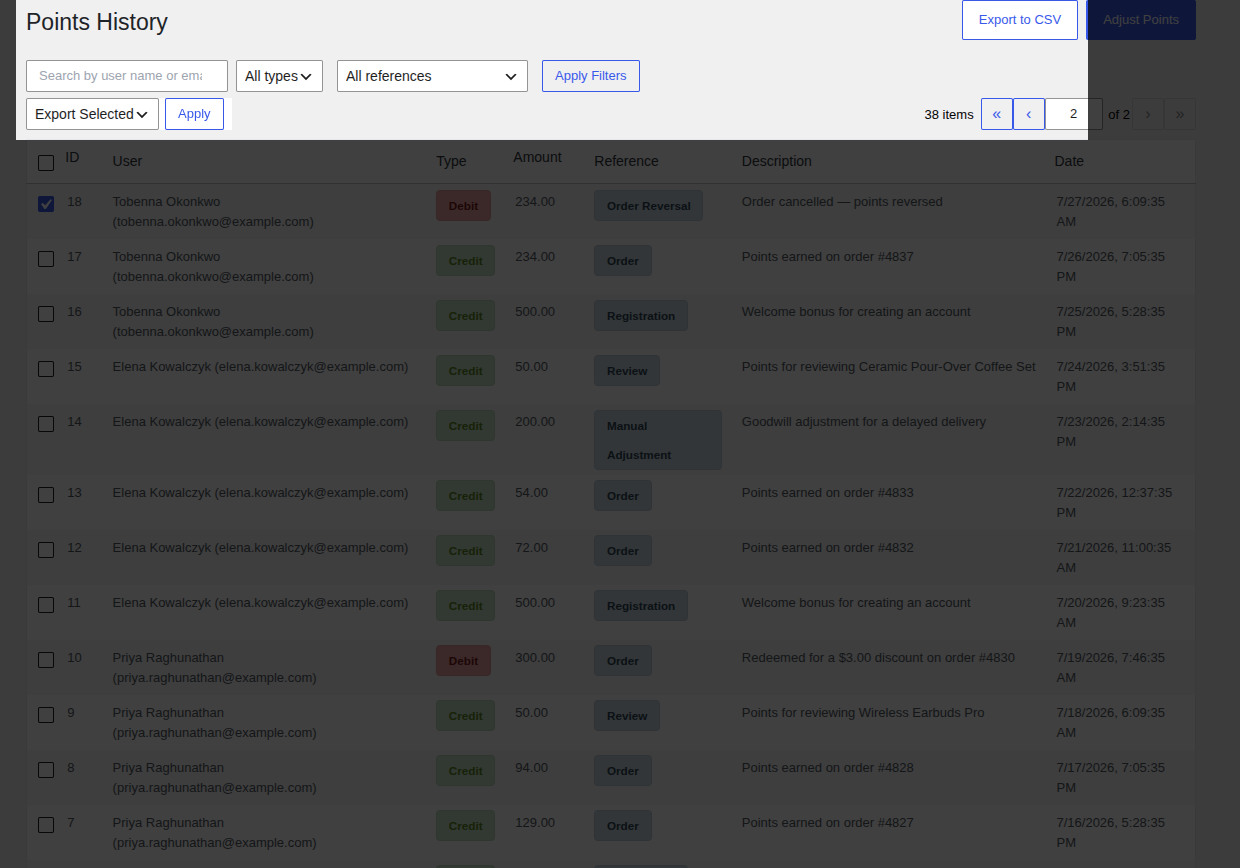
The file downloads as pointbay_ledger_export_<date>.csv and includes the user, type, amount, reference, description, and date for every exported row.
Credit or debit a customer by hand
Section titled “Credit or debit a customer by hand”Click Adjust Points (top of the page) to open the manual adjustment form. See the full walkthrough on Manual Adjustments.
Reading a Real Ledger
Section titled “Reading a Real Ledger”A typical customer’s history tells a story if you read it top to bottom. For example, a sequence like:
| Type | Amount | Reference | Description |
|---|---|---|---|
| Credit | 500.00 | Registration | Welcome bonus for creating an account |
| Credit | 38.00 | Order | Points earned on order #4842 |
| Debit | 60.00 | Refund | Partial refund points adjusted |
| Credit | 500.00 | Referral Bonus | Referral bonus a friend placed a first order |
| Debit | 500.00 | Referral Reversal | Referred order refunded referral bonus reversed |
…shows a customer who signed up, made a purchase that was later partly refunded, successfully referred a friend, and then had that referral reversed when the friend’s order fell through all without you needing to reconstruct any of it from order records.
Troubleshooting
Section titled “Troubleshooting”- A customer’s balance doesn’t match what they expect filter their history by their name/email and read every row chronologically; the balance is always the sum of every credit and debit shown.
- Export downloads an empty or unexpected file the CSV export respects whatever filters are currently applied; clear filters first if you meant to export everything.
See Troubleshooting for more general issues.