
Customer Dashboard
LoyaltyBay integrates directly into the WooCommerce customer portal, providing a unified dashboard where users can view their balance, VIP tier progress, referral links, and transaction logs.
Accessing the Dashboard
Section titled “Accessing the Dashboard”When the plugin is activated, it registers a custom endpoint.
- Menu Title: Loyalty Points (inserted into the WooCommerce My Account sidebar menu).
- URL Endpoint:
https://yourstore.com/my-account/my-rewards/ - Access Control: The page is only visible to logged-in customers. Guests visiting this URL are automatically redirected to the default WooCommerce My Account login/register screen.
Dashboard Sections
Section titled “Dashboard Sections”The dashboard is composed of three visual modules styled to match your theme’s native WooCommerce look.
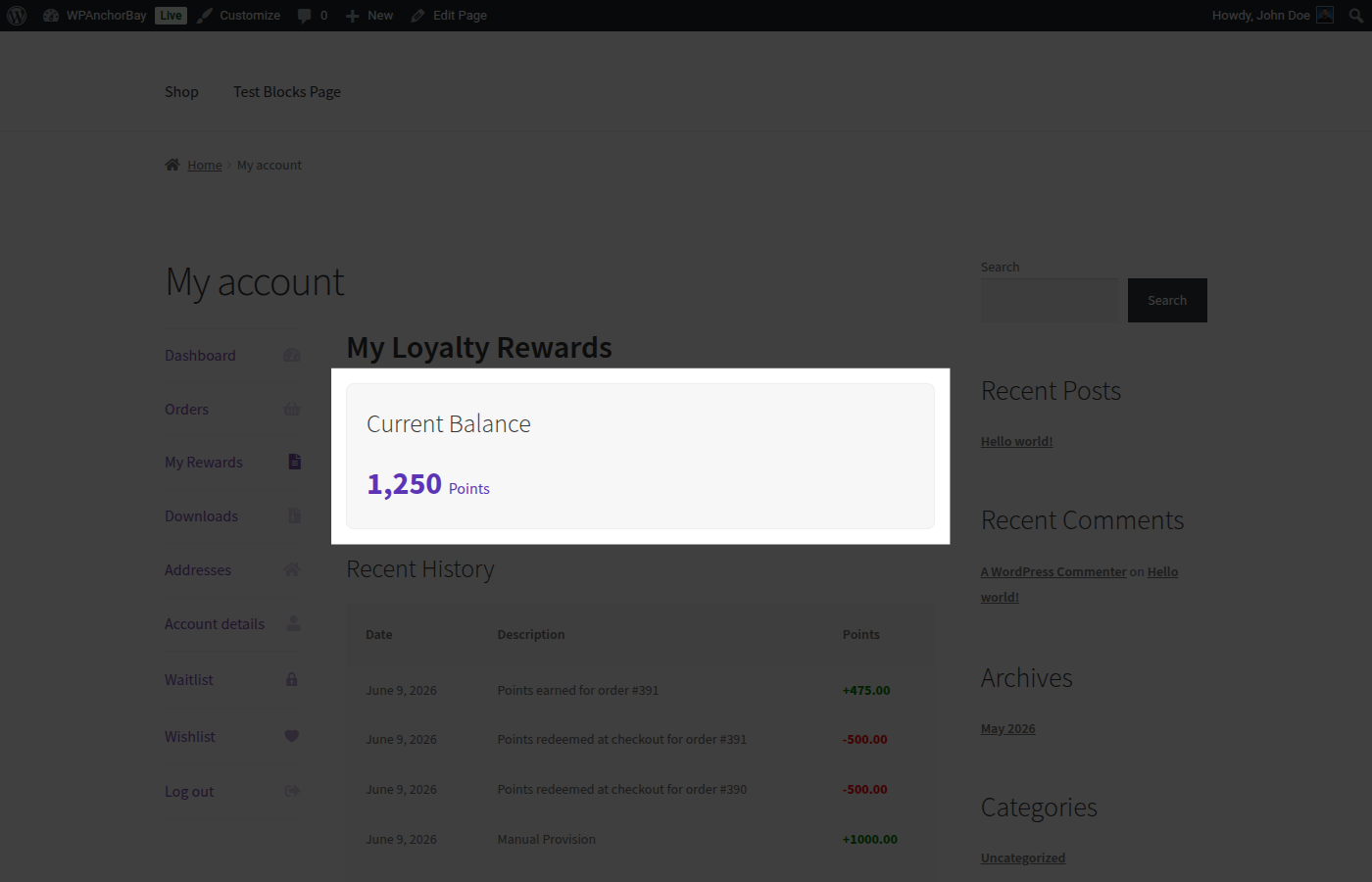
1. Points Balance Card
Section titled “1. Points Balance Card”Displays the customer’s current points balance in large, clear typography.
- Shows the exact points currently available.
- Indicates the equivalent monetary value of the points (based on the Point Value setting).
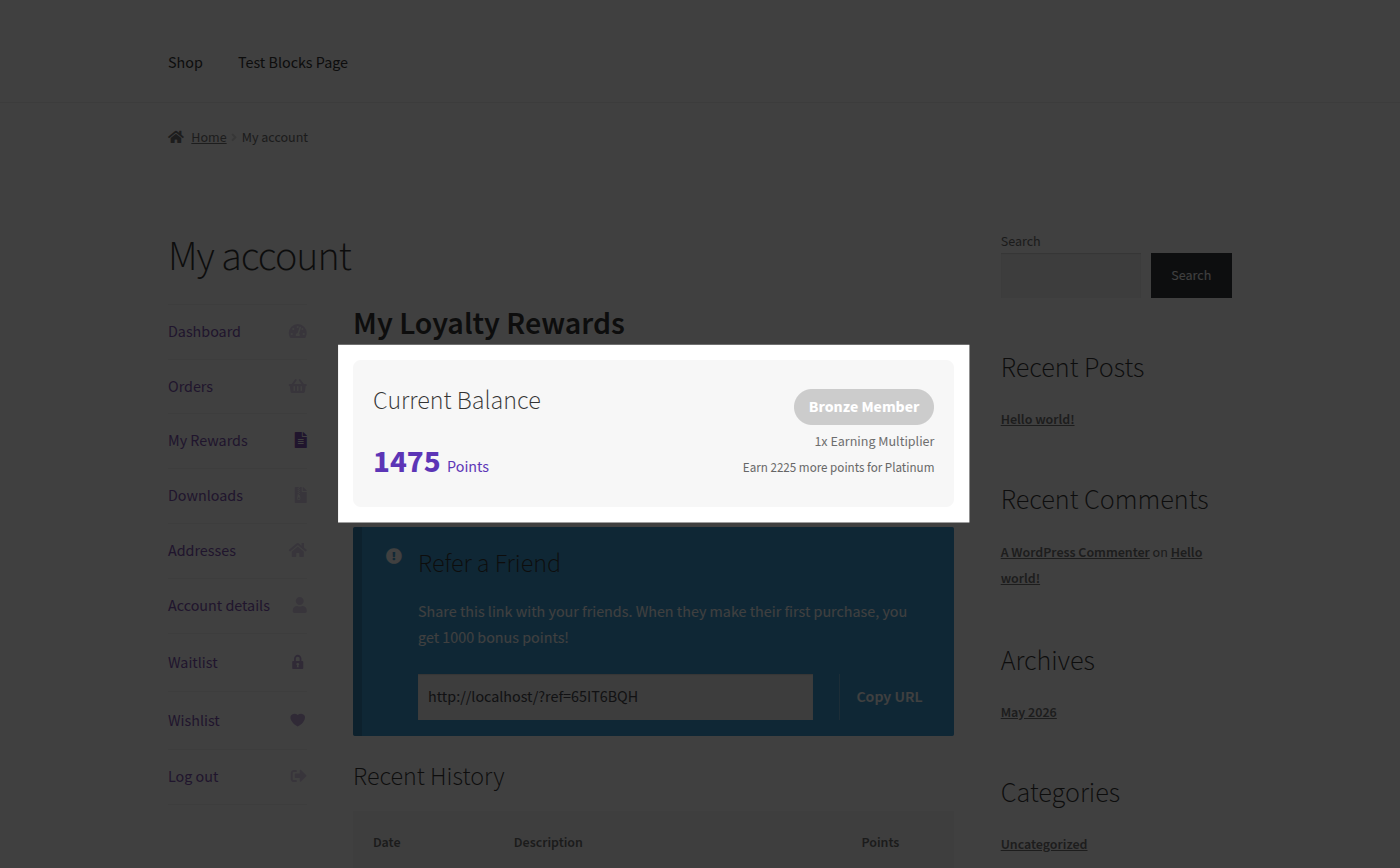
2. VIP Tier Progress (If Enabled)
Section titled “2. VIP Tier Progress (If Enabled)”Displays the customer’s active VIP loyalty level inside the balance card.
- Shows the current tier badge (e.g., Bronze Member).
- Displays the active tier’s earning multiplier (e.g., 1x Earning Multiplier).
- Displays the remaining points required to upgrade to the next tier.
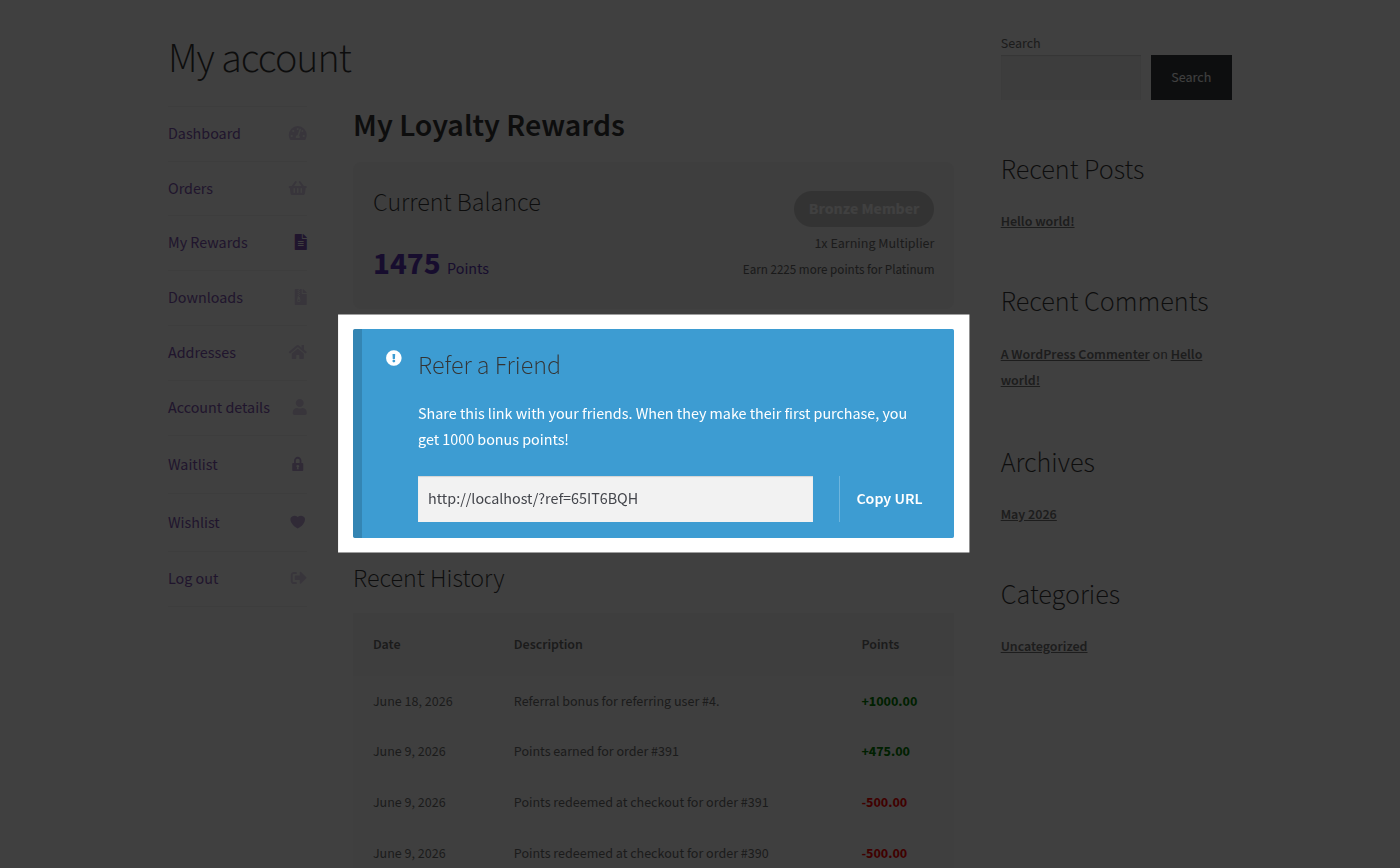
3. Referral Sharing Card (If Enabled)
Section titled “3. Referral Sharing Card (If Enabled)”Displays the customer’s refer-a-friend links and statistics.
- Displays the customer’s unique referral URL.
- Features a single-click “Copy URL” button.
- Shows the count of successful referrals completed.
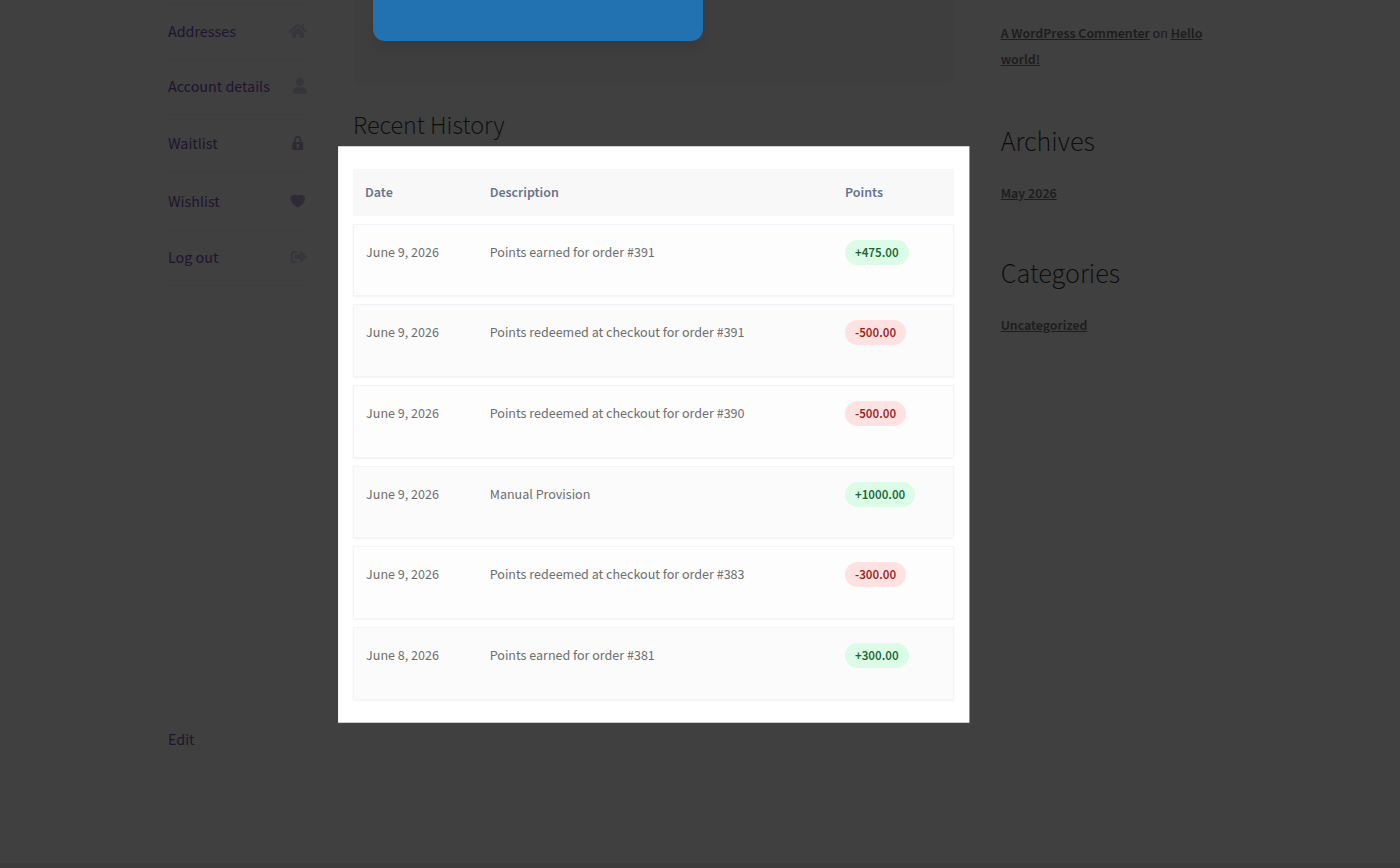
4. Transaction History Table
Section titled “4. Transaction History Table”A detailed, paginated audit log of all point activities for the customer.
- Date: The date and time the points were updated.
- Transaction Type: Marked by visual badges:
Credit(Green): Points earned from orders, registration, reviews, or manual adjustment.Debit(Red): Points redeemed at checkout, expired, or clawed back via refund.
- Amount: The number of points credited or debited.
- Description: Detailed text indicating why the points were adjusted (e.g. “Points earned for order #1234” or “Admin adjustment”).