

Manual Adjustments
Store administrators can manually adjust any customer’s points balance directly from the admin dashboard. Every adjustment is recorded as an auditable ledger entry.
Adjust Points Form
Section titled “Adjust Points Form”To perform a manual adjustment:
- Navigate to WooCommerce > Loyalty.
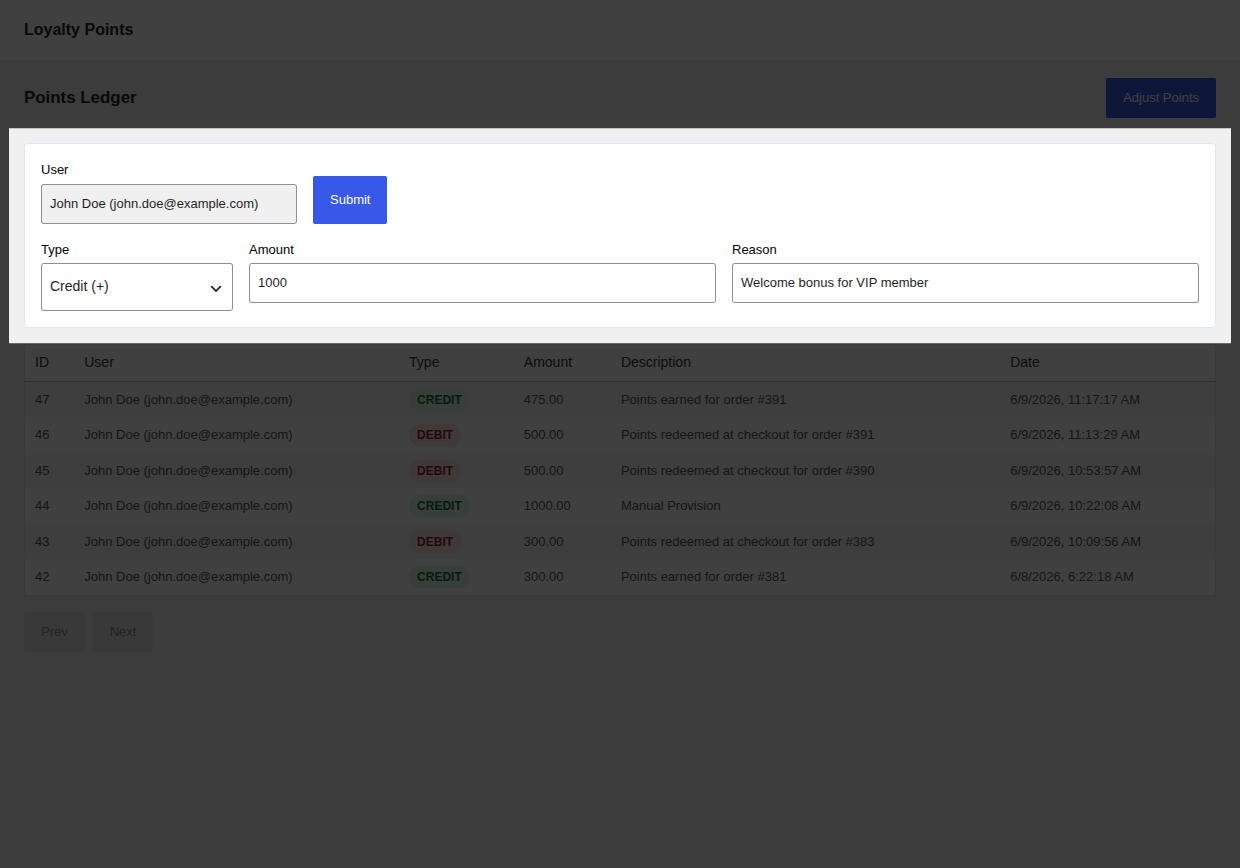
- Click the Adjust Points button at the top of the page. This expands the inline adjustment form.
- Fill out the form fields:
- User Selection: Search for the customer by name or email. You can select multiple users to apply the same adjustment in bulk.
- Action: Choose either Credit (adds points) or Debit (subtracts points).
- Amount: The number of points to adjust (must be a positive integer).
- Reason: A description of why the adjustment is being made. This will be visible to both the administrator and the customer in their dashboards.
- Click Submit to process the adjustment.
Common Use Cases
Section titled “Common Use Cases”Manual adjustments are useful for:
- Customer Service Goodwill: Award points as compensation for a shipping delay or product issue.
- Off-line/Custom Campaigns: Manually credit points for external promotional activities (e.g. following social media accounts, attending an in-person event).
- Balance Corrections: Correct point balances if a customer was mistakenly excluded from an automated rule.
- Policy Enforcement: Debit points manually if a customer is found to have abused review or referral programs.
Audit Trail
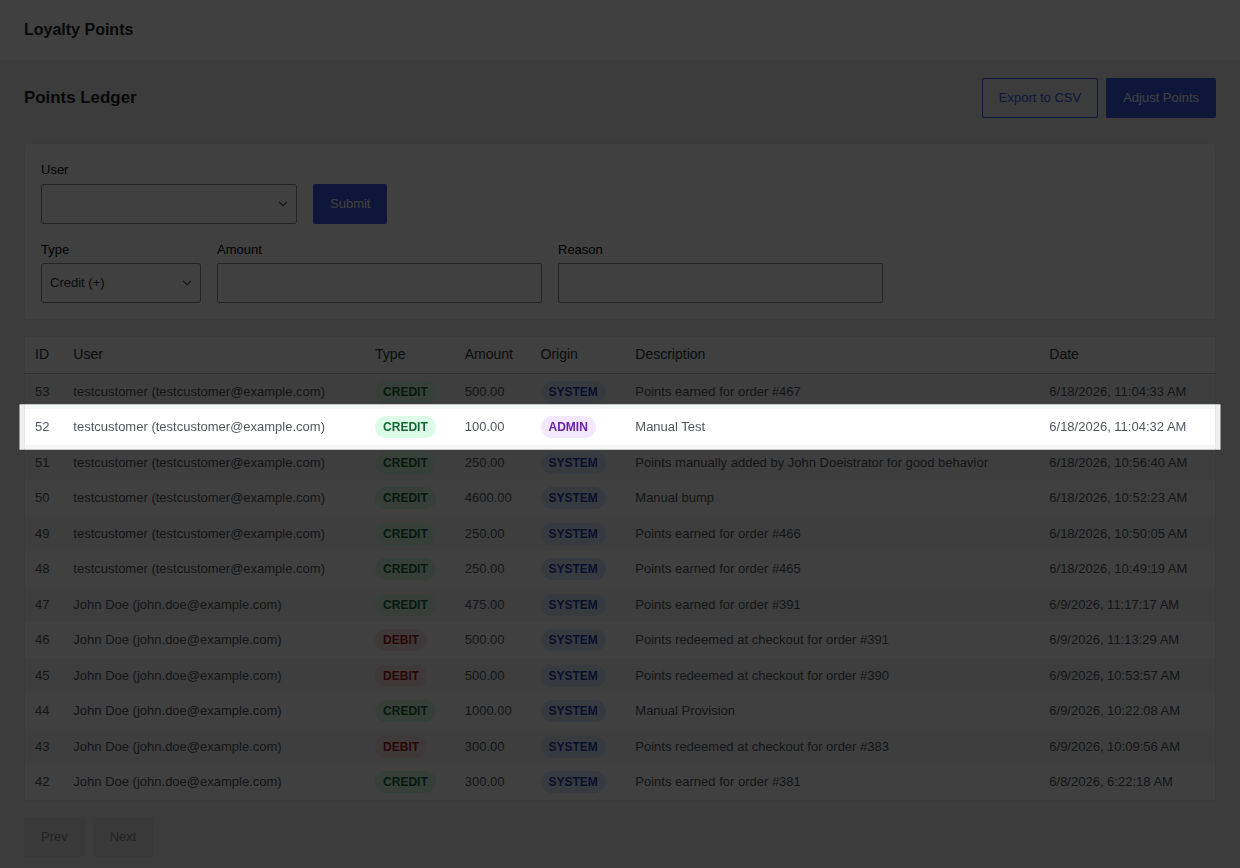
Section titled “Audit Trail”Every manual adjustment is recorded permanently in the database ledger.
- Reference Type: Manual adjustments are saved with
reference_type = 'admin'. - Reference ID: Set to the WordPress User ID of the administrator who performed the action. This ensures complete internal accountability.
- Description: The text entered into the Reason field is saved with the ledger record and displays in the transaction logs.
Permissions & Security
Section titled “Permissions & Security”Manual adjustments require high-level authorization:
- Role Capability: A user must have the
manage_loyaltybaycapability to access the ledger and submit adjustments. - Default Groups: By default, this capability is granted only to the administrator role upon plugin activation.
- API Security: The endpoint (
POST /wp-json/loyaltybay/v1/user-points) verifies nonces and runs server-side capability checks for every request.