

Settings Reference
This page provides a detailed reference for all LoyaltyBay settings.
Accessing Settings
Section titled “Accessing Settings”Settings are integrated directly into WooCommerce’s settings dashboard:
- Navigate to WooCommerce > Settings.
- Click the Loyalty Points tab.
- The settings are organized into four WooCommerce-style settings sections:
- Earning Points
- Redemption Rules
- Referrals & VIP Tiers
- Display & System
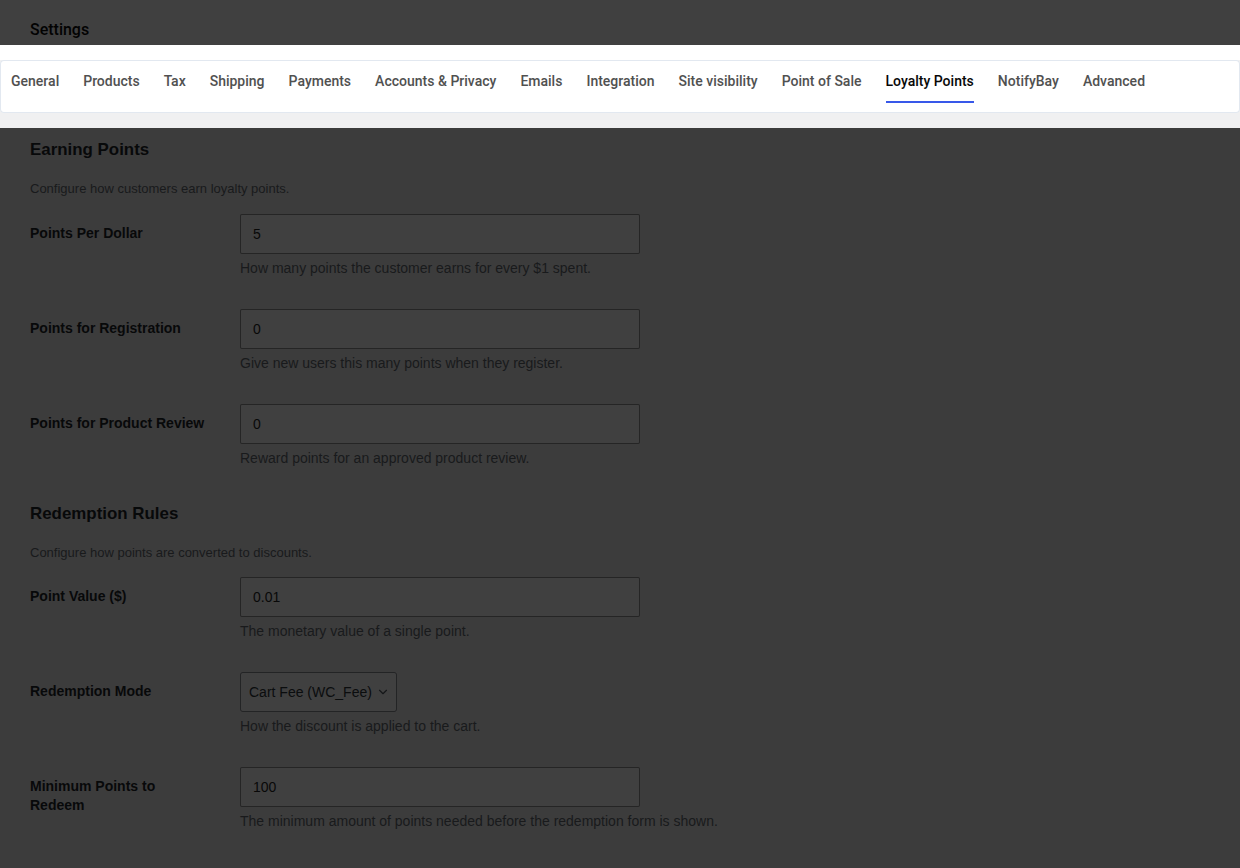
Settings Reference Tables
Section titled “Settings Reference Tables”1. Earning Points
Section titled “1. Earning Points”Configure how points are earned, excluded, and capped.
| Setting Name | DB Key | Type | Default Value | Description |
|---|---|---|---|---|
| Points per dollar | earning_pointsPerDollar | Integer | 1 | Earning conversion rate. The number of points awarded for each $1 spent. |
| Points for Registration | earning_pointsForRegistration | Integer | 0 | Points credited instantly when a user registers. Set to 0 to disable. |
| Points for Product Review | earning_pointsForReview | Integer | 0 | Points credited when a customer’s review is approved. Set to 0 to disable. |
| Order Status Trigger | earning_orderStatusTrigger | Select | Completed | The WooCommerce order status that triggers points crediting. |
2. Redemption Rules
Section titled “2. Redemption Rules”Configure the point discount values and checkout boundaries.
| Setting Name | DB Key | Type | Default Value | Description |
|---|---|---|---|---|
| Point Value | redemption_pointsValue | Decimal | 0.01 | Monetary value of 1 point (e.g. 0.01 = $0.01 off per point). |
| Redemption Mode | redemption_mode | Select | fee | Method of applying discount at checkout: fee (Cart Fee) or coupon (Virtual Coupon). |
| Minimum Points to Redeem | redemption_minPoints | Integer | 100 | Minimum balance required to show the points redemption form at checkout. |
| Max Discount % | redemption_maxDiscountPercentage | Integer | 50 | Maximum percentage of the cart total that can be discounted using points. |
3. Referrals & VIP Tiers
Section titled “3. Referrals & VIP Tiers”Configure organic customer acquisition and VIP bonuses.
| Setting Name | DB Key | Type | Default Value | Description |
|---|---|---|---|---|
| Enable Referrals | referrals_enabled | Boolean | false | Enable or disable the refer-a-friend program. |
| Referral Bonus Points | referrals_bonusPoints | Integer | 1000 | Points awarded to the referrer after the referee’s first purchase. |
| Cookie Duration (Days) | referrals_cookieDuration | Integer | 30 | Lifespan of the referral tracking cookie. |
| Enable VIP Tiers | tiers_enabled | Boolean | false | Enable or disable automatic loyalty tiers. |
| Tiers Config | tiers_config | Repeater | (Default Tiers) | Defines VIP levels, thresholds, and multipliers (Bronze, Silver, Gold, Platinum). |
4. Display & System
Section titled “4. Display & System”Control UI placements, logging, and uninstallation behavior.
| Setting Name | DB Key | Type | Default Value | Description |
|---|---|---|---|---|
| Show Guest Notice | display_guestNoticeEnabled | Boolean | true | Show a notice at checkout encouraging guests to register to earn points. |
| Custom CSS | appearance_customCss | Textarea | '' | Custom CSS injected into the public loyalty widgets for styling. |
| Widget Position | appearance_widgetPosition | Select | before_order_review | Theme hook location for classic checkout redemption display. |
| Delete All on Uninstall | advanced_deleteAllOnUninstall | Boolean | false | If enabled, completely drops custom tables and deletes all options when the plugin is deleted. |