
Installation
CartBay ships as two pieces: the free CartBay plugin on WordPress.org, which is the complete recovery workflow and needs no license key, and the optional CartBay Pro Pro add-on, a separate licensed plugin from WPAnchorBay that installs alongside the free plugin.
Install the free plugin first. Add CartBay Pro afterwards only if you want the Pro features.
Before You Install
Section titled “Before You Install”Confirm the store meets the Requirements, especially WooCommerce, PHP, checkout, and email delivery requirements.
Install CartBay (Free)
Section titled “Install CartBay (Free)”The fastest way is to search for CartBay directly in your WordPress admin: go to Plugins > Add New, search for CartBay, then click Install Now and Activate. No license key is required.
You can also install by uploading the ZIP downloaded from the WordPress.org plugin page. To install by upload, follow these steps:
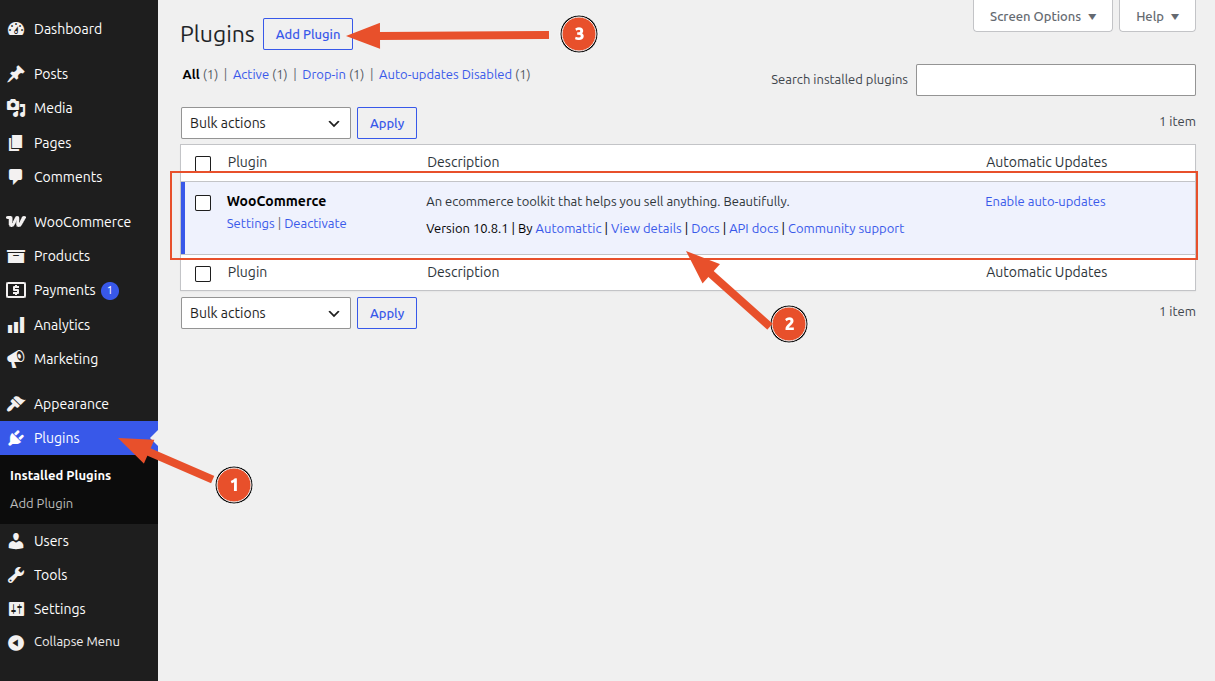
- In WordPress admin, go to Plugins.
- Make sure you have already installed WooCommerce and activated it.
- Click Add New.
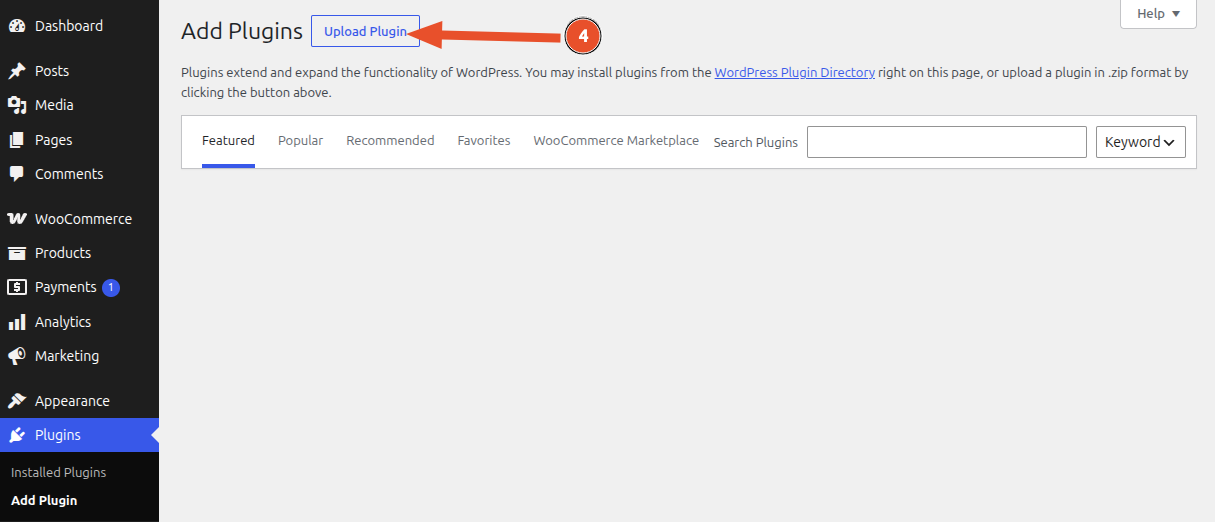
- Click Upload Plugin.
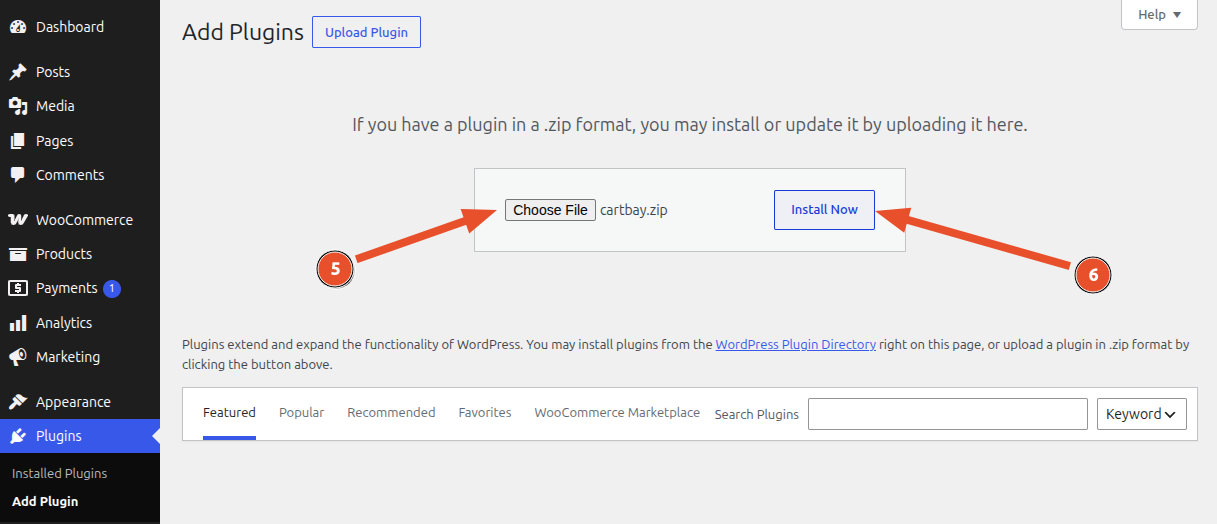
-
Choose the CartBay ZIP you downloaded from WordPress.org.
-
Click Install Now.

- Click Activate Plugin.
After Activation
Section titled “After Activation”After plugin activation, CartBay creates its default options, registers recovery session statuses, seeds default recovery email content, and schedules recurring Action Scheduler jobs.
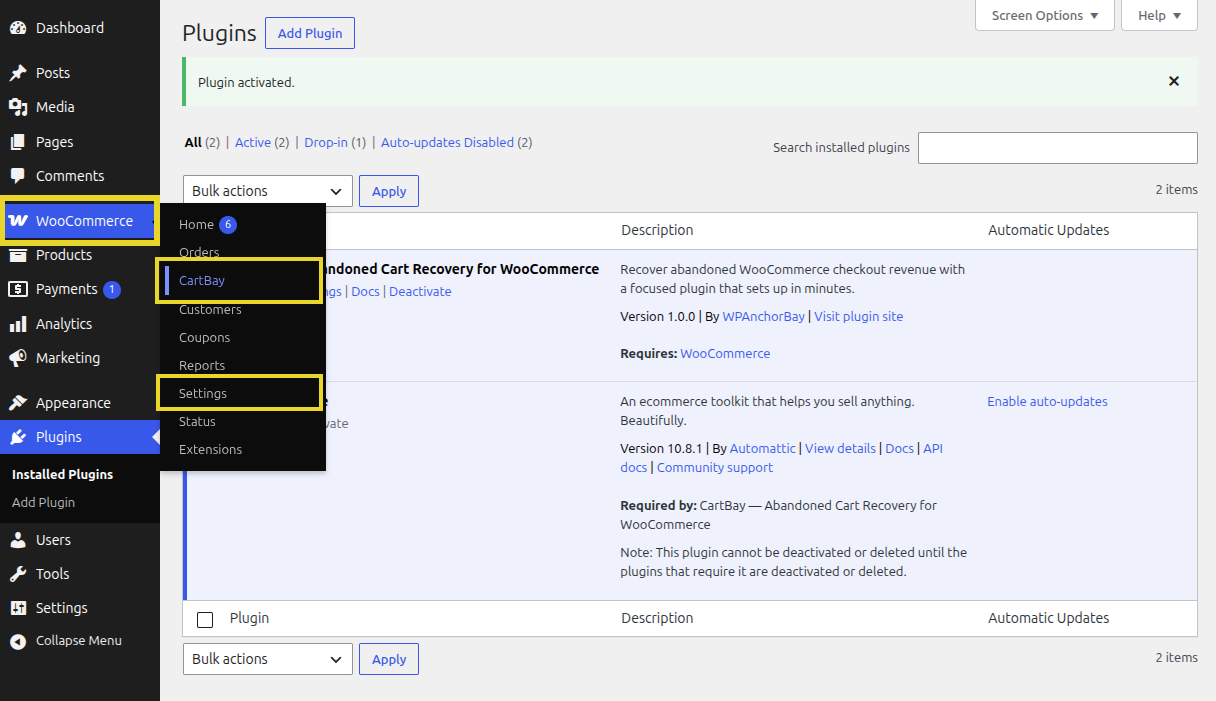
You can go to the CartBay dashboard by clicking on the Overview link on the CartBay row of the plugins list.
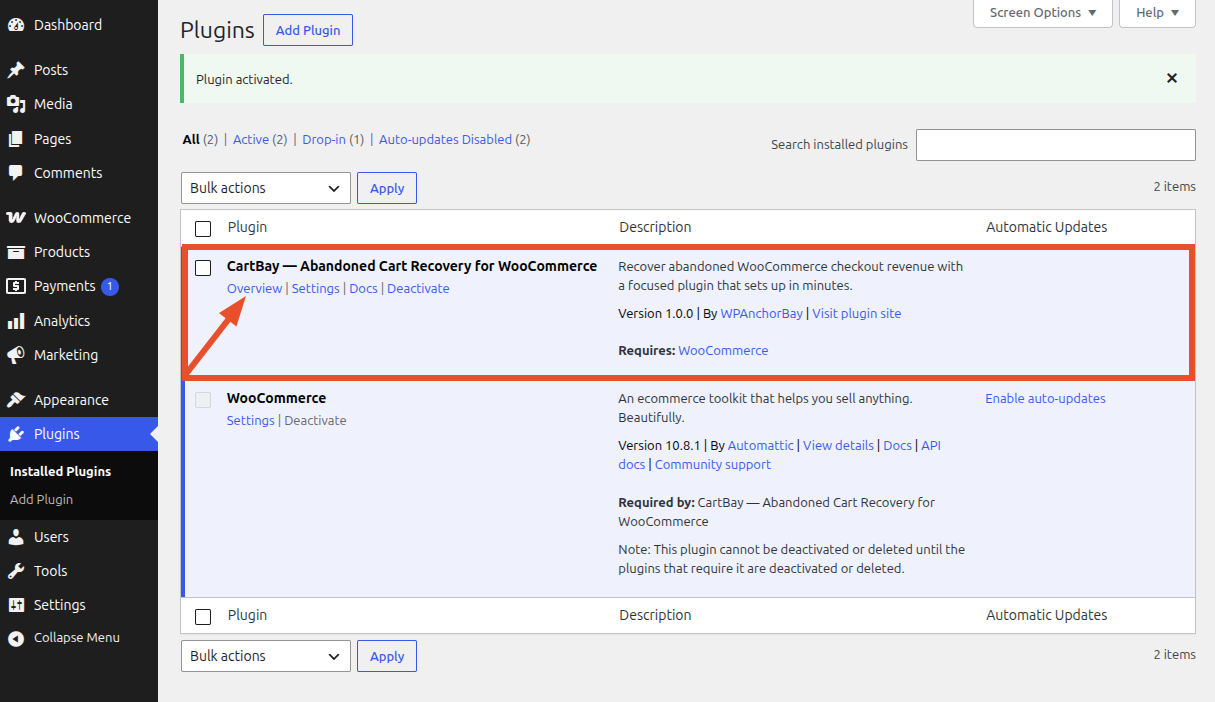
CartBay appears in:
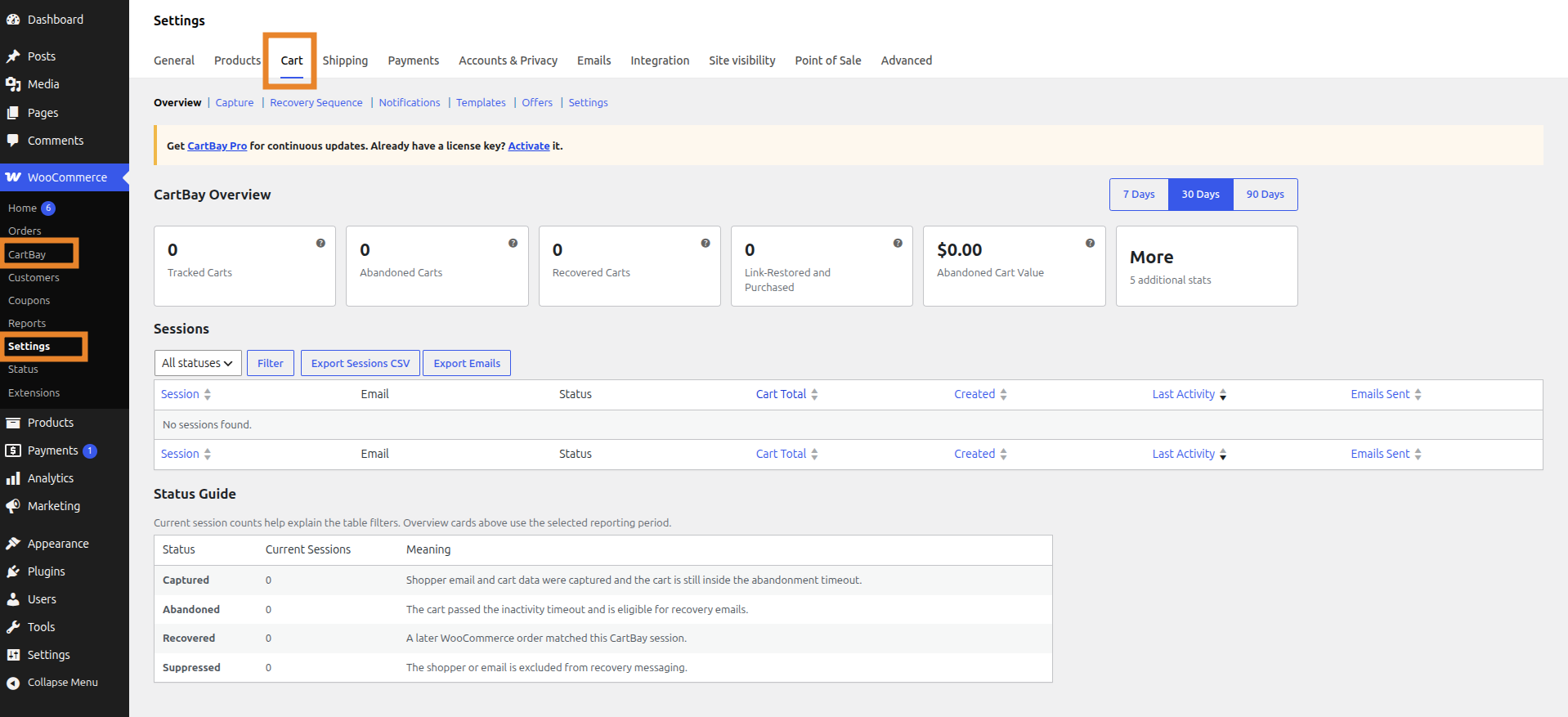
There are several ways to access CartBay:
- WordPress Admin Settings:
WooCommerce > Settings > Cart - WordPress Admin Direct:
WooCommerce > CartBay - From Plugins Page:
Plugins > CartBay > Overview
Verify Installation:
- Confirm
WooCommerce > CartBayand/orWooCommerce > Settings > Cartopens. - Confirm the CartBay settings tab appears under
WooCommerce > Settings > Cart. - Confirm no WooCommerce-missing notice appears.
- Continue to Setup Wizard.
Install CartBay Pro Pro
Section titled “Install CartBay Pro Pro”CartBay Pro is an optional, separately licensed add-on. It does not replace or unlock the free plugin in place — it installs alongside it and requires the free CartBay plugin to be installed and active first.
- Purchase CartBay Pro from WPAnchorBay.
- Download the CartBay Pro add-on ZIP from your WPAnchorBay account dashboard (this is a different file from the free WordPress.org plugin).
- In WordPress admin, go to Plugins > Add New > Upload Plugin, choose the Pro ZIP, click Install Now, then Activate Plugin.
- Activate your license key to enable private updates and Pro features. See License Activation.
Updating CartBay
Section titled “Updating CartBay”The free CartBay plugin updates through WordPress like any other WordPress.org plugin — no license key is required.
CartBay Pro Pro receives private updates through the WPAnchorBay license server. Activate a valid Pro license key to receive continuous Pro updates.