
TubeBay Pro
TubeBay Pro is a paid add-on for the free TubeBay plugin. It doesn't replace anything — it activates a handful of fields that are already visible (but disabled) in the free plugin, and adds automatic updates.
🚀 Get TubeBay Pro
Buy a license to unlock per-product overrides and automatic updates.
Requires TubeBay 1.2.0+
TubeBay Pro will not activate unless the free TubeBay plugin is installed, active, and at version 1.2.0 or newer.
What Pro Adds
Per-Product Gallery Overrides
As of TubeBay 1.2.0, the global Player settings (Max Videos, Video Position, Autoplay First Video, Show Duration Badge) can be overridden on a per-product basis — Pro-only:
| Field | What it controls |
|---|---|
| Max Videos | Overrides the global video-gallery limit for this one product. |
| Video Position | First / Last / Mixed — overrides where this product's videos sit relative to its images. |
| Autoplay First Video | Overrides whether this product's first video autoplays muted. |
| Show Duration Badge | Overrides whether the duration badge shows on this product's video thumbnails. |
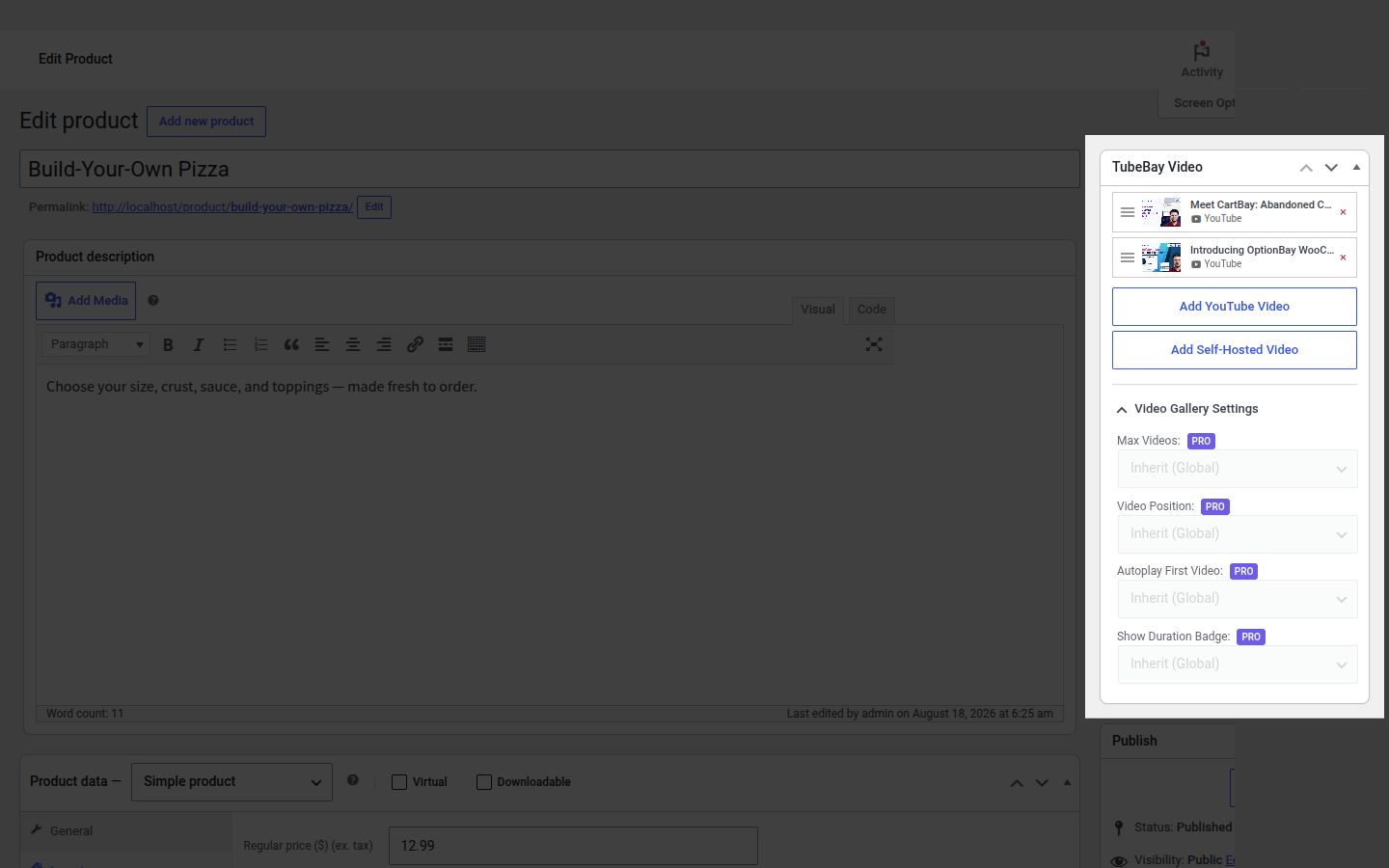
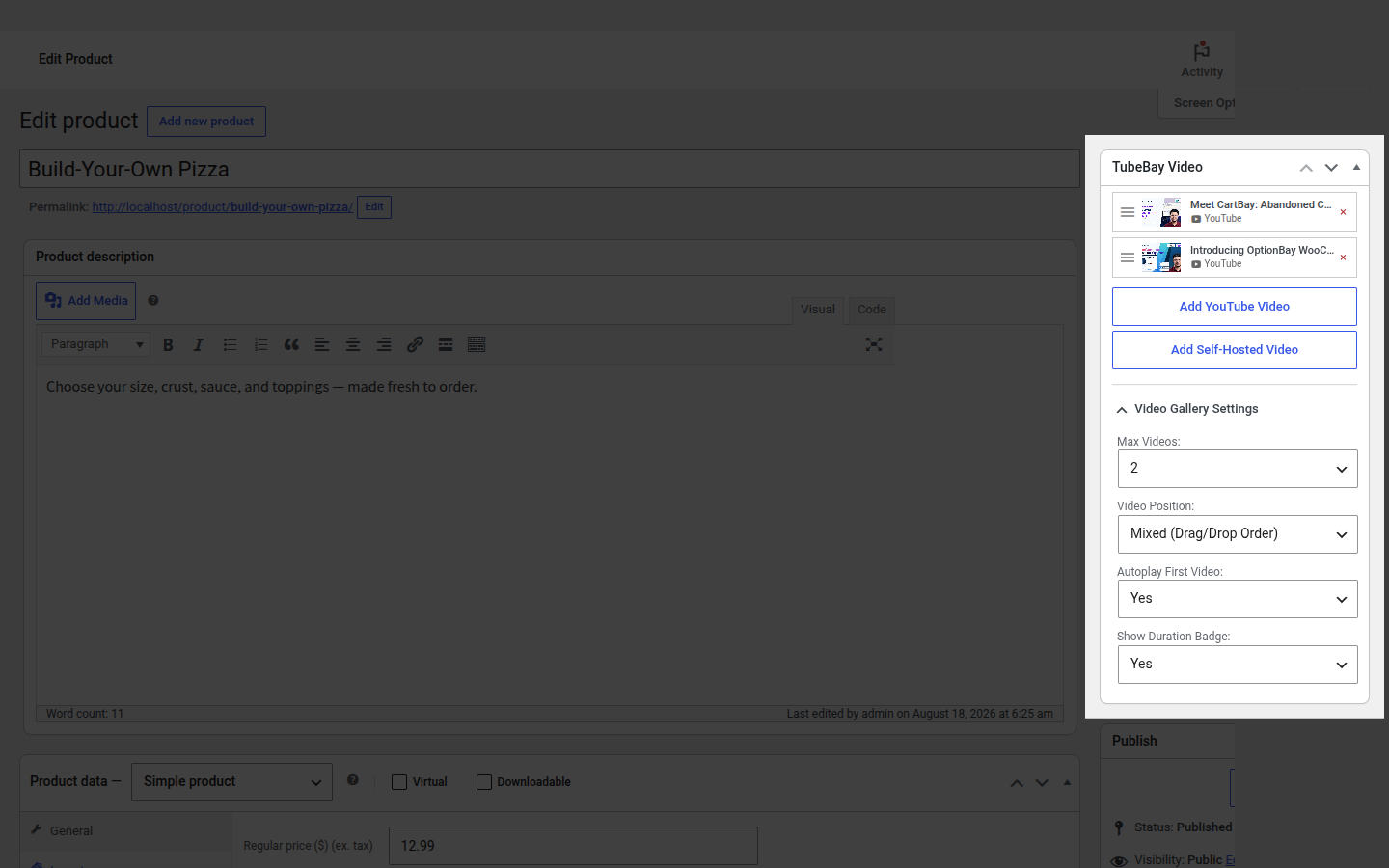
Every product's TubeBay Video meta box (Products → edit a product) has a Video Gallery Settings panel with these four fields. On the free plugin they're visible but disabled, each carrying a PRO badge — a live preview of what activating Pro unlocks. With Pro active, they become fully editable per product and override the global default.
Automatic Updates
Once a license is activated, TubeBay Pro registers with the plugin update checker so new Pro releases show up in Plugins → Updates like any WordPress.org plugin.
Activating Your License
- Install and activate the TubeBay Pro plugin (Plugins → Add New → Upload Plugin, then Activate).
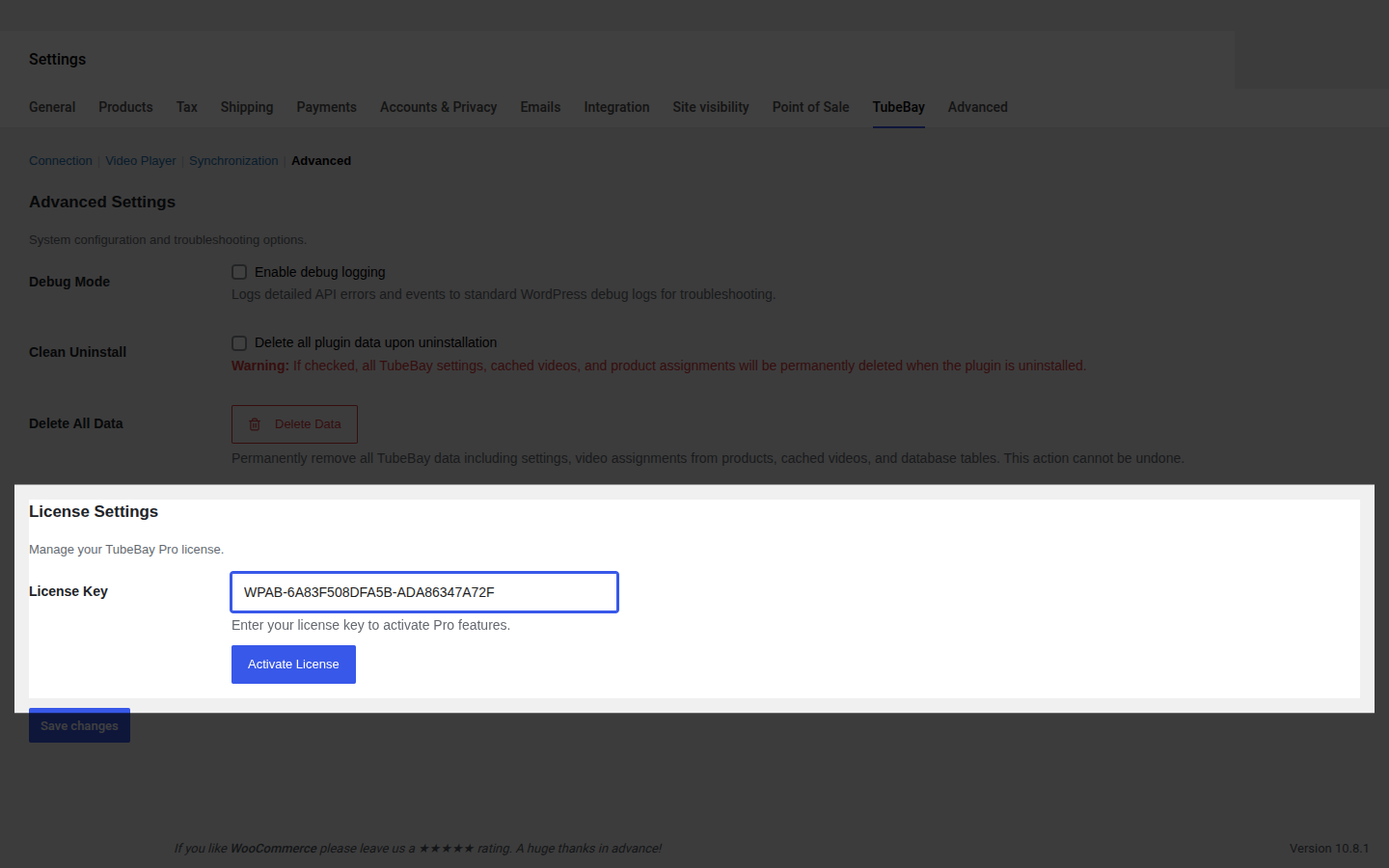
- Go to WooCommerce → Settings → TubeBay → Advanced. A new License Settings section appears below the standard Advanced fields.
- Paste your license key into License Key.
- Click Activate License.
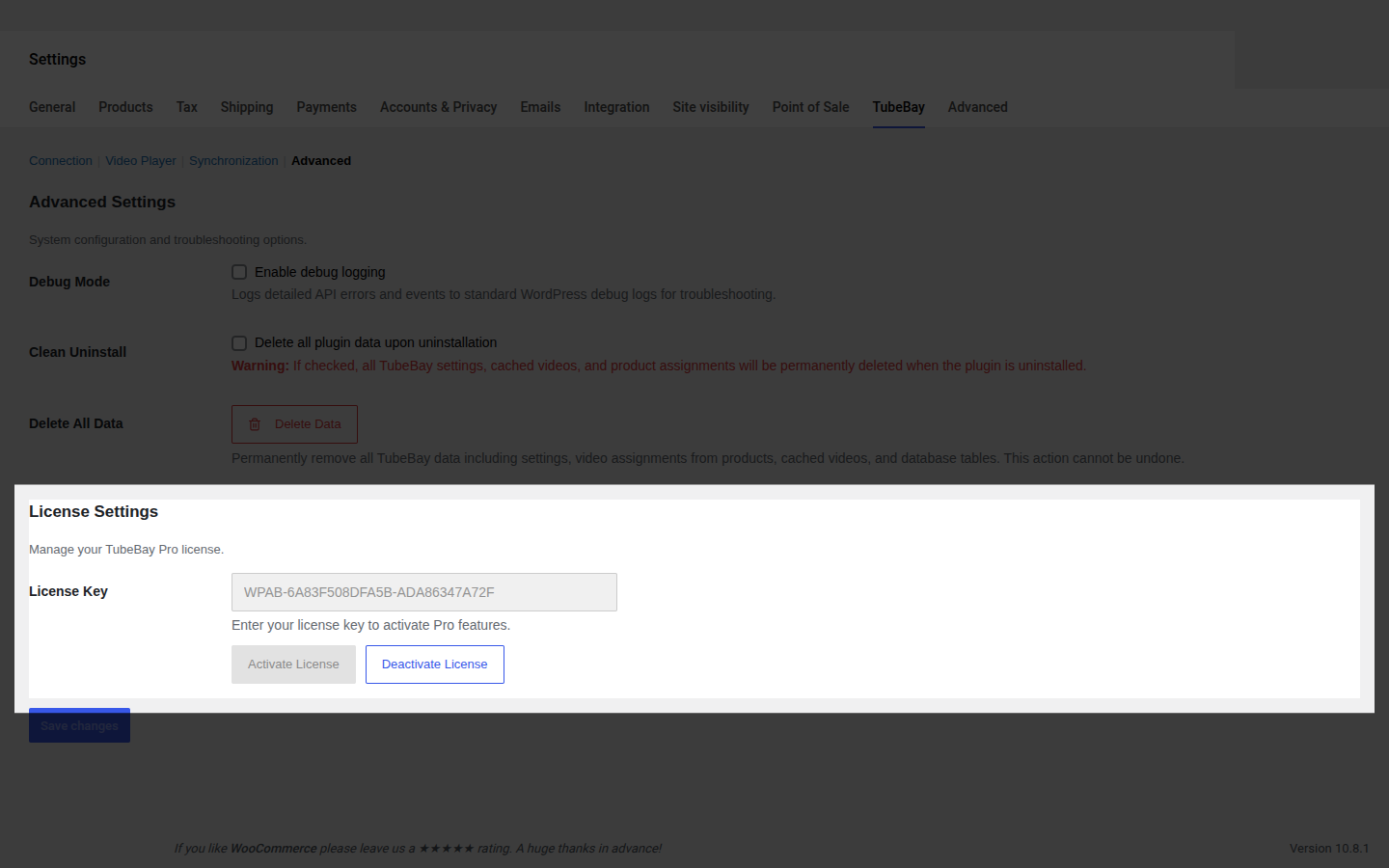
Once active, the field is locked and a Deactivate License button appears if you need to move the license to another site.
Buying a License
Licenses are sold from the TubeBay pricing page. Support for licensed sites is available at wpanchorbay.com/support.