---
title: SpaceBay Documentation
description: Learn how to set up, use, extend and automate SpaceBay, the community plugin for WordPress, and SpaceBay Pro.
template: splash
prev: false
next: false
head:
# OpenGraph metadata
- tag: meta
attrs:
property: og:url
content: https://docs.wpanchorbay.com/spacebay/
- tag: meta
attrs:
property: og:type
content: website
- tag: meta
attrs:
property: og:title
content: SpaceBay Documentation
- tag: meta
attrs:
property: og:description
content: End-user and developer documentation for SpaceBay, the community plugin for WordPress, and SpaceBay Pro.
- tag: meta
attrs:
property: og:image
content: https://docs.wpanchorbay.com/spacebay/assets/spacebay-docs-og.png
- tag: meta
attrs:
property: og:image:alt
content: SpaceBay Documentation by WPAnchorBay
- tag: meta
attrs:
property: og:image:width
content: "1200"
- tag: meta
attrs:
property: og:image:height
content: "630"
# Twitter / X Card metadata
- tag: meta
attrs:
name: twitter:card
content: summary_large_image
- tag: meta
attrs:
name: twitter:title
content: SpaceBay Documentation
- tag: meta
attrs:
name: twitter:description
content: Build a community on your WordPress site with spaces, a feed, events, messages, points and moderation.
- tag: meta
attrs:
name: twitter:image
content: https://docs.wpanchorbay.com/spacebay/assets/spacebay-docs-og.png
- tag: meta
attrs:
name: twitter:image:alt
content: SpaceBay Documentation by WPAnchorBay
hero:
title: 'SpaceBayDocumentation'
tagline: Turn your WordPress site into a community with spaces, a feed, events, messages, points and moderation.
image:
alt: SpaceBay by WPAnchorBay
file: ../../assets/spacebay-icon.svg
actions:
- text: Getting Started
link: /spacebay/getting-started/introduction/
icon: right-caret
variant: primary
- text: Get SpaceBay
link: https://wpanchorbay.com/plugins/spacebay/
icon: external
variant: minimal
---
import Card from '../../components/starlight/Card.astro';
import AskAi from '../../components/AskAi.astro';
## What it does
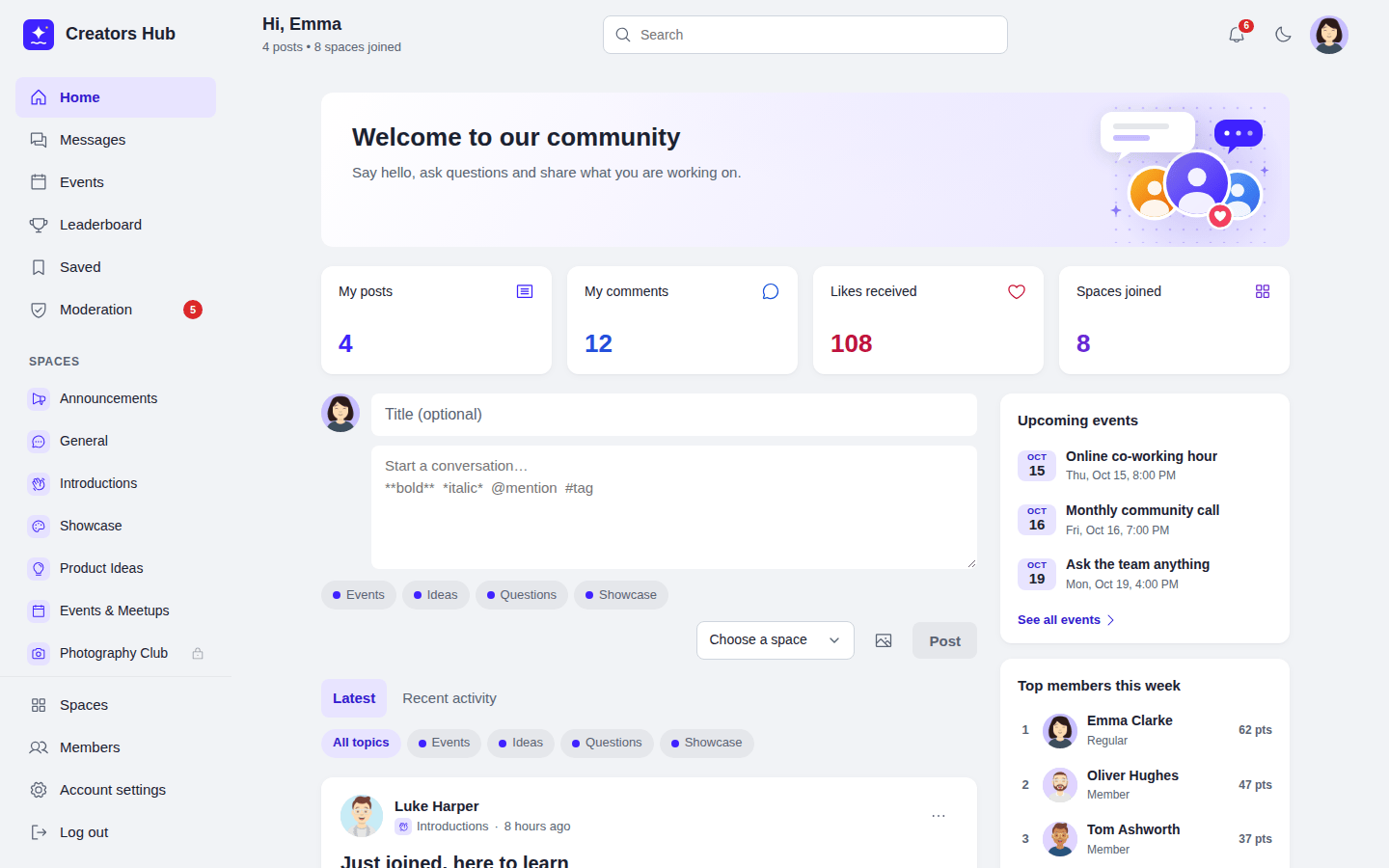
SpaceBay turns your WordPress site into a community. Members join spaces, post, comment and react in a fast portal that works on desktop and mobile, in light and dark mode.
SpaceBay is **free** on [WordPress.org](https://wordpress.org/plugins/spacebay/). **SpaceBay Pro** is an optional add-on with calls, two-factor login and tools for community managers. Features that need Pro are marked Pro.
Video (23 s): a quick tour of Home, Spaces, Events, Members and the Leaderboard.
## Core capabilities
- Spaces and groups: public, private and secret.
- A feed with images, link previews, comments, likes, saved posts, topics and hashtags.
- Events with going, maybe and can't go answers, and Add to calendar.
- Private messages and group chats.
- Profiles and a member directory.
- Points, levels, badges and a leaderboard.
- Notifications, emails and search.
- Moderation: reports, blocked words, member approval and community moderators.
- Login and signup pages in your design, with Google and Facebook login.
- Calls, two-factor login, a signup form builder, custom profile fields, a badge editor, event limits and member shops with Pro. Pro
## Start from
Check the requirements, install SpaceBay and run the setup wizard.
Spaces, posts, events, messages, points, moderation and every setting.
Hooks, the REST API, template overrides and WP-CLI.
## Quick links
- [Requirements](/spacebay/getting-started/requirements/)
- [Installation](/spacebay/getting-started/installation/)
- [Setup wizard](/spacebay/getting-started/setup-wizard/)
- [Settings overview](/spacebay/user-guide/settings/overview/)
- [SpaceBay Pro](/spacebay/pro/overview/) Pro
- [Troubleshooting](/spacebay/others/troubleshooting/)
- [FAQ](/spacebay/others/faq/)
- [Changelog](/spacebay/others/changelog/)
## Who this is for
- Site owners who want to start a community on WordPress.
- Administrators and moderators who run it every day.
- Members who want to know how the portal works.
- Developers who extend SpaceBay with hooks, templates and the REST API.