---
title: "Messages settings"
description: "Turn private messages and group chats on or off, choose who can message whom, and set up calls with Pro."
---
Open **SpaceBay → Settings** and choose the **Messages** section in the left column. Select **Save changes** at the top right when you are done.
| Setting | What it does |
| --- | --- |
| Private messages | Turns the Messages page on or off. On by default. See [Messages](/spacebay/user-guide/messages/). |
| Who can message whom | **Members who share a space** (default), **Any member**, or **Only admins and moderators**. Admins and moderators can always message everyone and be messaged. |
| Allow group chats / Most people in a group | Lets members start named group chats. Up to 20 people by default (3–100). |
| Calls Pro | **Off** (default), **Voice calls**, or **Voice and video calls**. Needs HTTPS. See [Voice and video calls](/spacebay/pro/voice-and-video-calls/). |
| Most people in a call Pro | 2–6, 4 by default. Every person sends sound and video to every other person, so big calls need fast internet. |
| STUN server Pro | Helps browsers find each other. The default is Google's free public server. |
| TURN server, username and password Pro | Optional relay for strict office or mobile networks. Members who make a call receive these details. |
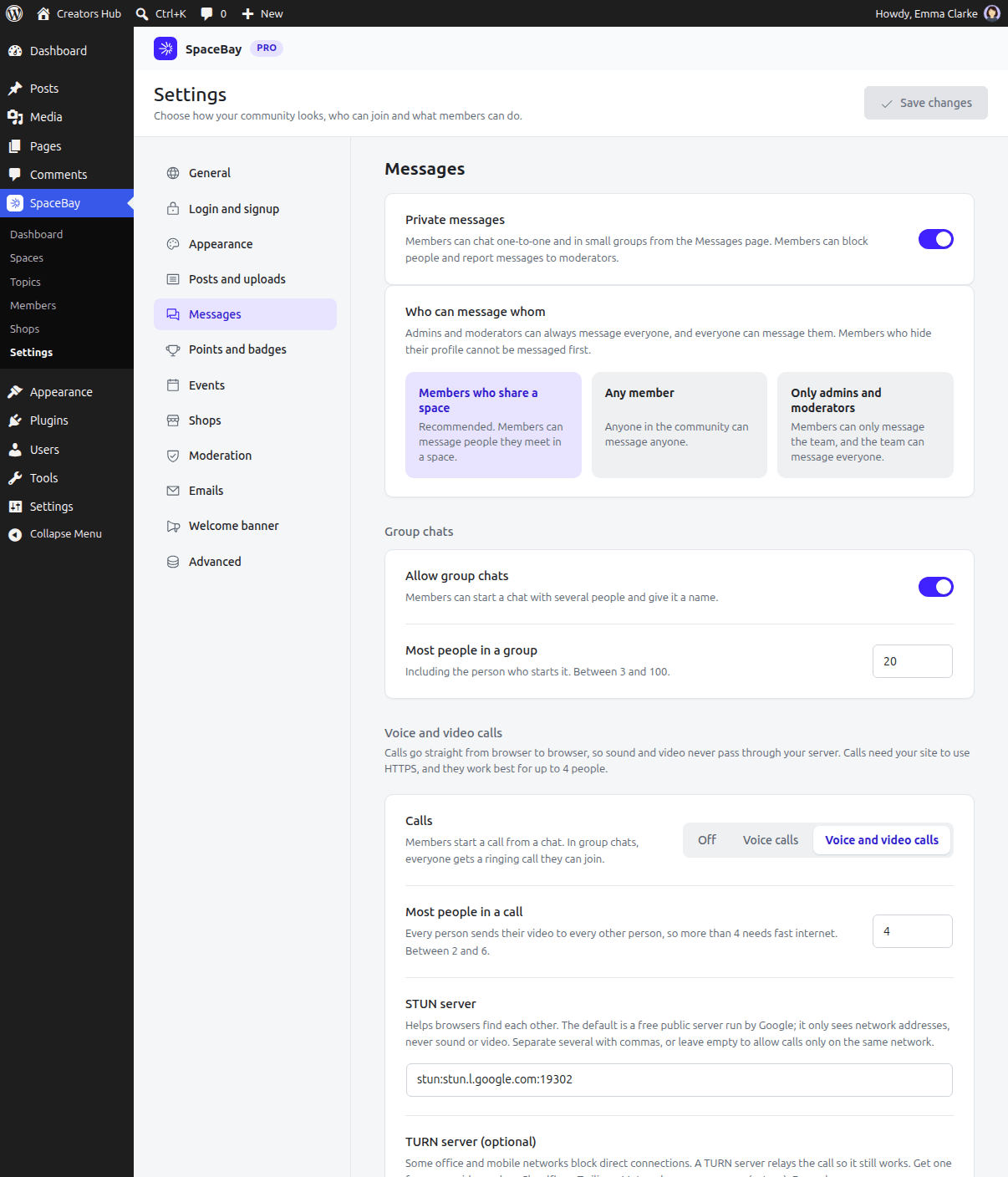 *Settings → Messages, with SpaceBay Pro active.*