---
title: "Notifications and emails"
description: "The notification bell, the Notifications page, which events send emails, and how email delivery works."
---
The bell in the top bar shows how many notifications a member has not read. It updates every minute while the page is open. Clicking a notification opens the post and marks it read. **See all notifications** opens the full list, with an **Unread** filter and **Mark all as read**.
Notification emails are sent in the background, a little after the notification itself: one background job sends everything that is waiting, so an announcement to a large space does not slow the site down. How soon they leave depends on how often your site runs its scheduled tasks (see [Large communities and speed](/spacebay/others/large-communities-and-speed/)).
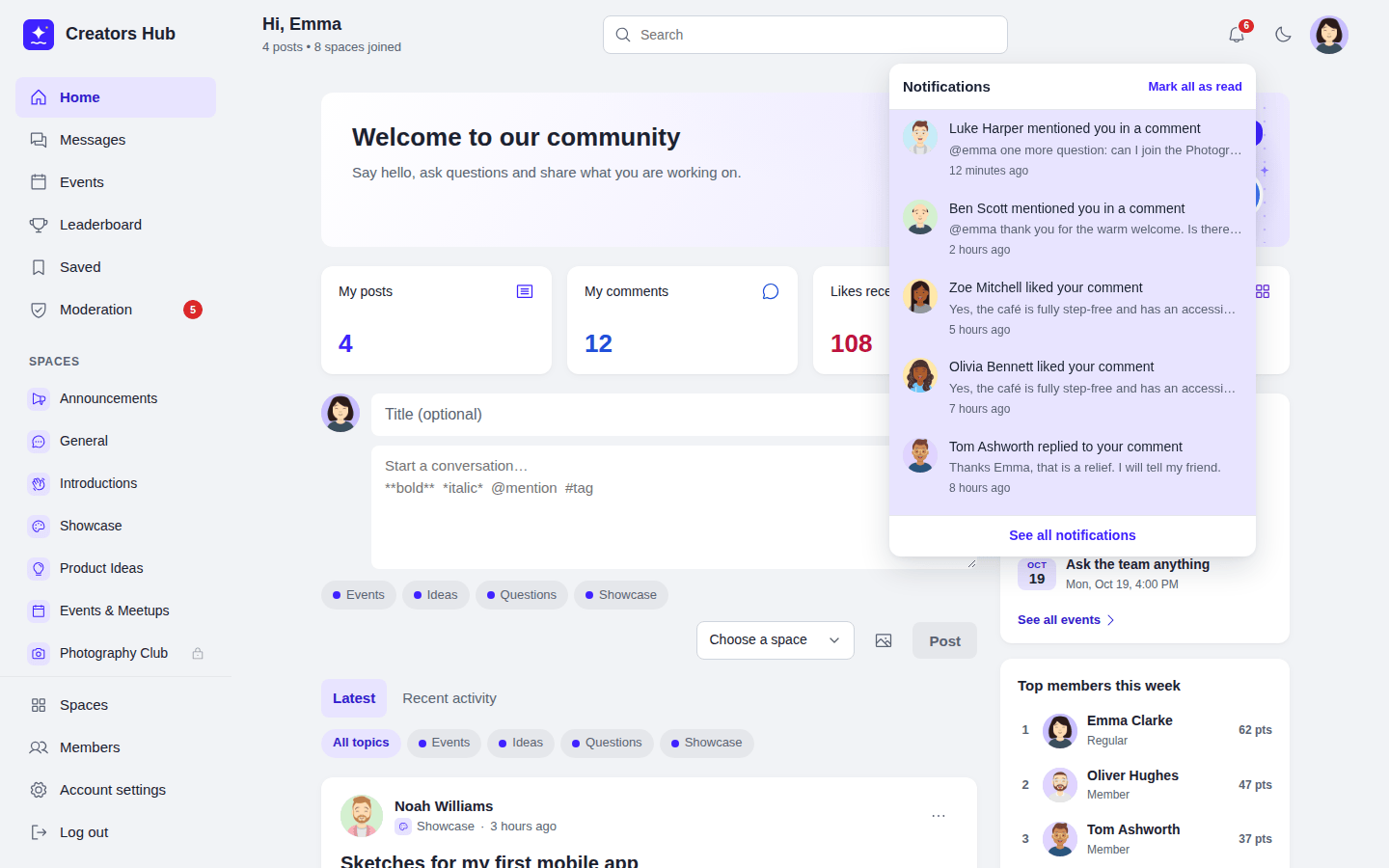 *The notification bell.*
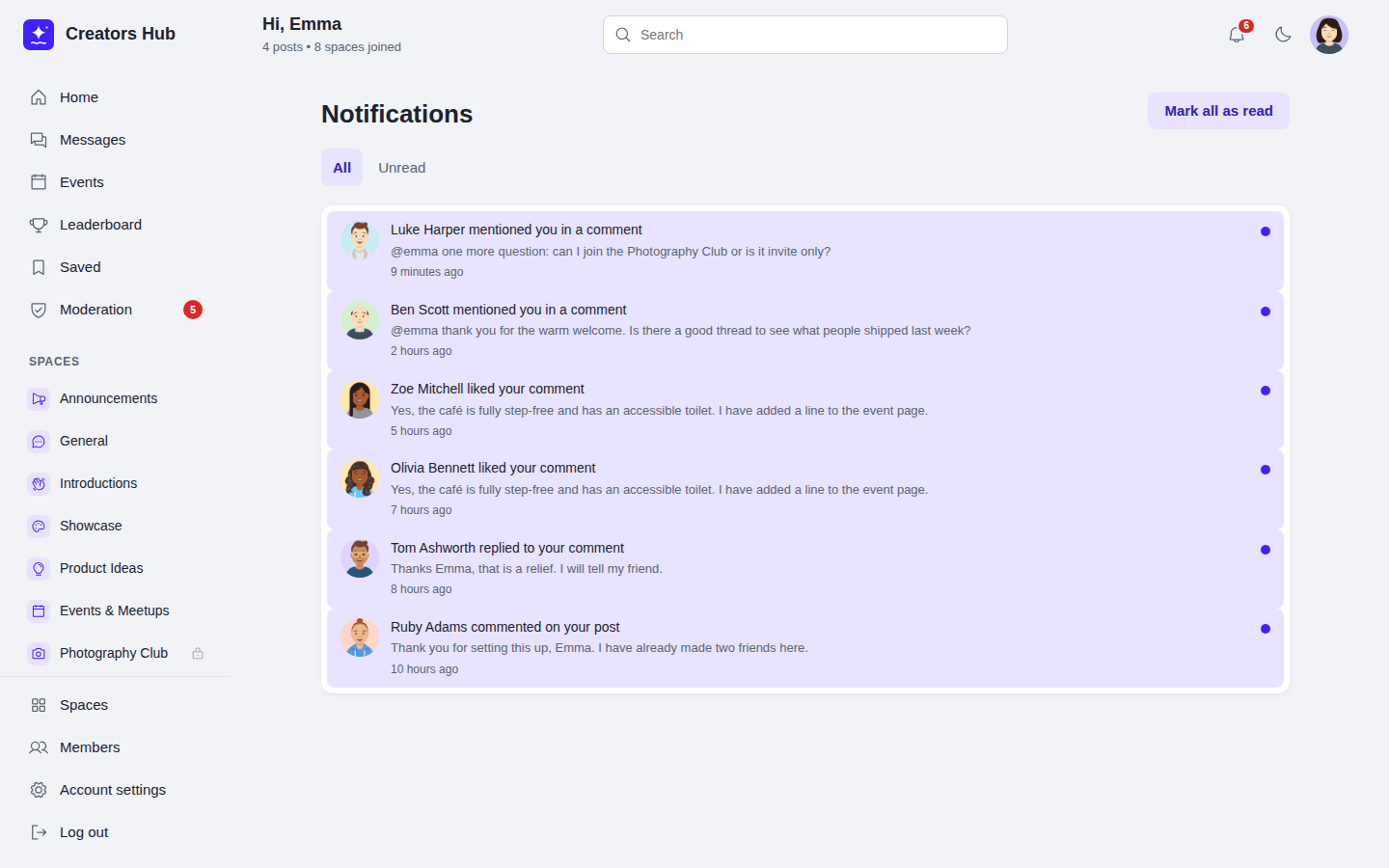 *The Notifications page.*
| Members are notified when | Email by default |
| --- | --- |
| Someone mentions them in a post or comment | Yes |
| Someone comments on their post or replies to their comment | Yes |
| They are invited to a space, or their join request is approved | Yes |
| Someone asks to join a private space they manage | Yes |
| Someone likes their post or comment | No |
| A new event in their space, or an event they answered changes, is cancelled, or starts soon (reminders need [Pro](/spacebay/pro/event-limits-and-reminders/)) | Yes |
| They earn a badge (or are given one, with Pro), or reach a new level | No |
| Their held post or comment is approved, or a moderator removes it | Yes |
| Their account is approved | Yes |
| Moderators only: content or reports wait for review, or a new member waits for approval | Yes |
Members choose their emails in **Account settings → Email notifications**, under the heading **Email me when…**. There are up to eight tick boxes:
- Someone sends me a private message (only if I have not read it after 15 minutes). Shown when messages are on.
- Someone mentions me.
- Someone comments on my post or replies to my comment.
- Space invitations, join requests and approvals.
- Someone likes my post or comment.
- New events in my spaces, changes to events I am going to, and reminders. Shown when events are on.
- I earn a badge or reach a new level. Shown when points, levels and badges are on.
- Moderation updates: my posts are approved or removed, or (for moderators) items wait for review.
With messages, events and points, levels and badges all turned on, all eight are shown. Notifications under the bell are always shown. Members are only notified about posts they can still read, and never about their own actions.
*The Notifications page.*
| Members are notified when | Email by default |
| --- | --- |
| Someone mentions them in a post or comment | Yes |
| Someone comments on their post or replies to their comment | Yes |
| They are invited to a space, or their join request is approved | Yes |
| Someone asks to join a private space they manage | Yes |
| Someone likes their post or comment | No |
| A new event in their space, or an event they answered changes, is cancelled, or starts soon (reminders need [Pro](/spacebay/pro/event-limits-and-reminders/)) | Yes |
| They earn a badge (or are given one, with Pro), or reach a new level | No |
| Their held post or comment is approved, or a moderator removes it | Yes |
| Their account is approved | Yes |
| Moderators only: content or reports wait for review, or a new member waits for approval | Yes |
Members choose their emails in **Account settings → Email notifications**, under the heading **Email me when…**. There are up to eight tick boxes:
- Someone sends me a private message (only if I have not read it after 15 minutes). Shown when messages are on.
- Someone mentions me.
- Someone comments on my post or replies to my comment.
- Space invitations, join requests and approvals.
- Someone likes my post or comment.
- New events in my spaces, changes to events I am going to, and reminders. Shown when events are on.
- I earn a badge or reach a new level. Shown when points, levels and badges are on.
- Moderation updates: my posts are approved or removed, or (for moderators) items wait for review.
With messages, events and points, levels and badges all turned on, all eight are shown. Notifications under the bell are always shown. Members are only notified about posts they can still read, and never about their own actions.
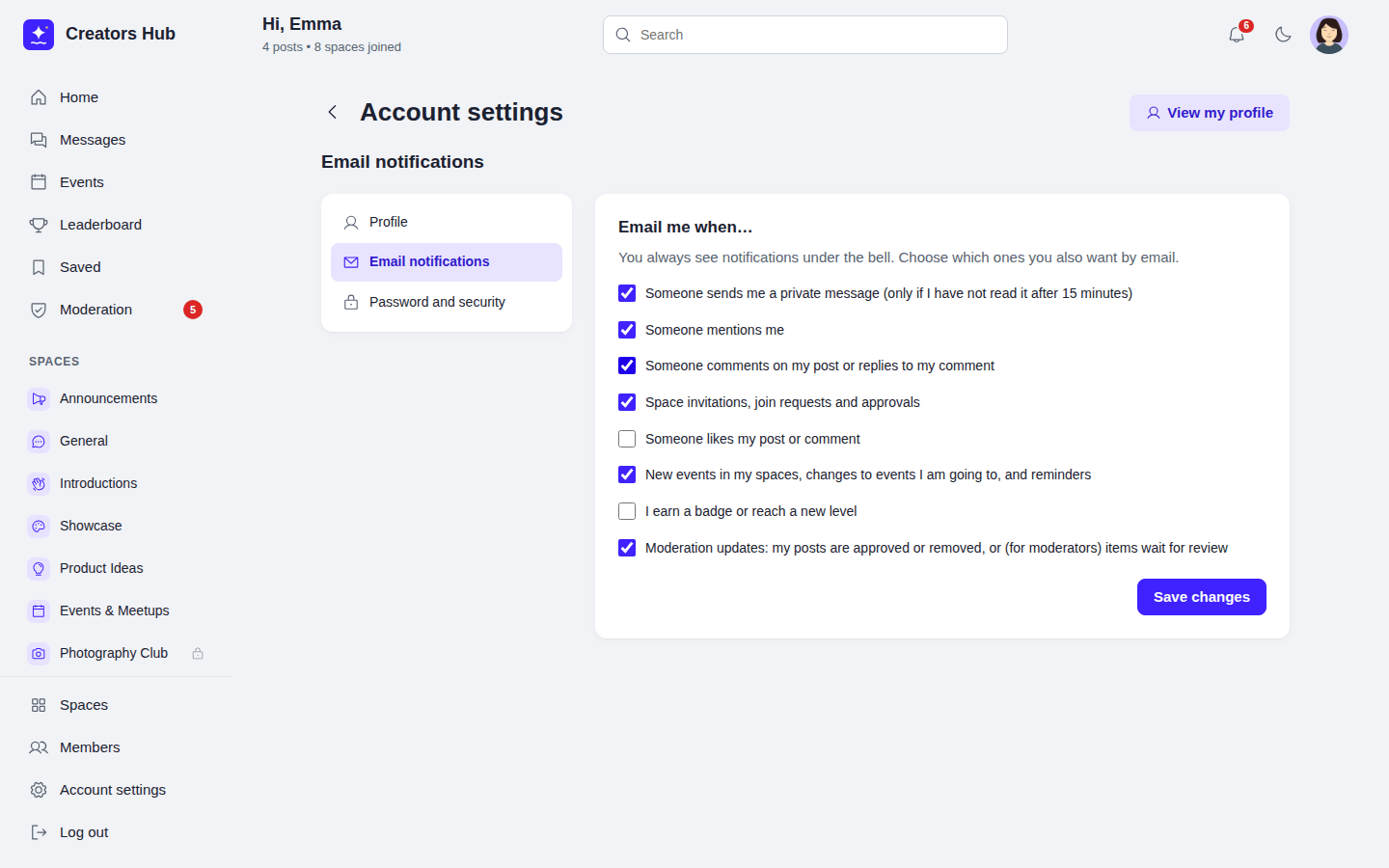 *Account settings → Email notifications.*
Emails are sent in the background a few seconds later by WP-Cron, using `wp_mail()`, so they work with any SMTP plugin. If a member reads the notification first, the email is skipped. On sites with little traffic, set up a real cron job for `wp-cron.php` so emails are not delayed. Read notifications are deleted after 90 days and all notifications after 180 days.
*Account settings → Email notifications.*
Emails are sent in the background a few seconds later by WP-Cron, using `wp_mail()`, so they work with any SMTP plugin. If a member reads the notification first, the email is skipped. On sites with little traffic, set up a real cron job for `wp-cron.php` so emails are not delayed. Read notifications are deleted after 90 days and all notifications after 180 days.
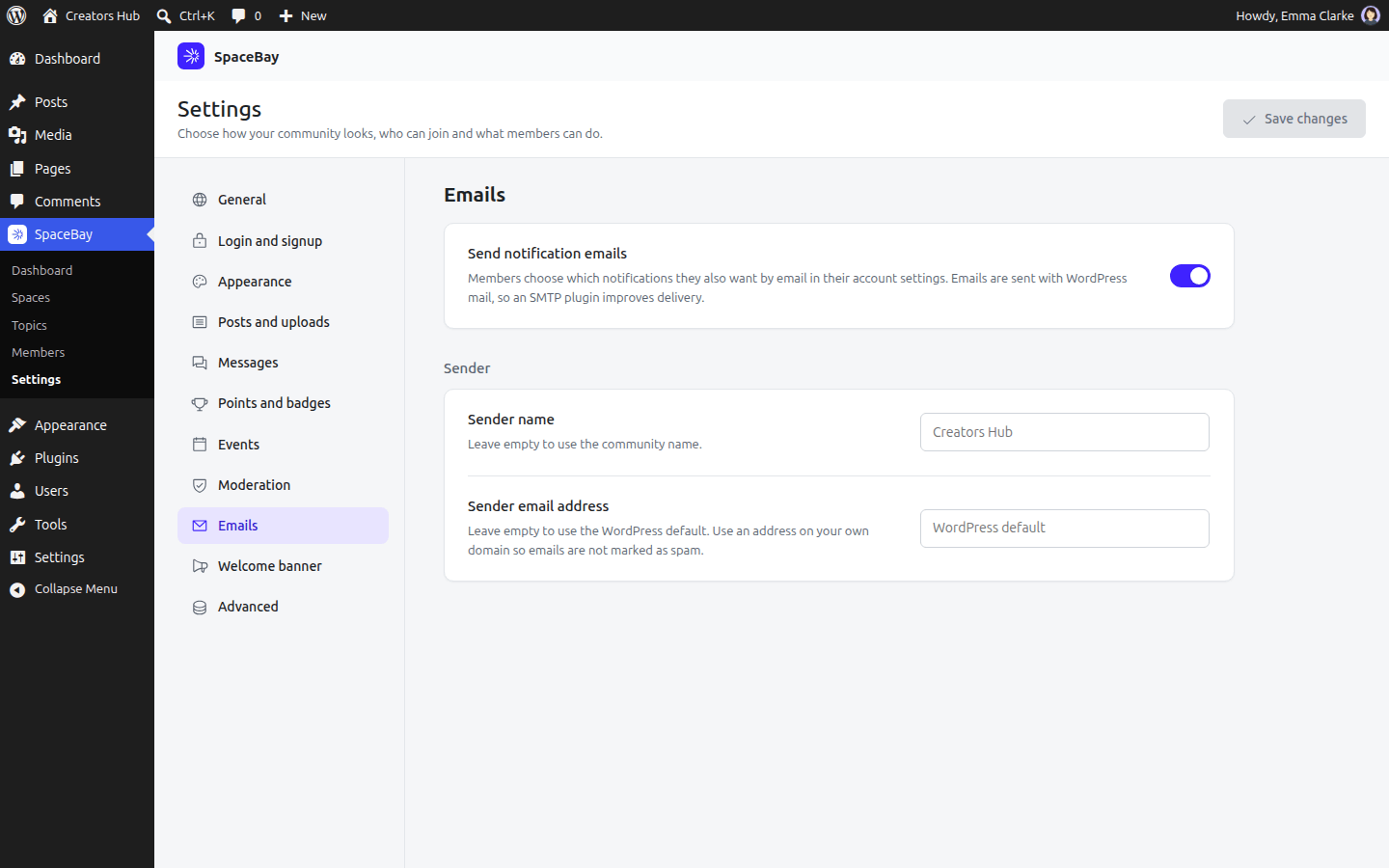 *SpaceBay → Settings → Emails.*
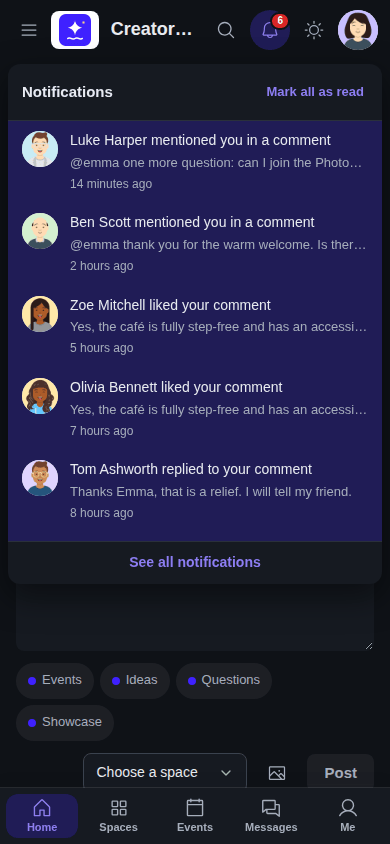 *Notifications on a phone, in dark mode.*