---
title: "Events"
description: "Add events to spaces, answer going, maybe or can't go, add to your calendar, and get notified."
---
Events belong to a space. Every space gets an **Events** tab, and the **Events** page in the sidebar shows events from all spaces the member can read: **Upcoming**, a month **Calendar**, the events they are **Going** to and **Past** events. Home shows the next events in the side column.
Video (22 s): answering Going to an event, with Add to calendar.
*Events → Calendar.*
- **Adding an event.** Space admins and moderators add events from the space's Events tab or the Events page with **New event**. Set *Who can add events* to let every member who can post in the space add events too. An event has a title, a description, a start and end time (shown to each member in their own time zone), online with a link or in person with an address. Events can last up to 14 days.
- **Answers.** Members of the space answer **Going**, **Maybe** or **Can't go**. The page shows who is going; hidden profiles are left out of that list.
- **Online link.** The meeting link is shown only to members who answered going or maybe, and to the people who manage the event.
- **Notifications.** Admins can tell all members of the space about a new event. Members who answered going or maybe are told when the time or place changes or the event is cancelled. Members choose the email for these in *Account settings → Email notifications*.
- **Add to calendar.** Every event has a **Calendar file (.ics)** for Apple Calendar, Outlook and others, and a **Google Calendar** link.
- **Change, cancel or delete.** The organizer and space moderators can change an event, cancel it (it stays visible as cancelled) or delete it.
*An event, with going and maybe counts and Add to calendar.*
*Upcoming events on a phone.*
Place limits and reminders are part of SpaceBay Pro: see [Event place limits and reminders](/spacebay/pro/event-limits-and-reminders/).
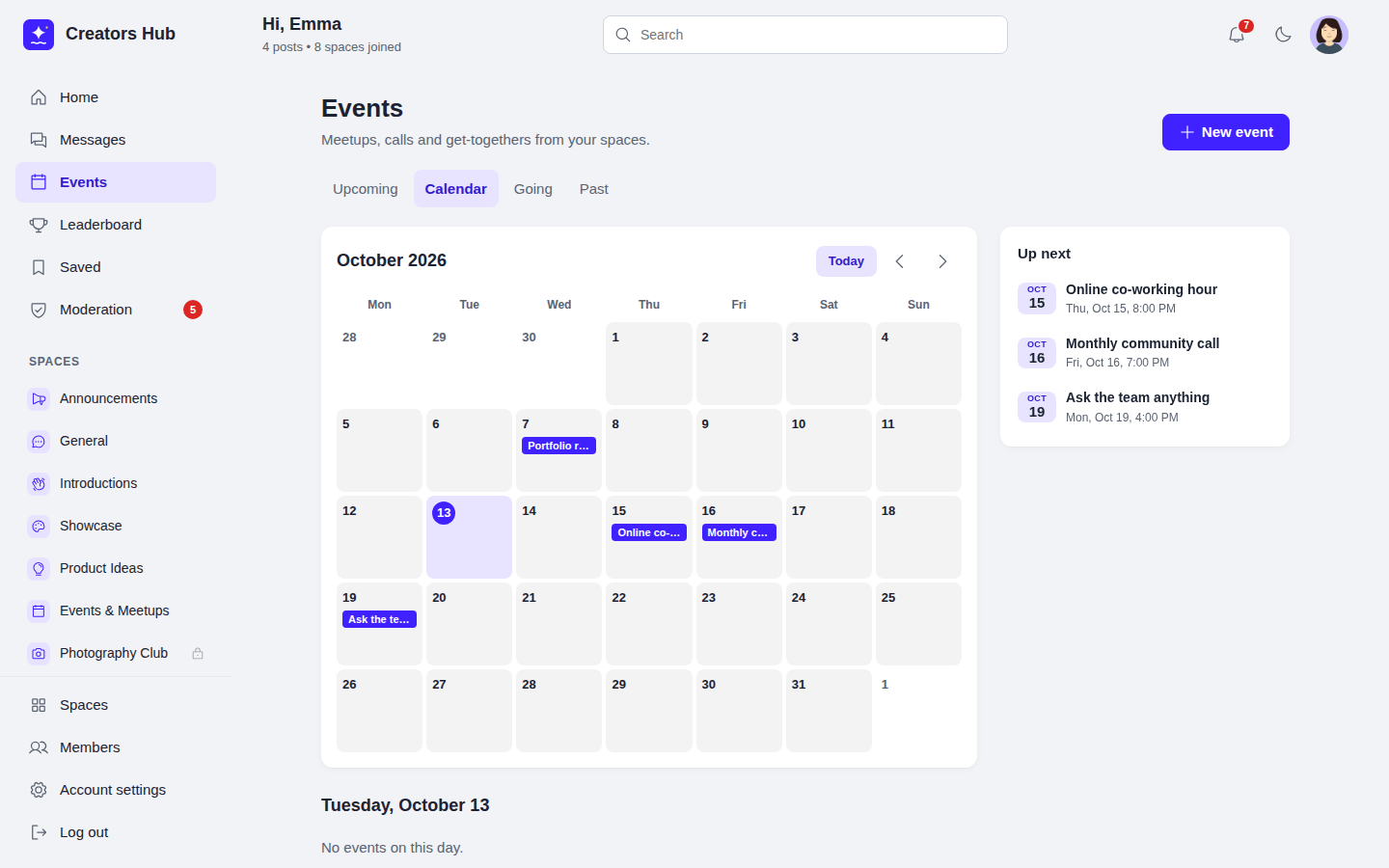 *Events → Calendar.*
- **Adding an event.** Space admins and moderators add events from the space's Events tab or the Events page with **New event**. Set *Who can add events* to let every member who can post in the space add events too. An event has a title, a description, a start and end time (shown to each member in their own time zone), online with a link or in person with an address. Events can last up to 14 days.
- **Answers.** Members of the space answer **Going**, **Maybe** or **Can't go**. The page shows who is going; hidden profiles are left out of that list.
- **Online link.** The meeting link is shown only to members who answered going or maybe, and to the people who manage the event.
- **Notifications.** Admins can tell all members of the space about a new event. Members who answered going or maybe are told when the time or place changes or the event is cancelled. Members choose the email for these in *Account settings → Email notifications*.
- **Add to calendar.** Every event has a **Calendar file (.ics)** for Apple Calendar, Outlook and others, and a **Google Calendar** link.
- **Change, cancel or delete.** The organizer and space moderators can change an event, cancel it (it stays visible as cancelled) or delete it.
*Events → Calendar.*
- **Adding an event.** Space admins and moderators add events from the space's Events tab or the Events page with **New event**. Set *Who can add events* to let every member who can post in the space add events too. An event has a title, a description, a start and end time (shown to each member in their own time zone), online with a link or in person with an address. Events can last up to 14 days.
- **Answers.** Members of the space answer **Going**, **Maybe** or **Can't go**. The page shows who is going; hidden profiles are left out of that list.
- **Online link.** The meeting link is shown only to members who answered going or maybe, and to the people who manage the event.
- **Notifications.** Admins can tell all members of the space about a new event. Members who answered going or maybe are told when the time or place changes or the event is cancelled. Members choose the email for these in *Account settings → Email notifications*.
- **Add to calendar.** Every event has a **Calendar file (.ics)** for Apple Calendar, Outlook and others, and a **Google Calendar** link.
- **Change, cancel or delete.** The organizer and space moderators can change an event, cancel it (it stays visible as cancelled) or delete it.
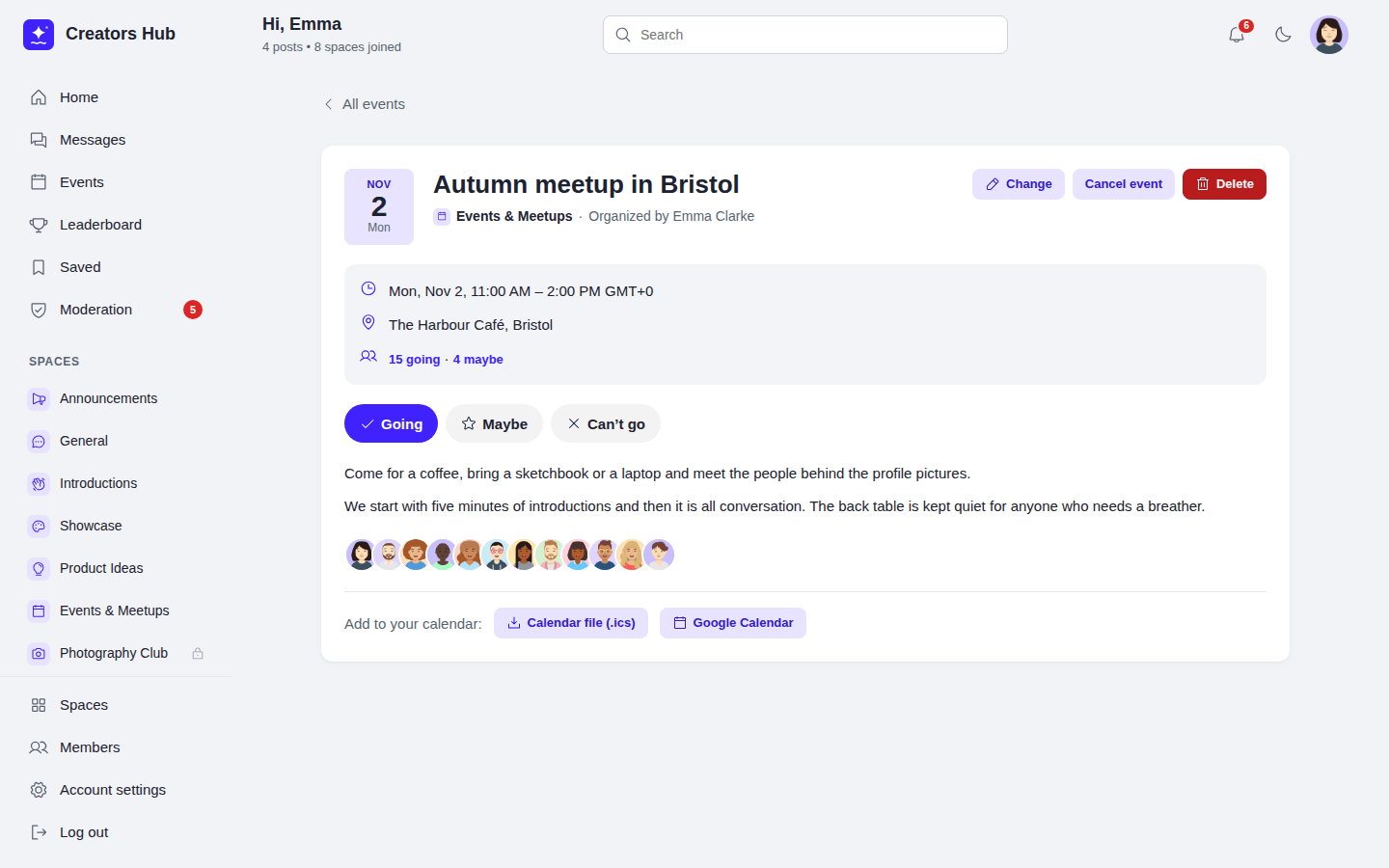 *An event, with going and maybe counts and Add to calendar.*
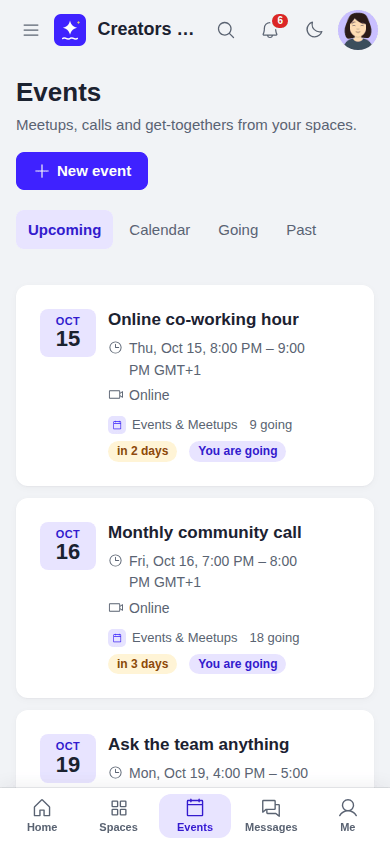 *Upcoming events on a phone.*
Place limits and reminders are part of SpaceBay Pro: see [Event place limits and reminders](/spacebay/pro/event-limits-and-reminders/).
*Upcoming events on a phone.*
Place limits and reminders are part of SpaceBay Pro: see [Event place limits and reminders](/spacebay/pro/event-limits-and-reminders/).