---
title: Quick Setup
description: Configure PointBay and test earning and redeeming points in a few minutes.
---
This is the fastest path to a working loyalty program enough to have customers earning and redeeming points today. It assumes PointBay is already installed and active; if it isn't yet, start with [Installation & Licensing](/pointbay/getting-started/installation/) first.
---
## Prerequisites
- PointBay is installed and active (see [Installation & Licensing](/pointbay/getting-started/installation/)).
- WooCommerce is set up with at least one purchasable product, so you can place a real test order.
- A test customer account you can log into separately from your admin account you'll need to check out as a customer, not as the store owner.
---
## Walkthrough: Configure and Test Your Program
All settings below are at **WooCommerce → Settings → Loyalty Points**, and every group is saved together with WooCommerce's own **Save changes** button at the bottom of the page there's no separate save per section.
### Step 1: Set your earning rate
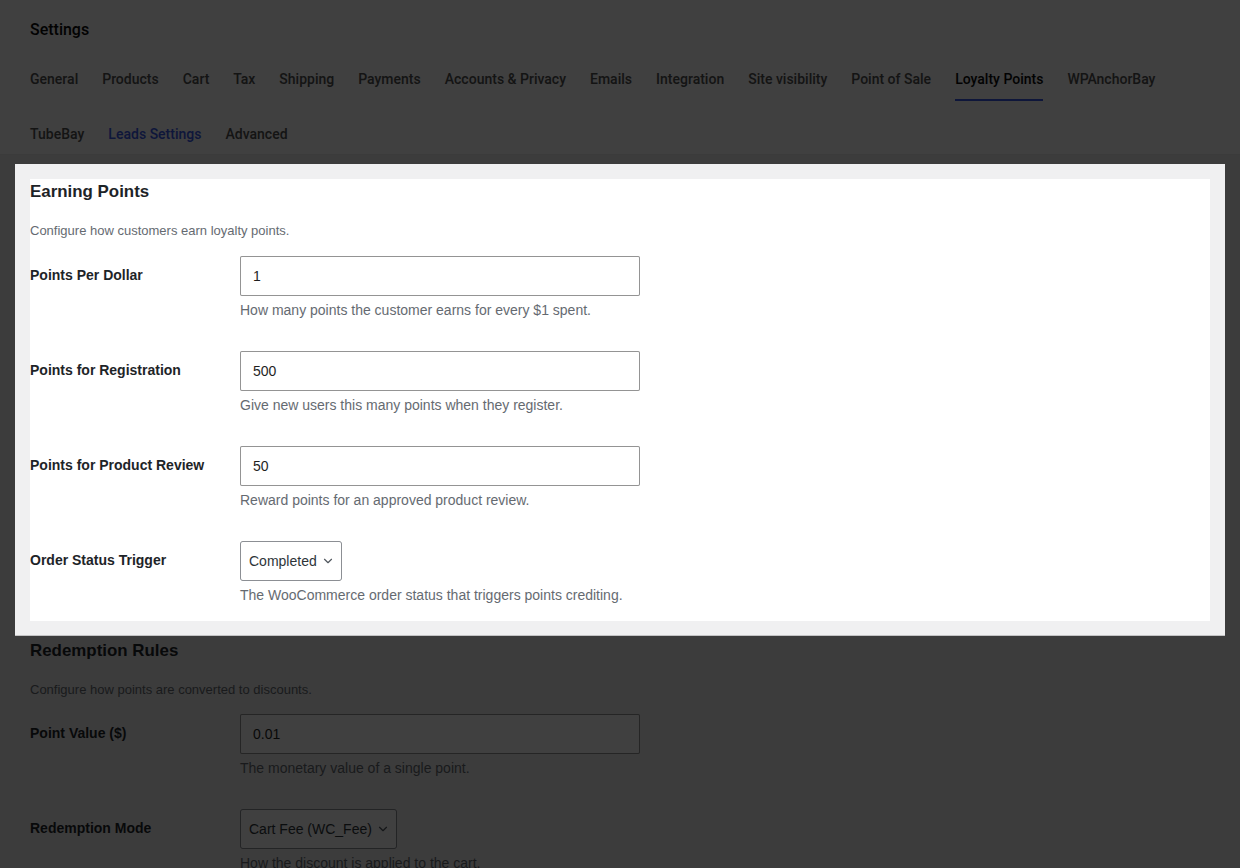
1. In the **Earning Points** group, set **Points Per Dollar** how many points a customer earns for each $1 of order subtotal. The default is `1`.
2. Optionally set **Points for Registration** and **Points for Product Review** to reward those actions too (both default to `0`, which turns them off).
3. Choose the **Order Status Trigger** the order status that awards purchase points. The default is **Completed**.
 4. Click **Save changes**.
Full details on every field: [Settings Reference → Earning Points](/pointbay/admin/settings-reference/#earning-points).
### Step 2: Set your redemption rules
1. In the **Redemption Rules** group, set **Point Value ($)** what one point is worth as a discount. The default is `0.01` (100 points = $1.00 off).
2. Choose a **Redemption Mode** **Cart Fee** or **Virtual Coupon**. Cart Fee is the simpler default; switch to Virtual Coupon only if an automated tax service reports incorrect totals once redemption is live.
3. Set **Minimum Points to Redeem** the balance a customer needs before the redeem option appears at checkout (default `100`).
4. Click **Save changes**.
Full details on every field: [Settings Reference → Earning Points](/pointbay/admin/settings-reference/#earning-points).
### Step 2: Set your redemption rules
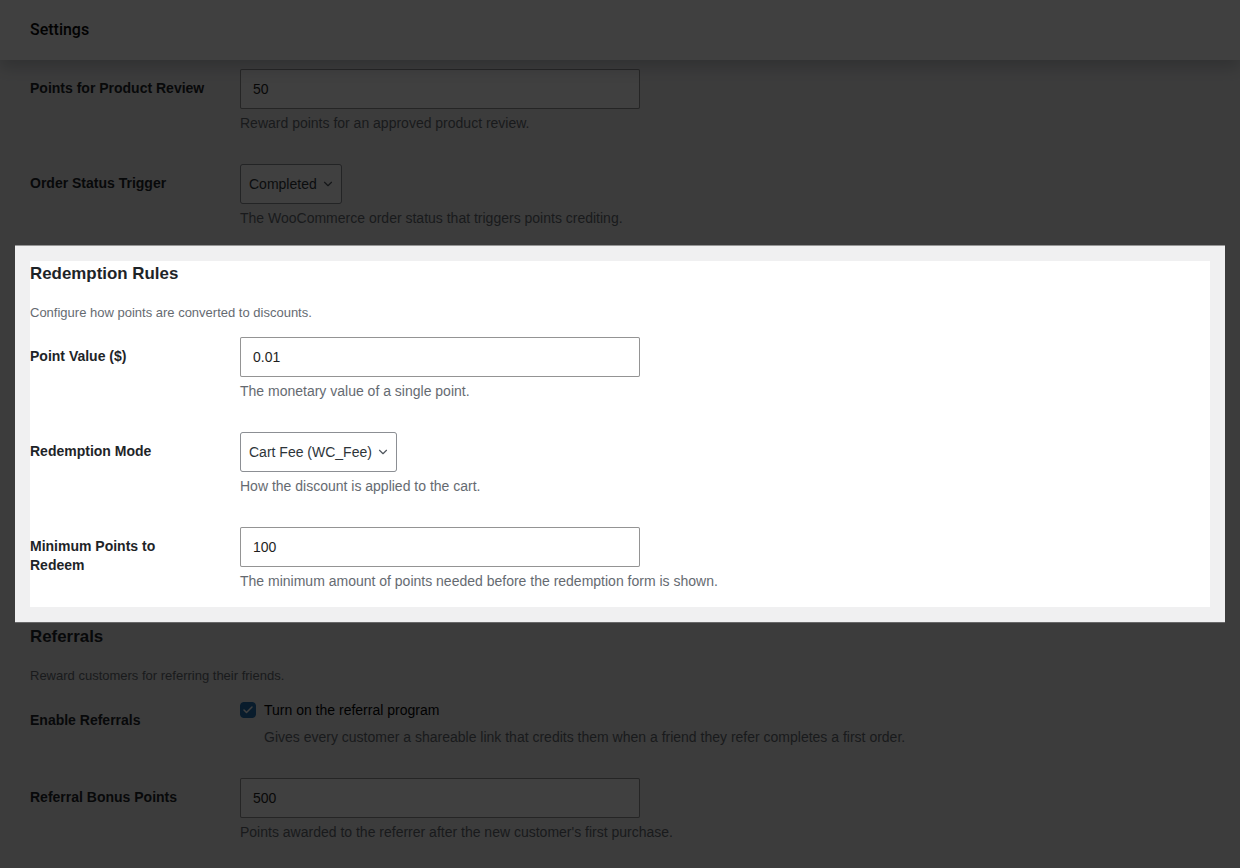
1. In the **Redemption Rules** group, set **Point Value ($)** what one point is worth as a discount. The default is `0.01` (100 points = $1.00 off).
2. Choose a **Redemption Mode** **Cart Fee** or **Virtual Coupon**. Cart Fee is the simpler default; switch to Virtual Coupon only if an automated tax service reports incorrect totals once redemption is live.
3. Set **Minimum Points to Redeem** the balance a customer needs before the redeem option appears at checkout (default `100`).
 4. Click **Save changes**.
Full details on every field: [Settings Reference → Redemption Rules](/pointbay/admin/settings-reference/#redemption-rules).
### Step 3: Test earning
1. In an incognito window (or logged in as a separate test customer), buy a product and complete checkout.
2. In the admin, go to **WooCommerce → Orders** and set that order to your trigger status (for example, **Completed**), if it isn't already.
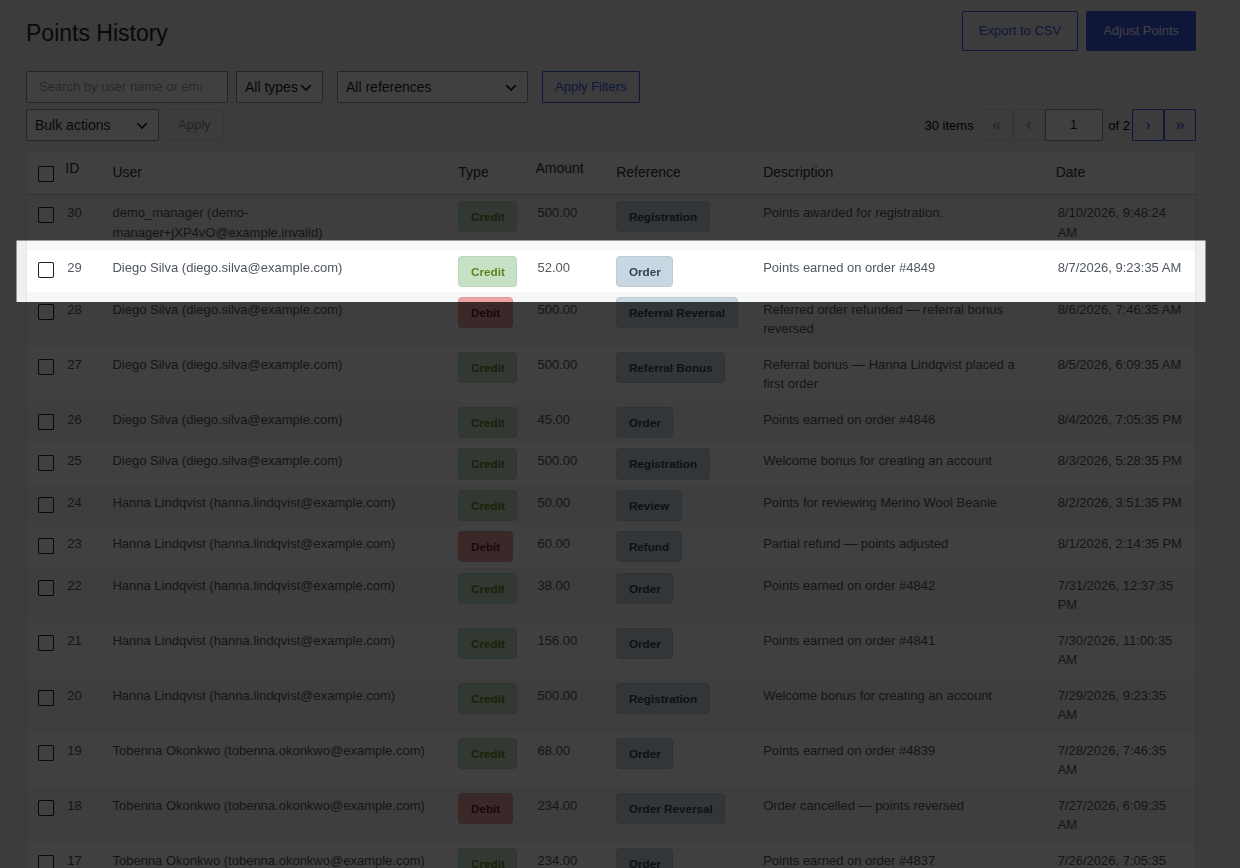
3. Open **WooCommerce → Points History** you should see a new **Credit** entry for that customer, referencing the order number.
### Step 4: Test redeeming
1. Make sure your test customer's balance is at or above your **Minimum Points to Redeem**.
2. As that customer, add items to the cart and go to checkout.
3. In the **Redeem Loyalty Points** panel, choose an amount and click **Apply Discount** the order total should drop by the corresponding amount.
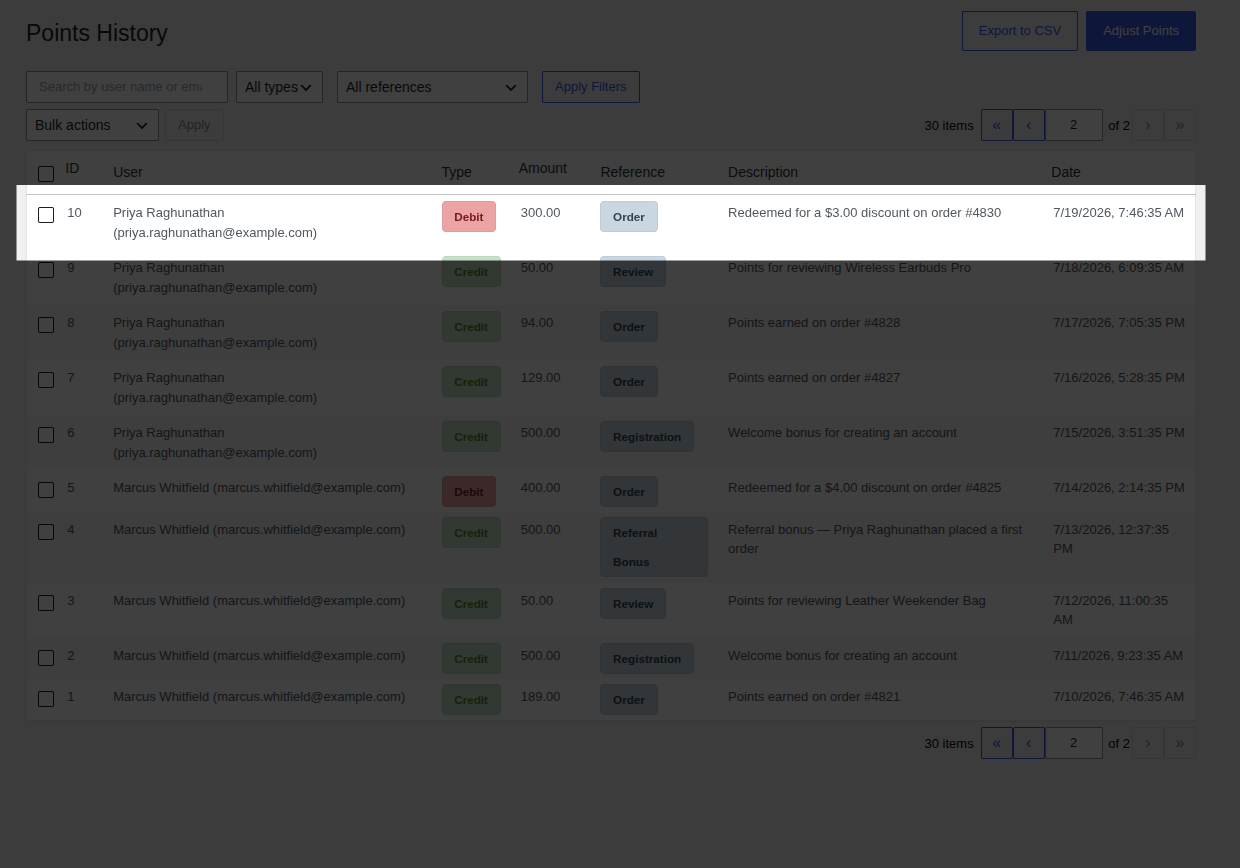
4. Place the order, then check **Points History** again for the matching **Debit** entry.
---
## Verify It Worked
If Step 3 produced a Credit and Step 4 produced a Debit in Points History, matching the order and amount you'd expect, your program is fully wired up end to end earning and redeeming both work.
## What's Next
Your basic program is live. To go further:
- [Earning Points](/pointbay/features/earning-points/) the full detail on how points are calculated, including refunds.
- [Redeeming Points](/pointbay/features/redeeming-points/) checkout behavior, Cart Fee vs. Virtual Coupon, and edge cases.
With **PointBay Pro** active, you can also layer on:
- [VIP Tiers](/pointbay/features/vip-tiers/) reward repeat customers with a faster earning rate.
- [Referral Program](/pointbay/features/referral-program/) turn customers into advocates with a refer-a-friend link.
4. Click **Save changes**.
Full details on every field: [Settings Reference → Redemption Rules](/pointbay/admin/settings-reference/#redemption-rules).
### Step 3: Test earning
1. In an incognito window (or logged in as a separate test customer), buy a product and complete checkout.
2. In the admin, go to **WooCommerce → Orders** and set that order to your trigger status (for example, **Completed**), if it isn't already.
3. Open **WooCommerce → Points History** you should see a new **Credit** entry for that customer, referencing the order number.

### Step 4: Test redeeming
1. Make sure your test customer's balance is at or above your **Minimum Points to Redeem**.
2. As that customer, add items to the cart and go to checkout.
3. In the **Redeem Loyalty Points** panel, choose an amount and click **Apply Discount** the order total should drop by the corresponding amount.
4. Place the order, then check **Points History** again for the matching **Debit** entry.

---
## Verify It Worked
If Step 3 produced a Credit and Step 4 produced a Debit in Points History, matching the order and amount you'd expect, your program is fully wired up end to end earning and redeeming both work.
## What's Next
Your basic program is live. To go further:
- [Earning Points](/pointbay/features/earning-points/) the full detail on how points are calculated, including refunds.
- [Redeeming Points](/pointbay/features/redeeming-points/) checkout behavior, Cart Fee vs. Virtual Coupon, and edge cases.
With **PointBay Pro** active, you can also layer on:
- [VIP Tiers](/pointbay/features/vip-tiers/) reward repeat customers with a faster earning rate.
- [Referral Program](/pointbay/features/referral-program/) turn customers into advocates with a refer-a-friend link.