---
title: Points History
description: View, filter, and export every loyalty points transaction in your store.
---
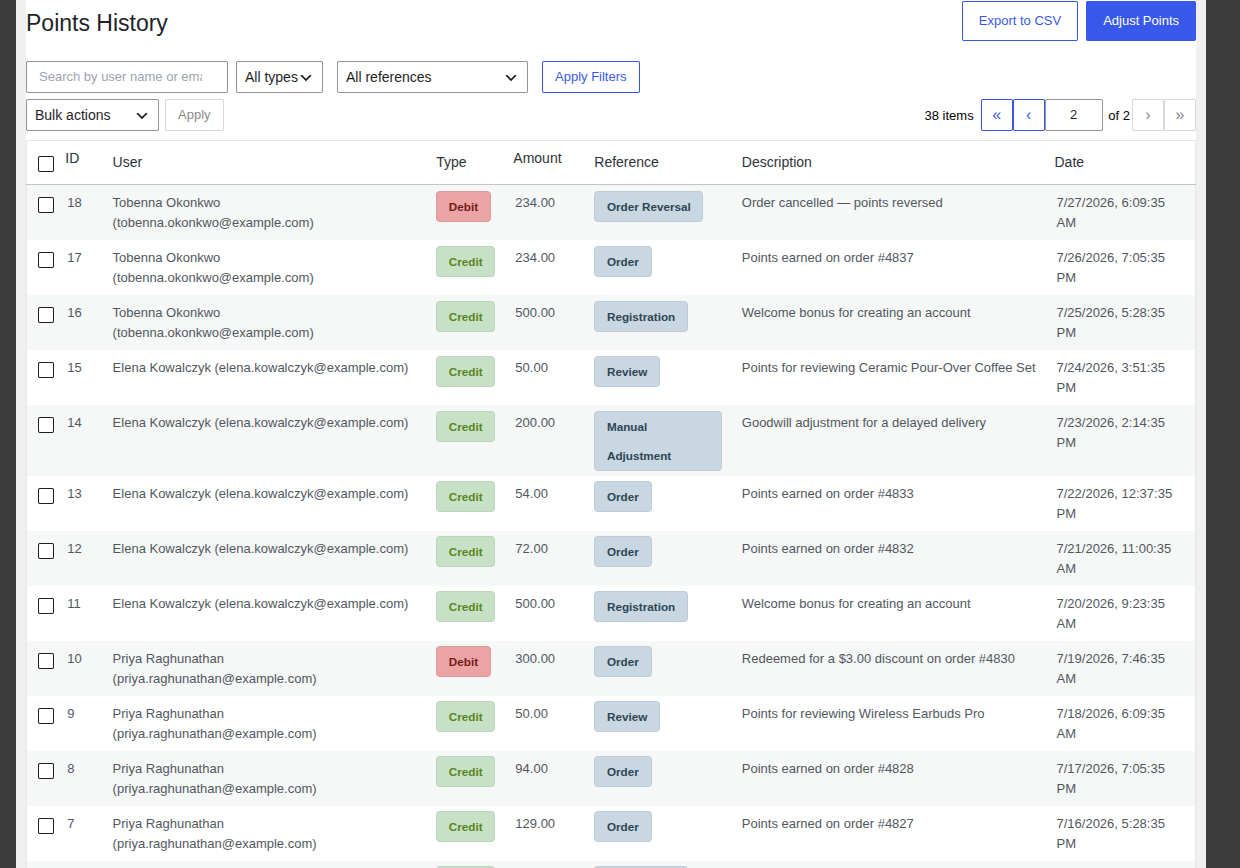
Points History is your complete, permanent record of points activity every time a customer earns or spends points, for any reason, a row is added here. It's the first place to look whenever a customer asks "why is my balance what it is," and it's also where you export data for accounting. Open it from **WooCommerce → Points History**.
 ---
## The History Table
Each row shows:
- **ID** the transaction number.
- **User** the customer's name and email.
- **Type** a **Credit** badge for points added, or a **Debit** badge for points removed.
- **Amount** how many points were added or removed.
- **Reference** what caused it. See the full list of reference types below.
- **Description** a plain-language explanation, such as "Points earned on order #4849."
- **Date** when it happened.
You can sort by **ID**, **Amount**, or **Date** by clicking that column's header.
---
## Common Tasks
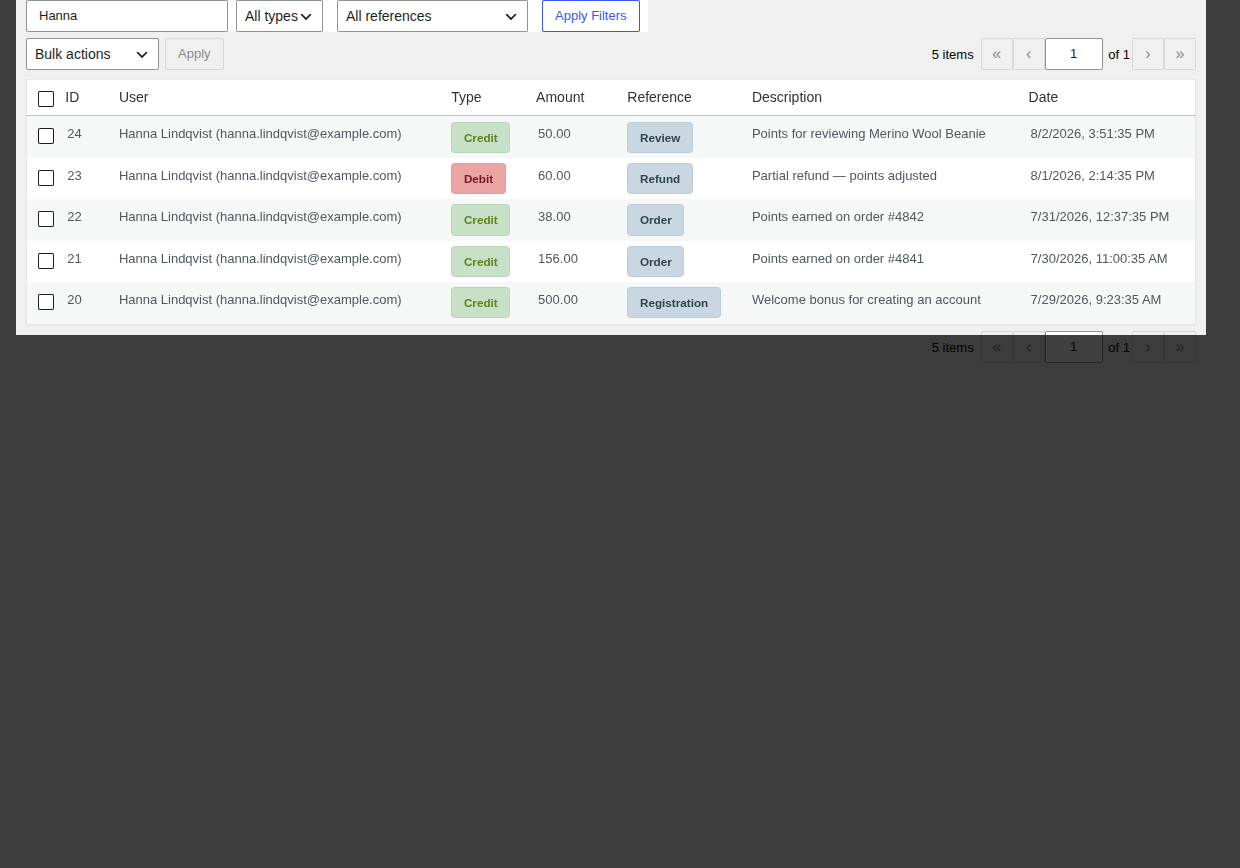
### Find a specific customer's history
1. Type their name or email into the **Search Ledger** box.
2. Press Enter or click **Apply Filters**.
### Narrow down by transaction type or cause
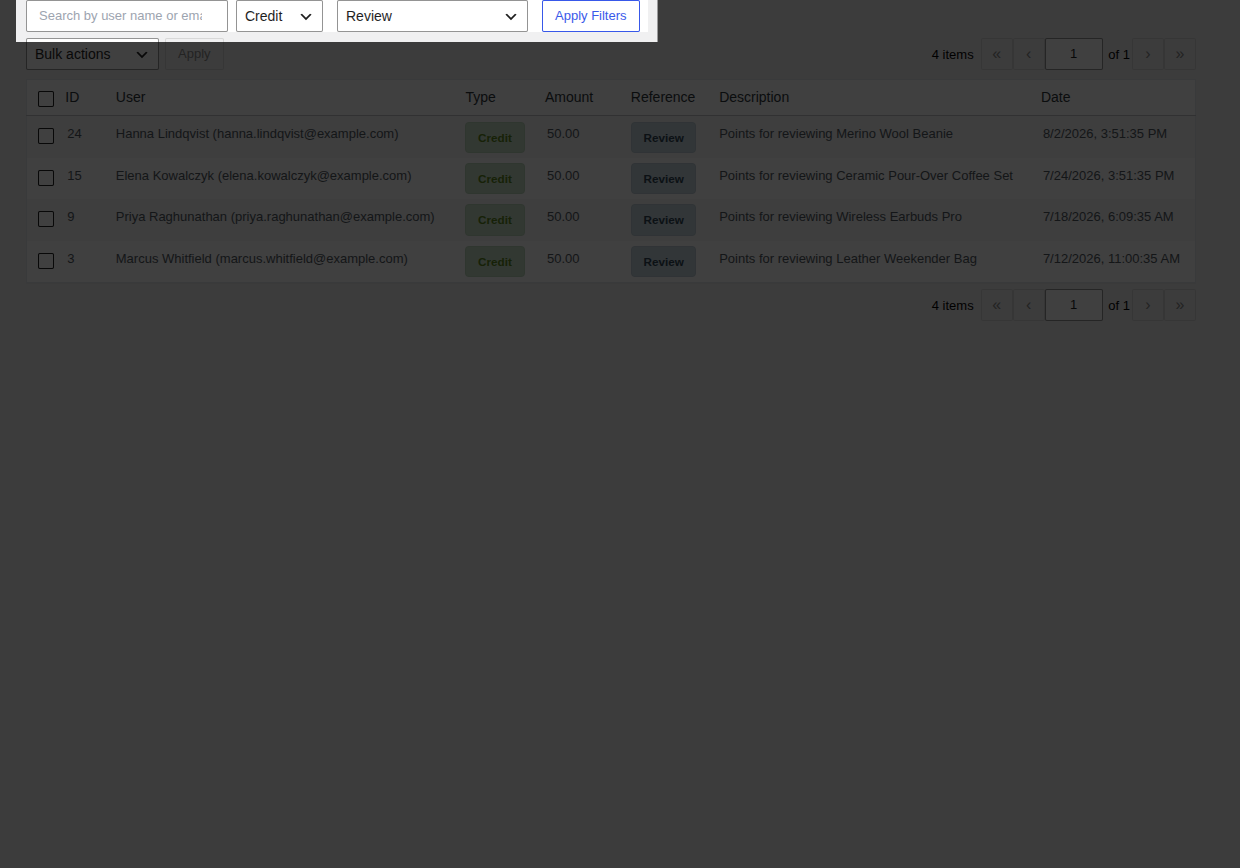
1. Use **Filter by type** to show only **Credit** or only **Debit** rows.
2. Use **Filter by reference** to show only one kind of event the available reference types are **Order**, **Order Reversal**, **Refund**, **Review**, **Referral Bonus**, **Referral Reversal**, **Manual Adjustment**, **Referral Signup Bonus**, and **Referral Signup Reversal**.
3. Click **Apply Filters**.
---
## The History Table
Each row shows:
- **ID** the transaction number.
- **User** the customer's name and email.
- **Type** a **Credit** badge for points added, or a **Debit** badge for points removed.
- **Amount** how many points were added or removed.
- **Reference** what caused it. See the full list of reference types below.
- **Description** a plain-language explanation, such as "Points earned on order #4849."
- **Date** when it happened.
You can sort by **ID**, **Amount**, or **Date** by clicking that column's header.
---
## Common Tasks
### Find a specific customer's history
1. Type their name or email into the **Search Ledger** box.
2. Press Enter or click **Apply Filters**.

### Narrow down by transaction type or cause
1. Use **Filter by type** to show only **Credit** or only **Debit** rows.
2. Use **Filter by reference** to show only one kind of event the available reference types are **Order**, **Order Reversal**, **Refund**, **Review**, **Referral Bonus**, **Referral Reversal**, **Manual Adjustment**, **Referral Signup Bonus**, and **Referral Signup Reversal**.
3. Click **Apply Filters**.
 ### Export records for accounting
- Click **Export to CSV** (top of the page) to download the full, currently filtered list, or
- Select specific rows with their checkboxes, choose **Export Selected** from **Bulk actions**, then click **Apply** to export just those rows.
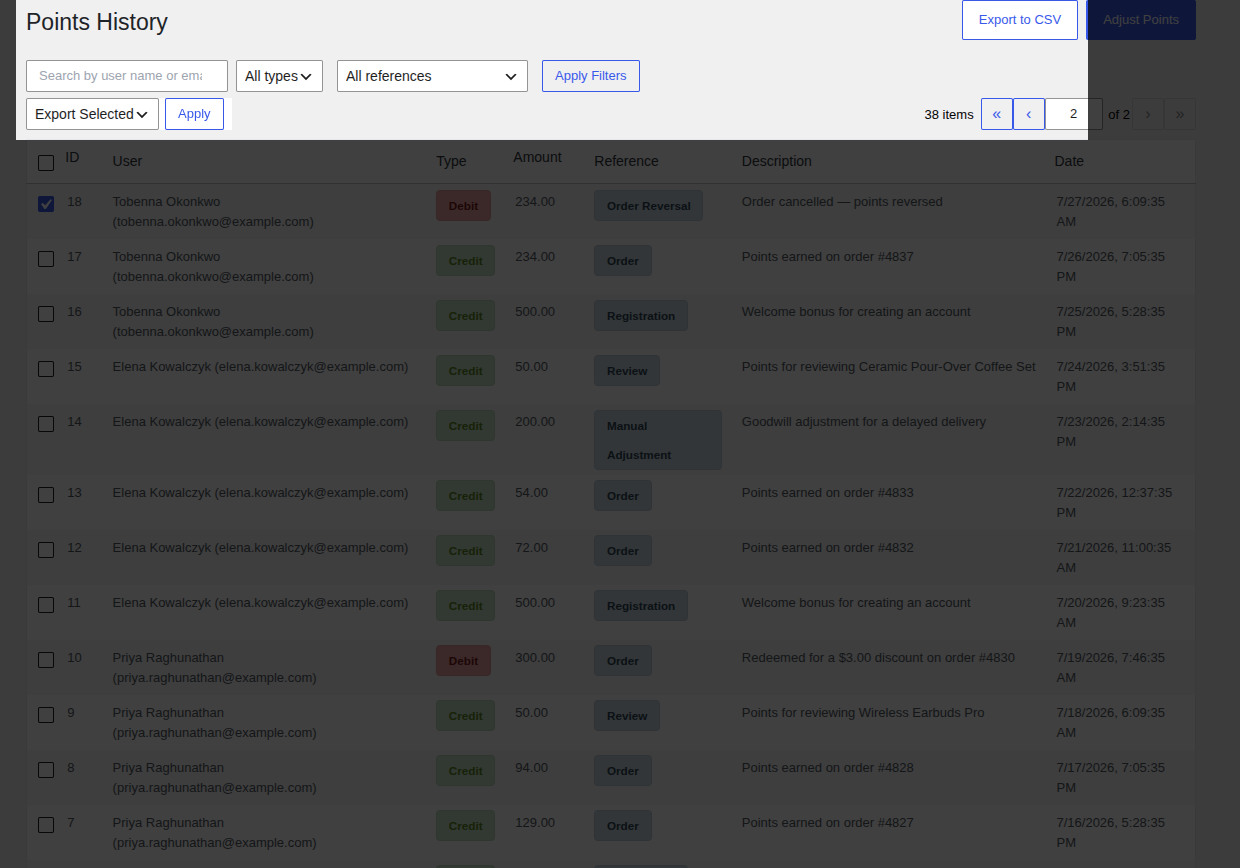
The file downloads as `pointbay_ledger_export_.csv` and includes the user, type, amount, reference, description, and date for every exported row.
### Credit or debit a customer by hand
Click **Adjust Points** (top of the page) to open the manual adjustment form. See the full walkthrough on [Manual Adjustments](/pointbay/admin/manual-adjustments/).
---
## Reading a Real Ledger
A typical customer's history tells a story if you read it top to bottom. For example, a sequence like:
| Type | Amount | Reference | Description |
|---|---|---|---|
| Credit | 500.00 | Registration | Welcome bonus for creating an account |
| Credit | 38.00 | Order | Points earned on order #4842 |
| Debit | 60.00 | Refund | Partial refund points adjusted |
| Credit | 500.00 | Referral Bonus | Referral bonus a friend placed a first order |
| Debit | 500.00 | Referral Reversal | Referred order refunded referral bonus reversed |
...shows a customer who signed up, made a purchase that was later partly refunded, successfully referred a friend, and then had that referral reversed when the friend's order fell through all without you needing to reconstruct any of it from order records.
---
## Troubleshooting
- **A customer's balance doesn't match what they expect** filter their history by their name/email and read every row chronologically; the balance is always the sum of every credit and debit shown.
- **Export downloads an empty or unexpected file** the CSV export respects whatever filters are currently applied; clear filters first if you meant to export everything.
See [Troubleshooting](/pointbay/resources/troubleshooting/) for more general issues.
## Related
- [Manual Adjustments](/pointbay/admin/manual-adjustments/)
- [Earning Points](/pointbay/features/earning-points/)
- [Redeeming Points](/pointbay/features/redeeming-points/)
### Export records for accounting
- Click **Export to CSV** (top of the page) to download the full, currently filtered list, or
- Select specific rows with their checkboxes, choose **Export Selected** from **Bulk actions**, then click **Apply** to export just those rows.

The file downloads as `pointbay_ledger_export_.csv` and includes the user, type, amount, reference, description, and date for every exported row.
### Credit or debit a customer by hand
Click **Adjust Points** (top of the page) to open the manual adjustment form. See the full walkthrough on [Manual Adjustments](/pointbay/admin/manual-adjustments/).
---
## Reading a Real Ledger
A typical customer's history tells a story if you read it top to bottom. For example, a sequence like:
| Type | Amount | Reference | Description |
|---|---|---|---|
| Credit | 500.00 | Registration | Welcome bonus for creating an account |
| Credit | 38.00 | Order | Points earned on order #4842 |
| Debit | 60.00 | Refund | Partial refund points adjusted |
| Credit | 500.00 | Referral Bonus | Referral bonus a friend placed a first order |
| Debit | 500.00 | Referral Reversal | Referred order refunded referral bonus reversed |
...shows a customer who signed up, made a purchase that was later partly refunded, successfully referred a friend, and then had that referral reversed when the friend's order fell through all without you needing to reconstruct any of it from order records.
---
## Troubleshooting
- **A customer's balance doesn't match what they expect** filter their history by their name/email and read every row chronologically; the balance is always the sum of every credit and debit shown.
- **Export downloads an empty or unexpected file** the CSV export respects whatever filters are currently applied; clear filters first if you meant to export everything.
See [Troubleshooting](/pointbay/resources/troubleshooting/) for more general issues.
## Related
- [Manual Adjustments](/pointbay/admin/manual-adjustments/)
- [Earning Points](/pointbay/features/earning-points/)
- [Redeeming Points](/pointbay/features/redeeming-points/)